Best Smart Purifiers · Airflow troubleshooting
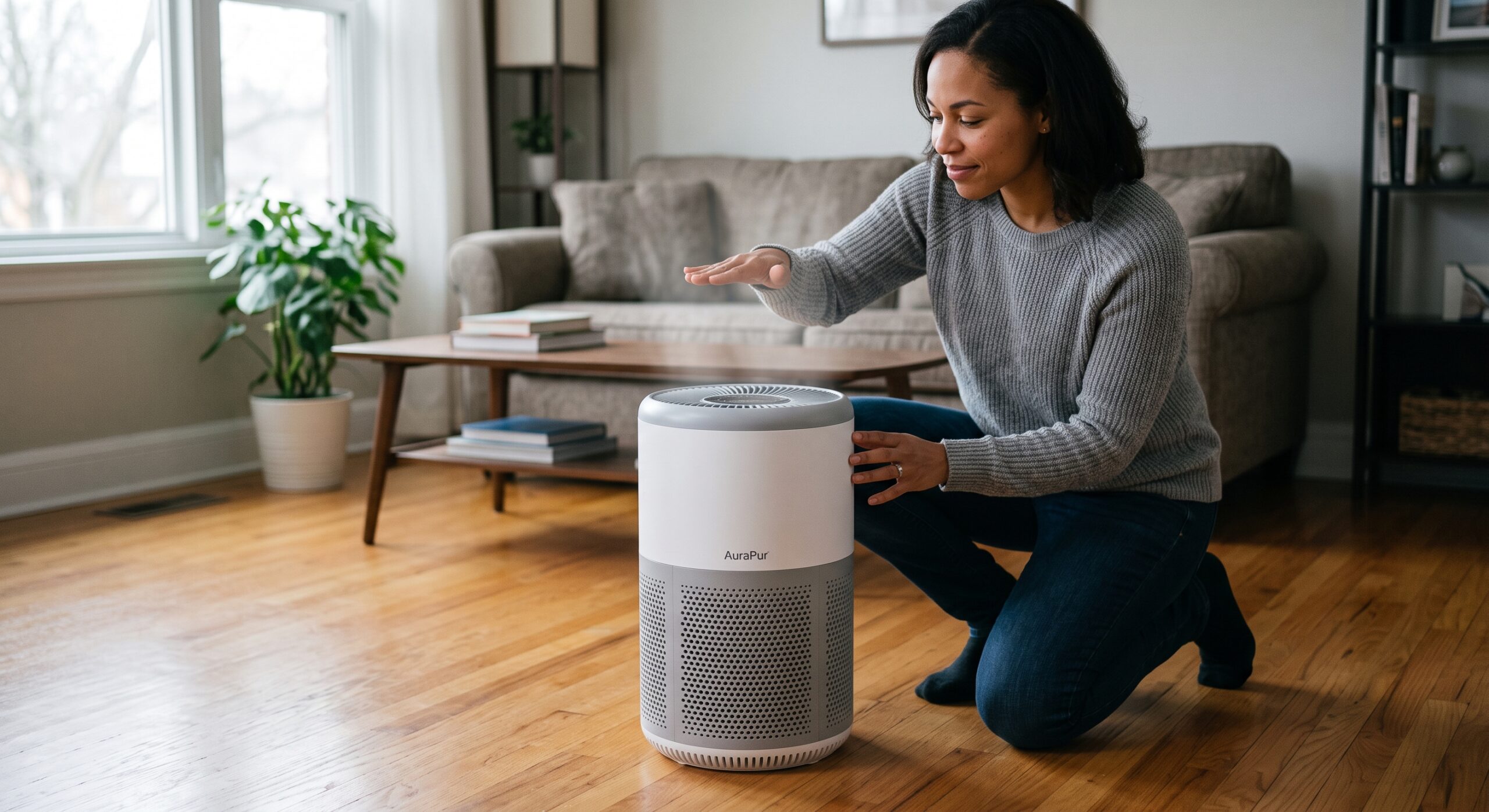
The display is on. You can hear the fan. But the airflow that used to be obvious now feels like a faint breeze. Before a new filter lands in your shopping cart, answer one question: is the purifier moving less air at the same setting?
That comparison matters. A quiet overnight mode, a newly blocked intake, and a problem that began after a filter change deserve different checks. Start with what changed, then work through the parts your model’s manual allows you to inspect.
Affiliate disclosure: This guide includes a FiltersFast affiliate link. BestSmartPurifiers.com may earn a commission from qualifying purchases at no extra cost to you. Confirm the need for replacement and the exact filter match before ordering.
Quick answer: Why is my air purifier barely blowing air?
Possible causes include a low fan setting, blocked intake or outlet, forgotten filter packaging, incorrect installation, or a loaded filter. Compare manual speeds first. Then turn off and unplug the purifier before inspecting its airflow path and owner-accessible filters. Use the exact model’s maintenance instructions. Persistent weak output after those checks belongs with manufacturer support. Blueair’s troubleshooting guide explains several of these causes.
First, choose your starting point
Three observations. Three useful questions.
Weak only in a quiet mode
Does output return when you select a higher manual speed?
Weaker than it used to be
What changed in the placement, installation, or filter condition?
Normal breeze, disappointing room
Does the purifier’s clean-air delivery fit the room and the problem?
Weak airflow, no airflow, or poor room results?
Use this comparison to choose a route. It is a troubleshooting aid, not a diagnosis of the motor or electronics.
| What you notice | Check first | Next decision |
|---|---|---|
| Weak in sleep or auto mode; stronger on manual high | Operating mode and scheduled settings | Choose a useful everyday speed. |
| Output changed after replacing the filter | Packaging, exact filter code, seating, and cover | Correct installation before another purchase. |
| Output gradually declined at the same speed | Intake, outlet, pre-filter, and main filter | Perform approved maintenance, then compare again. |
| Output seems normal, but the room still disappoints | Room size, CADR, runtime, and pollution source | Review the room plan. |
| No output on manual speed, grinding, or recurring shutdown | Model-specific support instructions | Stop testing if abnormal operation persists. |
On a phone, swipe the comparison table sideways. If the entire machine loses power, start with why an air purifier keeps turning off.
Seven checks before you replace the purifier
1. Compare the same outlet at the same setting
Find the intake and outlet in the manual. Stand in the same place for each observation and keep hands and objects outside the grilles. Record the selected speed, whether the sound changes, and whether the output changes with it.
Use the observation to describe a change, not to assign a performance score. AHAM distinguishes airflow from CADR: moving air and delivering particle-cleaned air are different measurements. A hand near a vent cannot establish either number.
2. Check what the selected mode actually does
If there are no warning signs, select a manual fan speed through the purifier’s own controls. Review the app if the setting changes back. Write down the result before editing several routines at once.
One concrete example: the Levoit Vital 200S-P manual says its sleep setting runs below low speed and its auto mode does not use turbo. Those details explain that model’s behavior; they are not universal rules for all purifiers.
If manual output returns, use the result to build a better routine with the guide to continuous operation, schedules, and daily fan speeds.
3. Give both the intake and outlet room to work
Turn the unit off and unplug it before moving it or inspecting the grilles. Check for curtains, furniture, bedding, or stored items that have crept into the airflow path. Follow the clearances in your manual; there is no single distance that fits every design.
The EPA recommends keeping purifier airflow unobstructed. If the room was recently rearranged, compare today’s position with the previous setup using the room-by-room placement guide.
4. Revisit the last filter change
A problem that began immediately after maintenance gives you a useful starting point. With power disconnected, compare the cartridge’s code with the approved replacement for the complete purifier model. Check the installation diagram, packaging removal, filter seating, and cover closure.
Blueair specifically flags leftover plastic and filter installation in its troubleshooting guidance. Do not force a cartridge into place, remove permanent filter layers, or add extra media that the manufacturer has not specified.
Keep the box and receipt until the replacement is confirmed correct. A photo of the old and new labels can make a compatibility question much easier for support to resolve.
Pause before cleaning
Identify the layer—not just the dust
Pre-filter
Some are washable or vacuumable. Others are disposable. Identify yours first.
Main particle filter
Do not wash, brush, or vacuum disposable media unless its instructions permit it.
Carbon stage
Maintenance varies. A washable carbon filter is a specific design, not a rule for all carbon.
5. Inspect the pre-filter before blaming the main cartridge
Look for hair, lint, and buildup on the pre-filter. Philips identifies a dirty pre-filter as an airflow restriction on the models covered by its support page. Its instructions distinguish washable pre-filters from main filters that need replacement.
Read the care section before choosing a method. If your model permits washing, let the component dry completely before reinstallation. For help distinguishing the layers, read Can You Vacuum an Air Purifier Filter?
6. Decide whether the main filter needs replacement
If output remains reduced after approved maintenance, consult the filter-replacement instructions. Honeywell’s InSight guidance connects reduced output with filter loading and says those models’ filters should not be washed. A pre-filter can be disposable too.
Bring the installation date, operating history, and photos into that decision. Neither “it looks gray” nor “the app still says 40%” explains the whole situation. The guide to what the replace-filter light means helps you interpret the reminder.
Keep the intended filter system intact. Removing filtration to get a stronger breeze would defeat the purpose of the comparison.
7. Stop buying parts when the evidence points to support
If the correct filter is installed, airflow is clear, and manual settings still produce abnormal output, contact the manufacturer before ordering another cartridge. Grinding or humming without airflow also warrants support; Blueair identifies motor-related faults as service issues.
Send the model, purchase date, filter code, selected speed, when the problem started, and checks already completed. Provide a short video only if recording is safe. Avoid opening the motor or electrical housing. Use the companion air purifier noise guide to describe the sound clearly.
Airflow feels normal? Check the room before upgrading.
A purifier can respond normally to its controls and still be a poor fit for its room. Measure length and width, note ceiling height, and consider connected space.
AHAM’s general sizing shortcut calls for a smoke CADR at least two-thirds of the room’s area in square feet. For a 10-by-15-foot room with an eight-foot ceiling, that is a starting target of 100 cfm. AHAM recommends a higher target for wildfire smoke: smoke CADR equal to the room’s square footage.
Published CADR typically describes maximum speed. The EPA explains that lower speeds filter less air. Do not assume a quiet setting delivers the number on the box. If the concern is odor, moisture, or stale air, revisit the source and ventilation needs too; particle filtration does not address every problem.
Make the next decision on paper
Add an airflow record to your Fit & Filter Planner
The free Smart Air Purifier Fit & Filter Planner covers room fit, CADR, filter compatibility, ownership cost, and maintenance. Add these notes beside the relevant worksheet:
- Before: Room, model, filter code, selected mode, and when the change began.
- One change: The setting, placement, or approved maintenance step you tried.
- After: Whether airflow and sound changed at the same manual speed.
- Next action: Keep the corrected setup, price the confirmed filter, or contact support.
This record keeps a comparison useful. It is not a laboratory test of CADR or proof that every pollutant has been removed.
Get the free Fit & Filter Planner
Free 15-page workbook, available through the email signup page.
Before you spend
Let the result choose the next step
Keep the improvement
Record the useful mode and placement so the same problem is easier to spot next time.
Match the exact filter
Compare the approved code, package contents, seller, delivered cost, and return terms.
Use support first
Ask about diagnosis, warranty, and service before buying more parts or a new purifier.
If you need a filter, shop with the model number beside you
Use your recorded purifier model and approved replacement code to compare listings. Check whether the package includes every required stage, and follow the manufacturer’s replacement requirements. Similar appearance is not confirmation of equivalent performance.
Compare replacement filters at FiltersFast
Affiliate link. Stock, compatibility, package contents, and prices vary. If the exact approved filter is unclear, ask the manufacturer before ordering.
Four-question knowledge check
Select one answer per question for immediate feedback. You can change your answer or reset the check.
Frequently asked questions
Should an air purifier feel as powerful as a room fan?
That is not a useful performance standard. Judge a change against the same purifier at the same setting. To compare particle-cleaning capability between models, use CADR and room fit rather than the strength of the breeze you feel.
Does weak airflow always mean the filter is clogged?
No. Start with the mode, placement, and installation checks above. Record what changed and what restores normal output before deciding that a filter purchase is necessary.
Can I clean a HEPA filter to restore airflow?
Only use the cleaning method explicitly permitted for that filter. Permission to wash or vacuum a pre-filter does not extend to the main particle filter. If the instructions identify it as disposable or say not to clean it, follow the replacement guidance.
Will resetting the filter light fix weak airflow?
Resetting a maintenance reminder does not remove a physical obstruction. Follow the model’s inspection and replacement procedure, then reset the reminder when the instructions call for it. See the linked filter-light guide for the distinction.
Should I replace the purifier if a new filter did not help?
First confirm that the replacement is correct and properly installed. If the problem persists, ask support about diagnosis and warranty. Compare the documented repair cost with replacement cost, room fit, and future filter availability before deciding.
What changed before the airflow dropped?
Did it happen after a filter swap, a move behind the sofa, a setting change, or gradually over time? Share the purifier model, filter code, fan setting, and the check that made a difference in the comments.
Those details can help another reader recognize a similar pattern. Keep serial numbers, receipts, and personal contact details for private manufacturer support.