An air purifier that shuts down without warning can turn a clean-air routine into a guessing game. The cause may be as harmless as a timer, display-dimming setting, or auto mode that has gone idle—but a hot plug, repeated breaker trip, burning odor, or complete loss of power calls for a very different response.
Before you order a filter or replace the purifier, identify what actually stopped: the display, the fan, the app connection, or all electrical power. That one distinction can keep you from treating normal smart behavior like a failure—or overlooking a real safety problem.
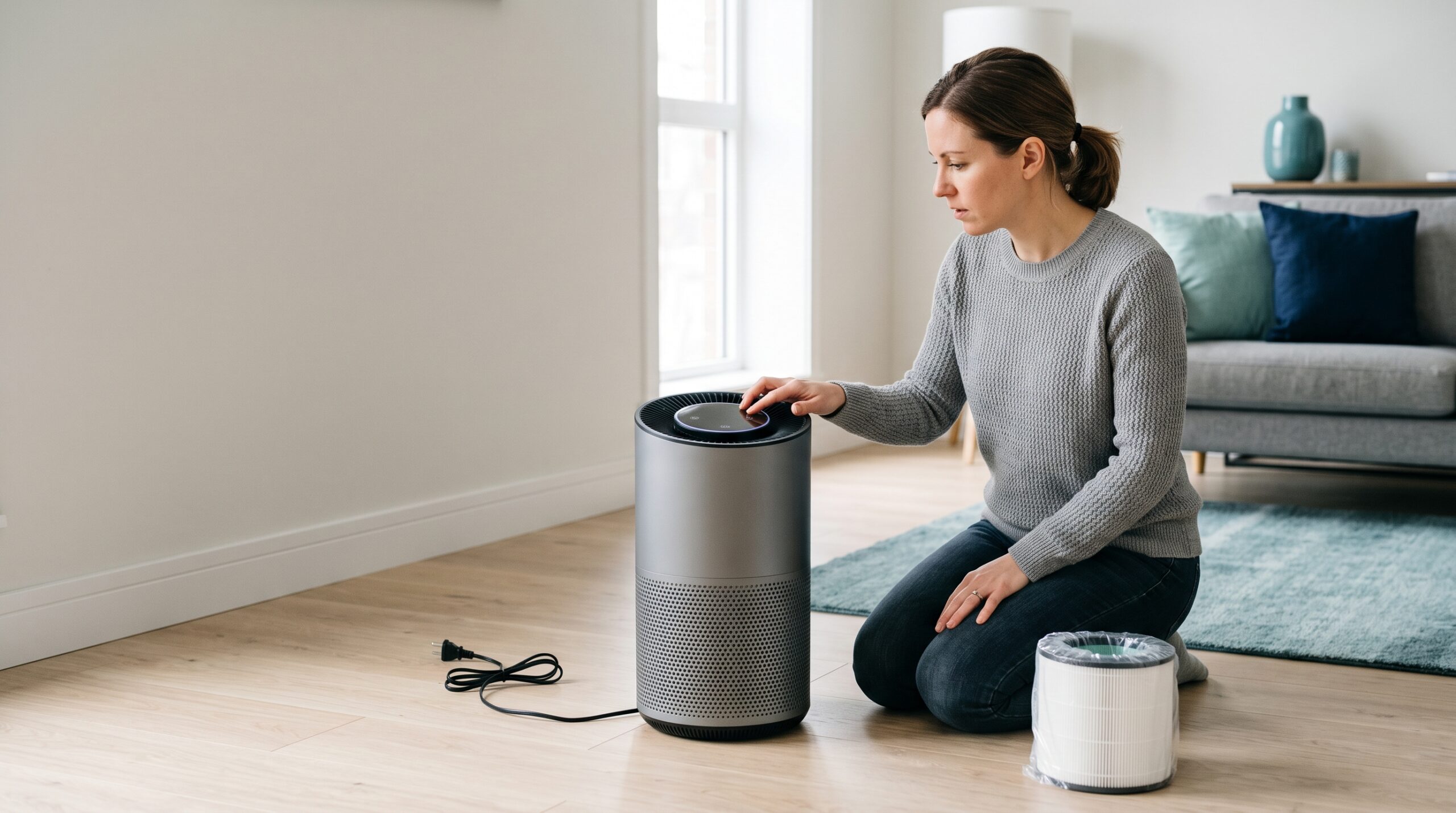
Quick Answer: Why Does an Air Purifier Keep Turning Off?
First, confirm whether the purifier truly lost power. A dark display may be night mode, and a quiet fan may be auto mode waiting for pollution to rise. If the whole unit turns off, check the timer, app schedule, smart-home routine, removable power cord, outlet, correctly seated filter, closed access panel, and clear intake and outlet—using the instructions for your exact model.
Stop using the purifier if it repeatedly trips a breaker or GFCI, produces smoke, sparks, a burning or melting-plastic odor, unusual heat, grinding, electrical crackling, or has a damaged cord or plug. Do not keep resetting it to see whether the problem disappears.
Display dark, unit still moving air
Check night mode, display brightness, and light-sensor settings before assuming the purifier shut off.
Fan stops at a repeatable time
Review the timer, schedule, auto or eco mode, app, voice assistant, and smart-plug routine.
Heat, odor, sparks, or breaker trips
Disconnect power only when safe. Leave the purifier off and contact the manufacturer or a qualified professional.
Infographic: Separate a dimmed display, an automated pause, and a genuine electrical shutdown before troubleshooting.
What “Turning Off” Looks Like—and What to Check First
People use “turning off” to describe several different behaviors. Match the symptom before changing a setting or removing a filter.
| What you notice | Possible direction | Safest first check | Escalate when |
|---|---|---|---|
| Screen or indicator goes dark, but airflow continues | Night mode, display timeout, ambient-light setting | Check the control panel, app, and manual without opening the purifier | The fan also stops or the controls become unresponsive |
| Fan slows or becomes idle while auto mode remains active | Sensor-driven standby or eco behavior | Switch briefly to a manual fan speed and compare with the manual | Manual mode also loses power or the unit will not respond |
| Purifier stops after the same number of hours | Countdown timer, sleep timer, heater safety limit on a combination model | Clear the timer and verify model-specific runtime rules | It stops unpredictably after the timer is disabled |
| Purifier stops at the same clock time | App schedule, voice routine, smart-home scene, smart plug | Review every connected control, not just the purifier display | The unit loses power even when isolated from those automations |
| Problem began after a filter change | Filter not seated, wrapper left on, wrong filter, cover not latched | Unplug; reinstall the exact compatible filter as the manual shows | The correct installation does not restore reliable operation |
| Whole unit loses power after moving it | Loose removable cable, damaged cord, unstable plug, changed outlet | Inspect the cord, plug, and connection while the unit is unplugged | Anything is frayed, cracked, discolored, loose, hot, or sparking |
| Breaker or GFCI trips, plug becomes hot, or electrical odor appears | Possible appliance, cord, plug, outlet, or circuit fault | Stop operation and leave the suspect equipment or outlet unused | Immediately—use manufacturer support or a qualified electrician |
This table narrows the route; it does not diagnose an internal component. Purifier designs differ, and the manual determines what an owner may remove, clean, reset, or replace.
Eight Checks Before You Replace the Air Purifier
Work from observation to intervention. Record what happens, change one condition at a time, and stop as soon as the symptom becomes electrical, hot, smoky, or mechanically harsh.
Confirm what stopped
Look for airflow, fan sound, control response, app status, and indicator lights. A blank display is not proof that the purifier lost power.
Write down the pattern
Note the fan speed, mode, clock time, minutes since startup, filter status, room activity, and what happened immediately before shutdown.
Clear timers and schedules
Review the control panel, purifier app, voice assistant, smart-home scenes, and smart plug. A forgotten automation can look exactly like a fault.
Inspect the power path
Unplug first. Check the detachable cable, plug, cord, and outlet for looseness, damage, discoloration, or heat. Do not test a suspect outlet.
Reseat the filter and covers
Confirm the wrapper is removed, airflow direction is correct, the filter code matches, and every owner-accessible panel is fully latched.
Restore open airflow
Move curtains, furniture, papers, and pet bedding away from the intake and outlet. Clean only approved prefilters or sensor openings by the manual’s method.
Use the model’s restart process
If there are no warning signs, follow the manufacturer’s power-cycle, reset, firmware, or reconnection instructions. Do not invent a button sequence.
Run one controlled test
Use a manual speed for a short observation. If it shuts down again, stop and send the model, serial number, video, timing, and test notes to support.
Infographic: The eight-check route moves from “what stopped?” through settings, power, filter fit, airflow, reset, and one controlled test.
1. Make Sure the Purifier Is Actually Off
Some smart purifiers dim or blank the display at night while continuing to filter. Others let the fan become idle in auto mode when their sensor judges the air sufficiently clean. Dyson’s official purifier guidance, for example, explains that a machine in auto mode can remain idle until pollutant levels rise. That is normal for those models—not the same as losing electrical power.
Try a manual fan setting. If airflow returns immediately and the controls respond, investigate auto, eco, sleep, and display settings. If no control responds and the unit has no airflow or status light, continue with the power checks.
2. Look for a Timer, Schedule, or Smart-Home Command
A repeatable shutdown is often a clue. If the purifier stops after two, four, or eight hours, check the countdown timer. If it stops at 10:00 p.m. every night, check the app schedule, Alexa or Google routine, scene, and smart plug.
Also distinguish a portable purifier from a combination purifier-heater. Some combination appliances have model-specific heating runtime limits or safety behavior. Do not generalize one brand’s limit to every machine; use the exact manual.
Temporarily remove overlapping schedules and test the purifier through its own controls. A smart-home connection should make a good purifier easier to run, not make the source of a shutdown impossible to identify.
3. Check the Cord, Plug, Outlet, and Smart Plug
Turn the purifier off and unplug it before inspecting anything. If the power cable detaches, confirm that both ends are fully seated and undamaged. Look for a cracked jacket, bent prong, discoloration, looseness, or a plug that does not sit securely.
If the purifier is connected through a smart plug, power strip, adapter, or extension cord, verify that every device is appropriate for the purifier and permitted by the purifier’s instructions. An underrated, damaged, loose, or scheduled intermediary creates another possible failure point.
Do not continue testing if the cord, plug, outlet, adapter, or smart plug becomes hot, buzzes, sparks, smells electrical, or trips protection. That is no longer a settings problem.
4. Recheck the Filter After Any Recent Maintenance
If the problem began immediately after a filter change, start there. Some purifiers will not operate normally when a filter or cover is not correctly installed. Blueair’s official troubleshooting guidance tells owners to check the filter seating and verify that the cover is properly closed.
- Remove all shipping plastic from the new filter.
- Match the complete purifier model and manufacturer filter code.
- Follow airflow arrows and layer order.
- Check that no gasket, pull tab, or edge is folded into the latch area.
- Close every owner-accessible panel completely.
- Reset the filter reminder only by the model-specific procedure.
A filter light and a shutdown are different clues. Read what the “replace filter” light actually means before assuming the reminder proves a clogged filter caused the power loss.
5. Clear the Intake and Outlet Without Damaging the Filter
A purifier needs open airflow. Move it away from curtains, walls, furniture, bedding, papers, and anything that can cover an intake or outlet. Use the manufacturer’s clearance instructions rather than a universal distance. The site’s room-by-room placement guide can help you spot common circulation problems.
Inspect only owner-accessible areas. Clean a removable prefilter or sensor opening only when the manual permits that method. Do not vacuum, brush, wash, or blow compressed air through a disposable HEPA filter unless its manufacturer explicitly allows it. The guide Can You Vacuum an Air Purifier Filter? explains why a dusty surface does not automatically make the main filter cleanable.
6. Use a Controlled Restart—Not Repeated Resets
When there is no heat, odor, smoke, sparking, damaged wiring, or breaker trip, a manufacturer-approved restart can clear a temporary control or connection problem. Official support instructions commonly begin with powering down, unplugging briefly, checking the cable and filter, then restarting.
Use the exact process for your model. Some smart purifiers also need an app reconnection or firmware update after a power interruption. Avoid random button combinations, factory resets that erase useful diagnostic history, or repeated restarts that hide a recurring fault.
Blueair’s official purifier troubleshooting guide is a useful example of a manufacturer-led sequence, but your own brand and model documentation remains the controlling source.
7. Test Manual Mode for a Short, Observed Period
After completing the safe checks, select a moderate manual fan speed and observe the purifier. Do not leave a questionable machine running unattended. Record whether it stops after a fixed interval, after fan speed rises, when another appliance starts, or when the app reconnects.
Change one condition at a time. If you disable three schedules, change the outlet, replace the filter, and reset the app simultaneously, you will not know what affected the result.
If the purifier stays on but performs poorly, the next problem may be sizing rather than power. EPA’s Guide to Air Cleaners in the Home explains how CADR, fan speed, runtime, and ceiling height affect particle filtration.
8. Stop Testing and Build a Useful Support Record
If the purifier shuts off again after the approved checks, stop cycling the power. Contact the manufacturer with information that can move the case forward:
- full model and serial number;
- purchase date and warranty status;
- exact filter code and installation date;
- fan speed, mode, and minutes before shutdown;
- app, timer, schedule, smart plug, or voice-assistant setup;
- photos of the filter installation and cord condition;
- a short video, only if the unit can be recorded safely;
- every troubleshooting step already completed.
If the purifier also rattles, grinds, whistles, or clicks, use the companion guide to air purifier noises and their safest next steps. If it smells musty, burning, plastic-like, or ozone-like, review the air purifier odor troubleshooting guide before another test.
Use the Fit & Filter Planner Before Buying a Part—or a New Purifier
A shutdown can push you toward a rushed replacement. The free Smart Air Purifier Fit & Filter Planner helps you document the current machine and compare the real replacement decision on paper.
The planner is a practical workbook—not a product-ranking list. It helps you reject a poor fit and compare realistic options without turning one malfunction into an impulse purchase.
Get the Free Fit & Filter PlannerClean, Reset, Repair, or Replace? Use This Decision
Normal setting explained it
The display dimmed, auto mode idled, or an unwanted schedule was removed—and the unit now operates reliably without warning signs.
Shutdown still repeats
The timer, power connection, filter fit, cover, and airflow are correct, but the machine still loses power. Use warranty or manufacturer service.
Safety or value fails
Safe repair is unavailable, parts are obsolete, the fault is electrical, or repair cost no longer makes sense for a poorly sized or hard-to-maintain unit.
Infographic: Keep using only after normal behavior is confirmed; move to support when shutdown repeats; repair or replace when safety, parts, or ownership value fails.
Do not replace a purifier solely because its display goes dark. Do not keep a purifier solely because it restarts. The decision should combine safety, repeatability, warranty, repair availability, room fit, filter availability, and the cost of reliable operation.
Has the Inspection Confirmed a Replacement Filter Is Due?
Begin with the label on the purifier. Match the complete model number and filter code, then verify dimensions, included stages, package quantity, seller details, and return terms. Do not buy by shape or appearance alone.
Compare replacement filters at FiltersFast
Affiliate link. Availability, pricing, and compatibility can change. Confirm the exact purifier and replacement-filter model before ordering.
What Not to Do When a Purifier Keeps Shutting Down
- Do not keep resetting an overheating or electrically unstable purifier. A restart is not proof of safety.
- Do not bypass a cover switch or interlock. Correct the filter or panel installation instead.
- Do not open the motor or power-supply housing. Internal electrical repair is not routine owner maintenance.
- Do not spray cleaner or lubricant into the intake or outlet. Residue can damage components and contaminate airflow.
- Do not assume the filter is guilty. A timer, app routine, loose cable, display setting, or internal fault can produce a similar symptom.
- Do not use an outlet that is loose, discolored, buzzing, sparking, or hot. Have the electrical condition evaluated.
- Do not buy a new purifier before checking room fit and replacement-filter access. A replacement should solve the ownership problem, not repeat it.
Once the purifier operates reliably, build a schedule that fits the room instead of relying on a mystery mix of timers and automations. See how to create a smarter daily airflow plan.
Knowledge Check: Can You Choose the Safe Next Step?
Choose an answer before opening each result.
1. The screen goes dark at bedtime, but you can still feel steady airflow. What should you check first?
- Night mode or display-brightness settings
- The motor bearings
- Whether the HEPA filter can be washed
Check answer
Answer: A. A dark display can be intentional while the fan continues running. Confirm the setting before treating it as a power failure.
2. The purifier stops at exactly 10:00 p.m. every night. What is the best first investigation?
- Replace the purifier immediately
- Review timers, app schedules, voice routines, and the smart plug
- Vacuum the main filter
Check answer
Answer: B. A repeatable clock-time shutdown strongly points toward an automation or schedule check.
3. The purifier shuts off, trips the breaker, and the plug feels hot. What should you do?
- Keep restarting it on low speed
- Move it to an extension cord
- Stop using it and seek manufacturer or qualified electrical help
Check answer
Answer: C. Breaker trips and unusual heat are electrical warning signs, not a normal auto-mode pause.
4. The problem started immediately after a filter change. What should you verify before ordering anything else?
- Filter code, wrapper removal, orientation, seating, and panel closure
- Only the color of the filter frame
- Whether a larger purifier is on sale
Check answer
Answer: A. An incorrect, wrapped, reversed, or poorly seated filter can interfere with fit, airflow, or a cover interlock.
Frequently Asked Questions About Air Purifiers Turning Off
Why does my air purifier turn off after two, four, or eight hours?
A countdown or sleep timer is the first setting to check. Some combination purifier-heaters also have model-specific runtime behavior. Clear the timer and compare the result with the exact manual. If shutdown continues at unpredictable intervals, move to the power, filter-fit, airflow, and support checks.
Why does my air purifier turn off in auto mode?
Some models let the fan slow or become idle when the sensor judges the air clean, then restart when readings rise. That can be normal. A unit that loses all power, becomes unresponsive, or also shows heat, odor, damage, or breaker trips needs a different response.
Why does the display turn off while the fan keeps running?
Night mode, a light sensor, display timeout, or app brightness setting may darken the panel without stopping filtration. Confirm airflow and control response, then check the model’s display settings.
Can a dirty filter make an air purifier shut off?
A loaded or incorrectly installed filter can restrict airflow, and model-specific safety or interlock behavior may affect operation. However, a filter is not the only possible cause. Inspect it according to the manual and do not assume a new filter will correct an electrical, control, cord, outlet, or motor problem.
Why did the purifier stop working after I changed the filter?
Check that the new filter is the exact compatible code, all packaging is removed, airflow direction is correct, the filter sits fully in place, and the access panel closes properly. Then follow the correct filter-light reset procedure. Do not bypass a panel interlock.
Can a smart plug make an air purifier turn off?
Yes. A schedule, automation, loss of connection, device rating issue, or power-restoration behavior can interrupt operation. Verify that the smart plug is appropriate and permitted for the purifier, then isolate the automation during a controlled test. Stop if any plug or outlet becomes hot, loose, damaged, or discolored.
Is it safe to keep restarting an air purifier that shuts off?
Not when the shutdown repeats or appears with heat, smoke, sparks, burning odor, damaged wiring, grinding, electrical noise, shock, or a tripped breaker. Even without those signs, one approved restart is more useful than repeated resets. A recurring shutdown should go to manufacturer support.
Should I repair or replace an air purifier that keeps turning off?
Use warranty or manufacturer service first when available. Compare repair cost, age, parts availability, filter cost, room-size fit, noise, and energy efficiency. Replace the unit when safe repair is unavailable or uneconomical—or when the old machine was already a poor fit for the room and difficult to maintain.
Reliable Operation Matters More Than a Successful Restart
A timer, dark display, or auto-mode pause may explain the mystery in minutes. A misseated filter or loose removable cable may call for a careful owner check. A hot plug, repeated breaker trip, electrical odor, smoke, sparks, or unexplained loss of power calls for stopping—not more testing.
The goal is not simply to make the purifier turn on again. It is to confirm that the machine can run safely, move enough filtered air for the room, and remain practical to maintain. That is the difference between a temporary restart and a dependable clean-air plan.
Sources and Verification
- U.S. EPA: Guide to Air Cleaners in the Home
- U.S. CPSC: Home Electrical Safety Guidance
- ENERGY STAR: Room Air Cleaners and CADR
- Blueair: Official Air Purifier Troubleshooting Guide
- Dyson: Official Purifier Auto-Mode and Operation Guidance
Product settings, reset procedures, safety features, filter codes, app behavior, warranty terms, and support instructions vary by brand and model and can change. Verify the current manual and manufacturer support page for the exact purifier before acting.
What shutdown pattern brought you here?
In the comment section, share the purifier brand and model, whether the display or the whole unit turns off, how long it runs first, and whether the problem began after a filter change, move, app update, or power interruption. Those details can help another reader recognize the same pattern—and make it easier to identify the safest next check.