If you do any woodworking or 3D printing at home, you have probably wondered whether one air purifier can handle both. The short answer is that a single purifier does some of each job and none of it completely, and the room you work in decides how much it helps. This guide covers what a purifier does for sawdust and printer fumes, where it is the wrong tool, and where you can avoid spending money you don’t need to.
Start With Your Space: Garage Shop, Basement Corner or Spare Room Printer
Before you look at any product, write down three facts about the room: its length, width and ceiling height, how air moves in and out, and what you do in it. Those three decide almost everything else.
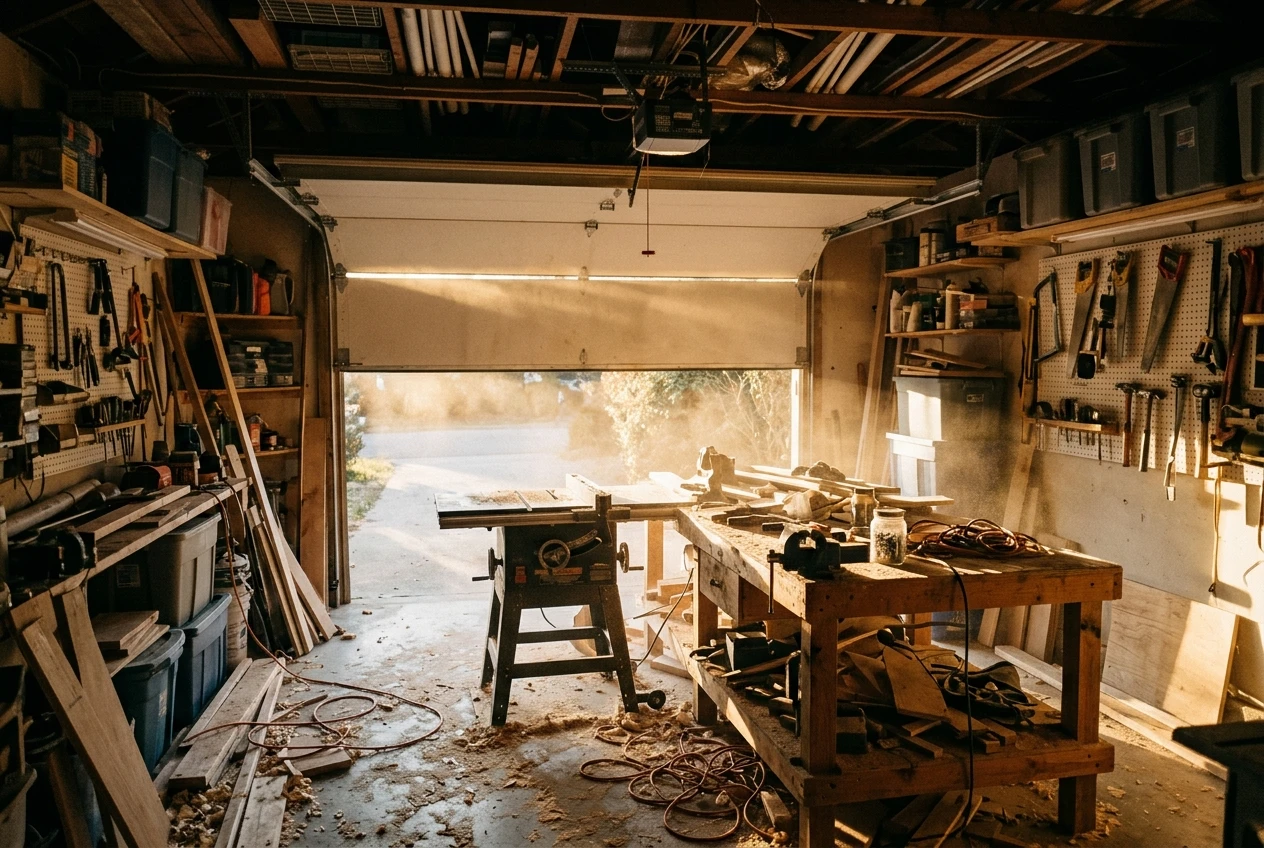
A garage workbench is usually the biggest volume and the leakiest. The big door, the gaps around it and the cold or heat swings all affect what a purifier can do. A garage is also where the coarsest dust gets made, because that is where the saw, sander and router live.
A basement shop tends to be smaller and has little natural airflow. Dust and smells stay where they are made, so removing them takes more deliberate effort. If the basement shares air with the rest of the house through a furnace return, fine dust can travel upstairs.
A spare bedroom with a printer is the smallest of the three, and it is the room people are most likely to sleep or work in as well. Printer emissions are lower in volume than a sanding session, but the room is closed and the printer may run for hours at a time.
Keep your own room in mind through the rest of the article. A 10 by 12 foot room with an 8 foot ceiling holds 960 cubic feet. A two-car garage can hold ten times that, and the purifier you need scales with the volume.
Why Sawdust and Printer Fumes Need Different Fixes
Sawdust and printer emissions are different kinds of pollution, so they need different kinds of filter.
Sawdust is solid particles. Sanding and cutting produce a range of sizes. The big pieces fall to the floor and the benchtop within seconds. The fine fraction stays in the air for a long time, and a mechanical filter can catch it by passing the air through dense material.
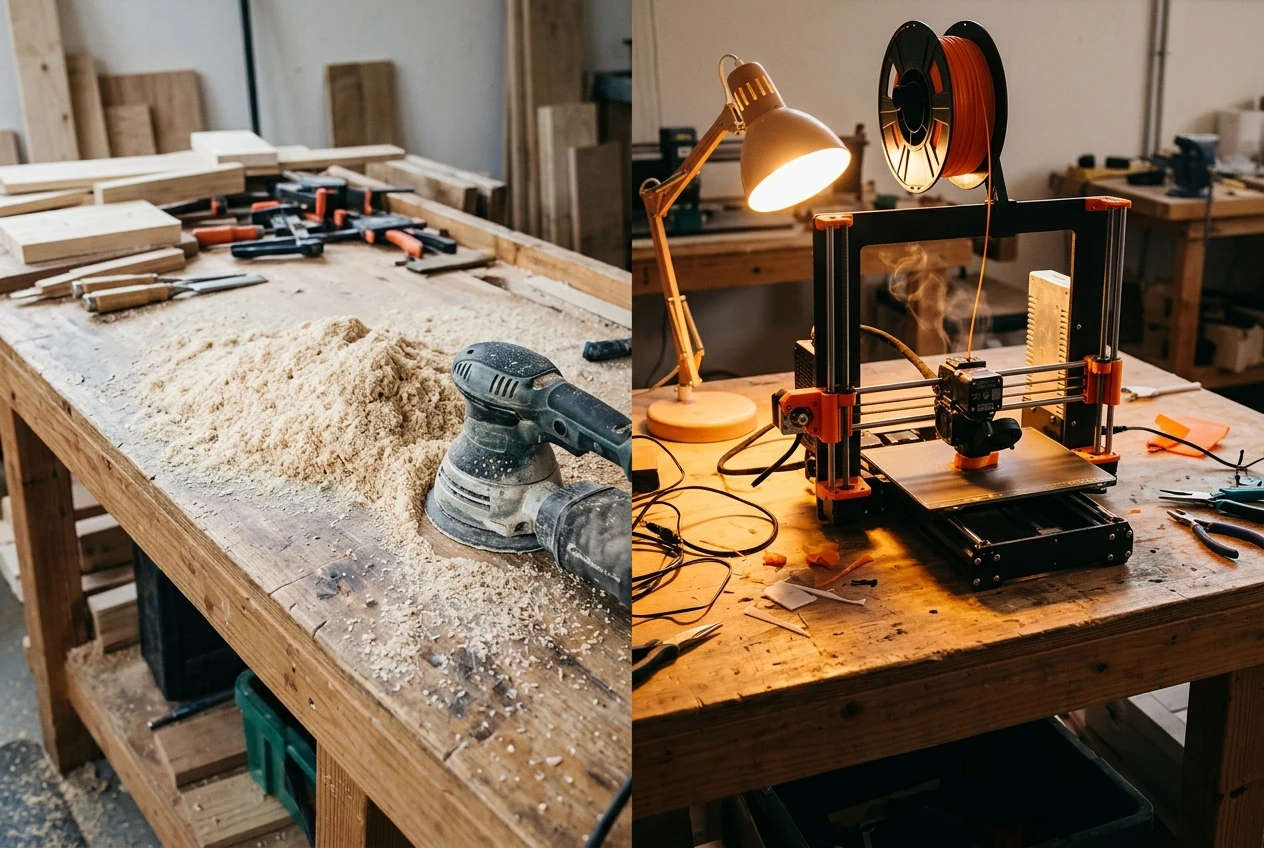
A heated 3D printer gives off two things. One is very small particles. The other is gases, usually called VOCs (volatile organic compounds), which are what you smell. Particles and gases need different filters: a HEPA filter handles particles, and activated carbon handles some gases.
The practical result is that no single filter type covers everything. A HEPA-only purifier will do nothing for the smell of a printer. A carbon-only unit will do almost nothing for fine sawdust, and the dust will clog it. Most home purifiers combine a HEPA filter and a carbon layer, so the useful question is how much of each the machine has and whether that matches your main problem.
One more point on printers: the filament matters. Filament makers publish safety data sheets, and those are the right place to check what a specific material gives off and what ventilation the maker recommends. A purifier does not replace that guidance.
What a Purifier Does for Fine Dust (and Why It Comes After Dust Collection, Not Instead of It)
A purifier pulls room air through a filter and pushes clean air back out. A true HEPA filter is rated to capture 99.97 percent of particles at 0.3 microns, which includes much of the fine dust that lingers after a work session. That is the part the purifier is good at: the haze that hangs in the room after you stop cutting.
It does very little for dust at the moment it is made. A saw or sander throws out far more dust than a home purifier can pull in, and most of it lands on your bench, floor and clothes before air ever reaches the filter. If you rely on a purifier alone, you are asking a small fan to catch what a larger system should have caught at the tool.
The order that makes sense is:
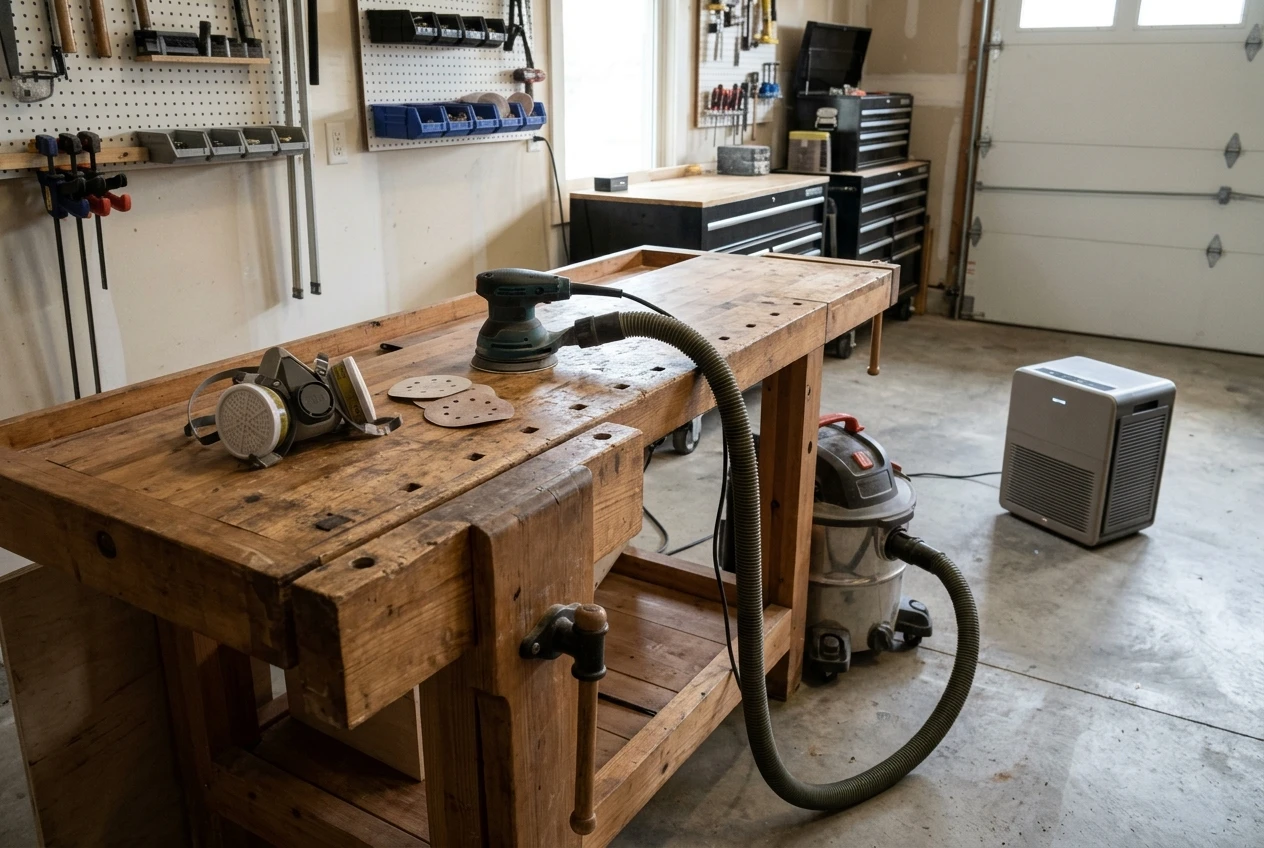
- Collect dust at the source. A shop vacuum or dust collector connected to the tool catches most of what the tool throws. A hose port or a hood on a sander does the same job at a smaller scale.
- Protect yourself while you work. For sanding and other dusty tasks, a properly fitted respirator rated for fine particles, such as an N95 or better, protects you in the moment. A purifier cannot, because it cleans the room over time rather than the air in front of your face.
- Run the purifier afterward. Turn it on while you work and leave it running for a while afterward. Its job is to clear the fine dust that is still floating once the tool is off.
Think of the purifier as the last step. It is useful and worth having, but it does not replace the first two.
If you want a low-cost way to add filtration in a garage, a box fan with furnace filters attached is a widely used do-it-yourself approach for fine dust. It is loud and bulky, and it does not suit a spare bedroom, but it shows you do not need a premium machine to catch dust.
What Carbon Can Do About Printer Smells, and What It Can’t Promise
Activated carbon is a porous material that holds gas molecules on its surface. When the air from your printer passes through a carbon layer, some of the odor-causing compounds stick to it. That is why a purifier with a decent carbon filter can reduce the smell of a printer running in the room.
Carbon has limits, and they are worth knowing before you buy:
- It fills up. Carbon holds a fixed amount, and once it is saturated it stops working. You may not notice, because the unit keeps running and the filter light may be tied to a timer rather than to what the carbon has absorbed.
- Thin carbon layers do less. Many purifiers include a light carbon mesh as a selling point. A thin mesh has a small amount of carbon, so it saturates quickly. A thick carbon bed, which weighs noticeably more, lasts longer.
- Smell is not the same as safety. A reduced smell does not tell you that everything harmful has been removed, and the lack of a smell does not tell you that nothing is there. Carbon filters do not remove every gas equally.
For that reason, I would not promise any purifier will make printing fumes go away or make a room safe. Put simply, a carbon-equipped purifier can reduce odors and some of the gases, and it works best alongside ventilation.
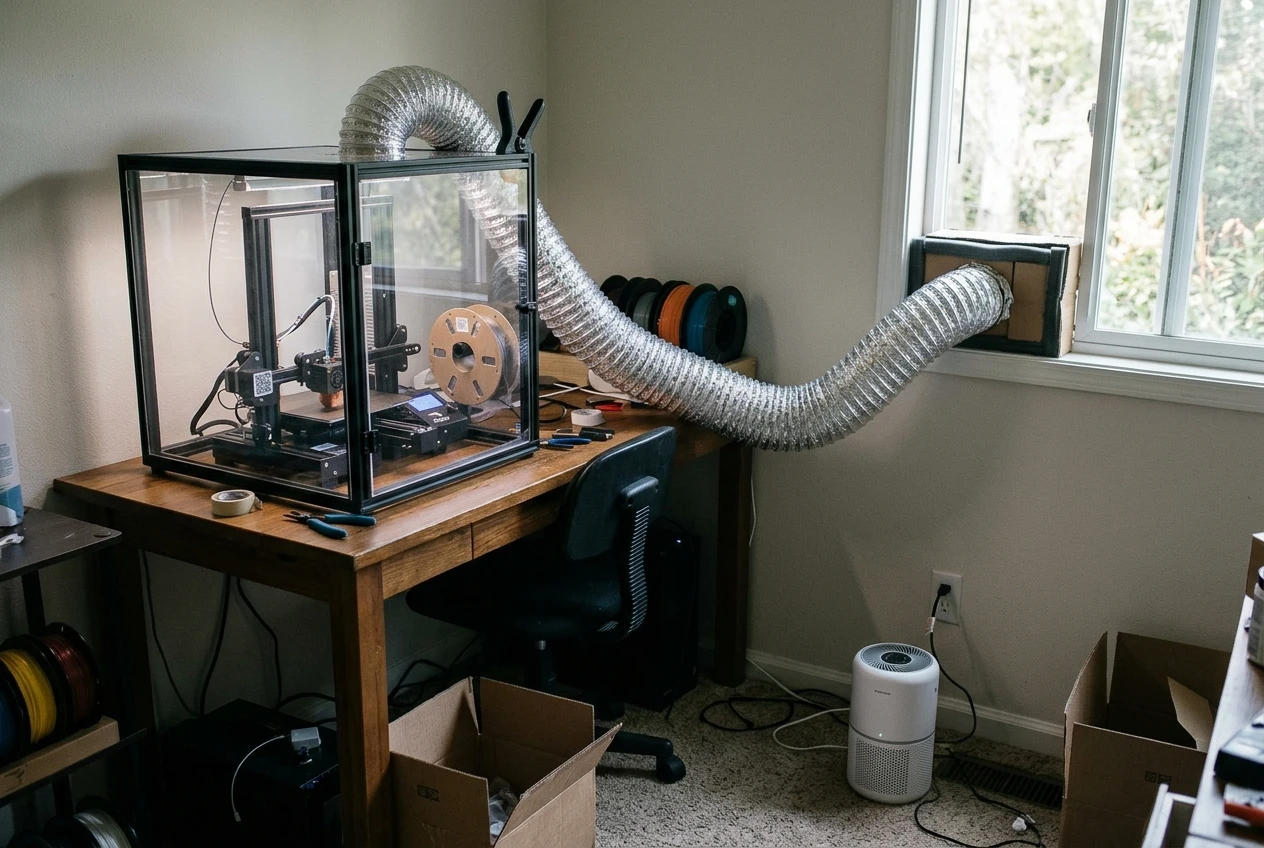
The most effective fix for printer emissions is usually at the printer. An enclosure vented to the outside, or a printer placed near an open window with an exhaust fan, removes the emissions before they spread. Some printer enclosures come with their own filter. If you print materials with a strong smell, such as ABS, venting matters more than any room purifier. Check the filament maker’s data sheet for what they recommend.
Matching the Purifier to the Room: Airflow, Filter Size and Where the Machine Goes
Size the purifier by airflow, not by the square footage printed on the box. The number to look for is CADR, the clean air delivery rate, which tells you how many cubic feet of air per minute the unit cleans for a given pollutant. For dust, check the dust or smoke CADR.
You can turn CADR into air changes per hour with this formula: CADR (in cubic feet per minute) times 60, divided by room volume in cubic feet.
- Spare room, 10 x 12 x 8 feet (960 cubic feet). A unit with a CADR of 150 gives about 9 air changes per hour.
- Two-car garage, 20 x 20 x 9 feet (3,600 cubic feet). A unit with a CADR of 300 gives about 5 air changes per hour.
Those are worked examples with round numbers, not recommendations for particular machines. A workshop makes a lot of dust in a short time, so aim for more airflow than you would pick for a living room of the same size. Our guide to sizing a purifier by airflow walks through this in more detail, and the same approach works for a garage.
Placement matters too. A purifier needs clear space around it so air can enter and leave. In a shop, keep it out of the direct path of your dust collector’s exhaust and away from the spot where the dust is made, so the intake is not clogged with coarse chips. Put it where air can circulate across the whole room. Our piece on where to put your air purifier covers placement rules room by room. For a printer room, a spot a few feet from the printer, not directly against it, usually works better.
Two cautions about what to pay for:
- A larger room needs more airflow, and a heavier carbon bed costs more. Those two features are worth paying for if you need them.
- Wi-Fi control, air quality displays and app features are conveniences. They do not clean more air. In a workshop, a dust sensor can also be set off by sawdust constantly, so an auto mode may run at full speed more than you want.
Skip the Ionizer and Ozone Modes in a Workshop
Many purifiers have an ionizer, plasma or “fresh air” mode as an extra. In a workshop you can leave it switched off, and you can skip it as a buying reason.
These modes work by releasing charged particles or reactive molecules into the air, and some can produce ozone as a by-product. They do nothing a HEPA and carbon combination does not already do for sawdust or printer smells, and they add a feature you would then have to check. Our guide on how to tell if your smart purifier is making ozone explains what to look for on the box and in the manual.
If a unit has an ionizer you can turn off, that is fine. If the ionizer is always on and cannot be switched off, choose a different model. A purifier whose selling point is a mechanical filter gives you the thing you need without the questions.
Pre-Filters, Dust Loads and the Real Cost of Keeping Up
A workshop is hard on a purifier, and the running cost is the part most buyers do not think about.
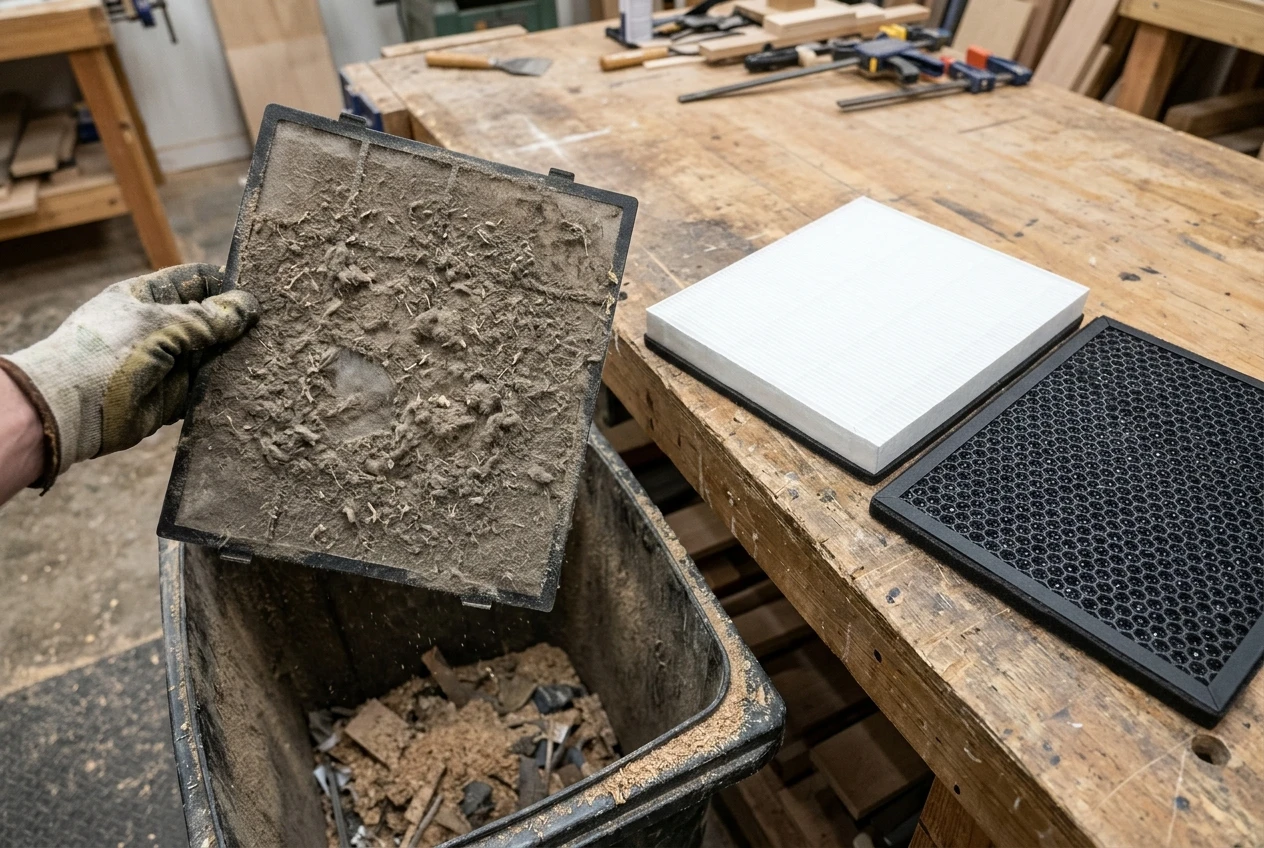
Most purifiers have a pre-filter, a coarse layer in front of the HEPA filter that catches larger particles. In a shop, that layer fills with dust quickly. When it clogs, airflow drops, the motor works harder and the main filters load up sooner. Cleaning a washable pre-filter or vacuuming it regularly is the easiest way to protect the more expensive filters behind it. Our guide on cleaning the pre-filter and how often explains what to do and how to judge the schedule for your room.
Expect to replace filters more often than the manufacturer’s estimate, which is usually written for a typical living room. A shop that makes a lot of dust will use up a HEPA filter faster, and a carbon bed that handles printer fumes will saturate on its own schedule. Before you buy, check what the replacement filters cost and how often you will need them. Our walkthrough on working out the yearly filter cost shows how to do the arithmetic, and it is better done before purchase than after.
Where not to overspend:
- Premium brand price alone. A well-built unit with the right airflow and easy-to-find filters does the job.
- Features you won’t use. Apps and displays add cost without adding clean air.
- A bigger machine than the room needs. Check your room volume against CADR instead of buying the largest unit available.
- Claims of “medical grade” or similar labels. Look at the CADR and the filter specs instead.
Where it is worth spending: a pre-filter you can clean, replacement filters you can buy easily, and enough airflow for your room.
A Simple Setup Checklist for Your Hobby Room
Use this list to work through your own space, in order:
- Measure the room. Length times width times ceiling height gives your volume in cubic feet.
- Collect dust at the tool. Connect a shop vacuum or dust collector to saws and sanders wherever the tool allows.
- Wear a respirator for dusty work. Choose one rated for fine particles and make sure it fits your face.
- Vent the printer. Use an enclosure vented outside, or place the printer by an open window with an exhaust fan, and read the filament maker’s guidance.
- Choose a purifier with true HEPA and a real carbon bed. Match its CADR to your room volume, with extra airflow for a shop.
- Skip the ionizer. Pick a model where it can be switched off, or has none.
- Place it with clear space around it. Keep it away from the dust collector exhaust and the spot where you cut or sand.
- Run it during work and for a while after. Let it clear the fine dust that stays in the air.
- Clean the pre-filter regularly. Check it more often than you would in a living room.
- Plan for filter costs. Work out the yearly cost before you buy and replace carbon on a schedule, not by smell alone.
A purifier is one part of keeping a hobby room cleaner, and it works best with dust collection, ventilation and a good respirator doing the jobs a purifier cannot. Start with the room and the problem, and the right machine is usually easy to spot.
Join the email list for new practical guides on matching a purifier to your room, including more for hobby spaces.