Most owners know their purifier has a filter, and they know the app will eventually tell them to replace it. Fewer know there is usually a coarser layer in front of the main filter, catching the lint, hair and larger dust before it reaches the part you pay for. Cleaning that layer takes about five minutes, and it is the cheapest maintenance you can do on a smart air purifier.
This guide shows how to clean an air purifier pre-filter: how to find it, how often your particular room needs attention, how to vacuum it, when a rinse is worth it, and which habits to skip. Your model’s manual has the final say on everything below, since designs differ a lot.
Find your pre-filter first
The pre-filter is the outermost filter layer, the first thing air passes through. On many purifiers it is a thin mesh or fabric-like screen that sits over or in front of the main filter. On others it is a removable panel in the back or side cover. Some models build it into the main filter, which means there is nothing separate to pull out.
To find yours:
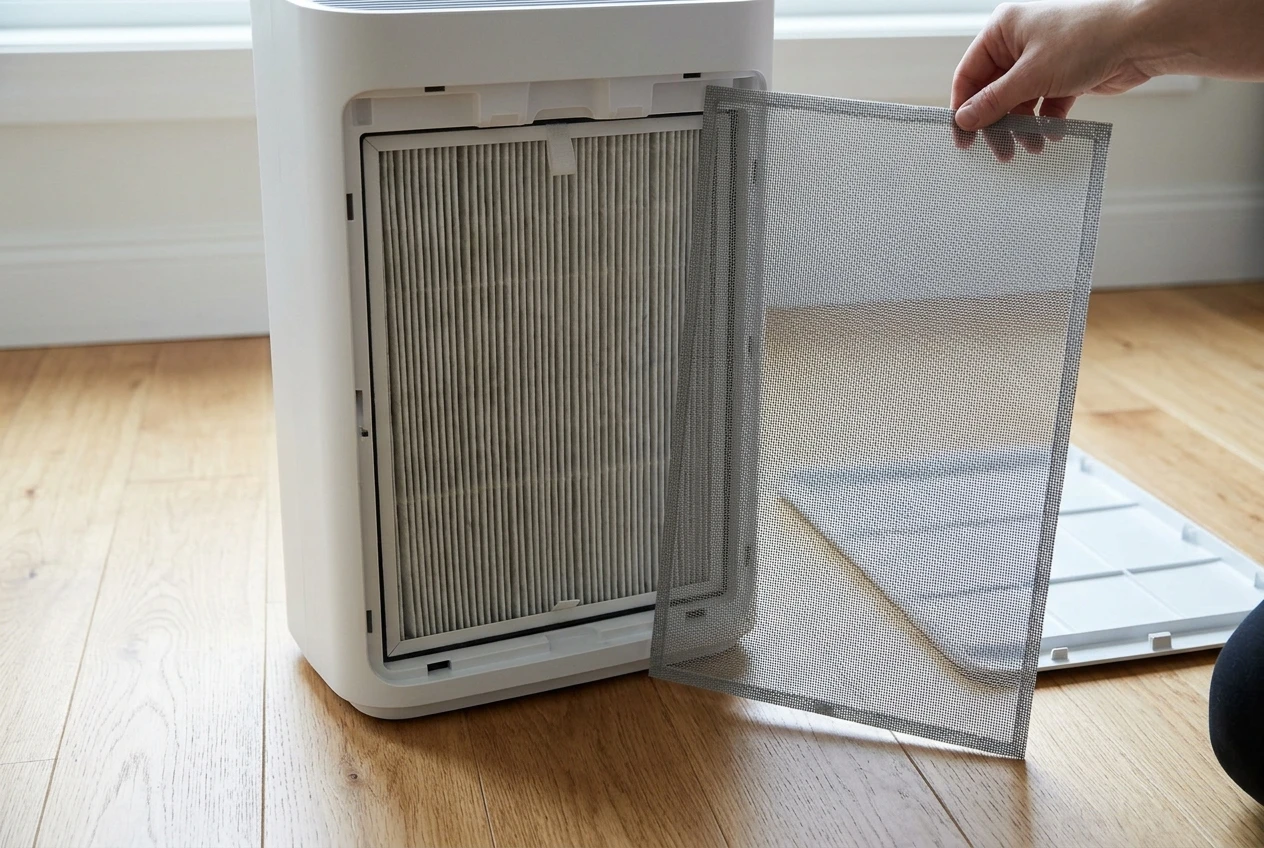
- Unplug the purifier.
- Open the cover or remove the back panel, following the manual.
- Look at what comes out first. A flat, open-weave screen you can see through is almost certainly the pre-filter. A dense, pleated block is the main filter.
Next, work out whether it is washable. Your manual or the manufacturer’s support page will say so, often in a short maintenance section with a diagram. Some pre-filters are made to be vacuumed only, some can be rinsed, and some are not meant to be cleaned at all. If the manual does not mention a pre-filter, treat that as a sign yours may not have a separate one, and do not wash anything you cannot identify.
Take a photo of the layers as they sit inside the unit before you pull them out. It makes reassembly easy and shows you the correct orientation.
How often to clean it, based on your room and your household
No single schedule fits every room. The pre-filter collects what your room produces, so the better question is what is floating around yours. Start with these factors and adjust after you see how fast the screen loads up:
- Pets that shed. Hair and fluff collect on the mesh quickly. A homeowner with a dog or cat on the couch will see a visible layer sooner than someone without.
- A kitchen or open-plan living area. Cooking produces fine grease and particles, and a purifier placed near the kitchen picks up more of it.
- Open windows. Outdoor dust, pollen and seasonal debris arrive with the breeze, so a purifier in a room you ventilate often will need more frequent checks.
- Dusty floors and rugs. Carpet, rugs, and unswept hard floors send dust back into the air whenever people walk through. A purifier sitting low to the ground draws that in.
- A quiet, closed bedroom with few textiles. The pre-filter will usually stay cleaner longer here.
A practical way to set your own interval: for the first two months, check the pre-filter every two weeks with a flashlight and no tools. If you can see a visible coat of dust or hair, clean it. If it still looks nearly clear, wait another two weeks before the next look. Once you see how quickly yours changes, set a routine around that pace. Households with pets or a lot of airflow from outdoors may land on a short interval, while a closed bedroom may land on a longer one.
If your purifier shows a rising fan speed or a louder motor than usual in the same room, a loaded pre-filter is one of several possible causes. Our checklist for weak airflow after a filter change covers the others.
The vacuum-first method that handles most of the dust
For most households, vacuuming is the whole job, and it is the safest method because it adds no moisture. Here is the routine:
- Unplug the purifier and take out the pre-filter as your manual describes. If it is attached to the main filter, vacuum it in place and keep the main filter flat.
- Take it outside or over a hard floor to shake off loose lint and hair first. Tap it gently; do not snap or bend it.
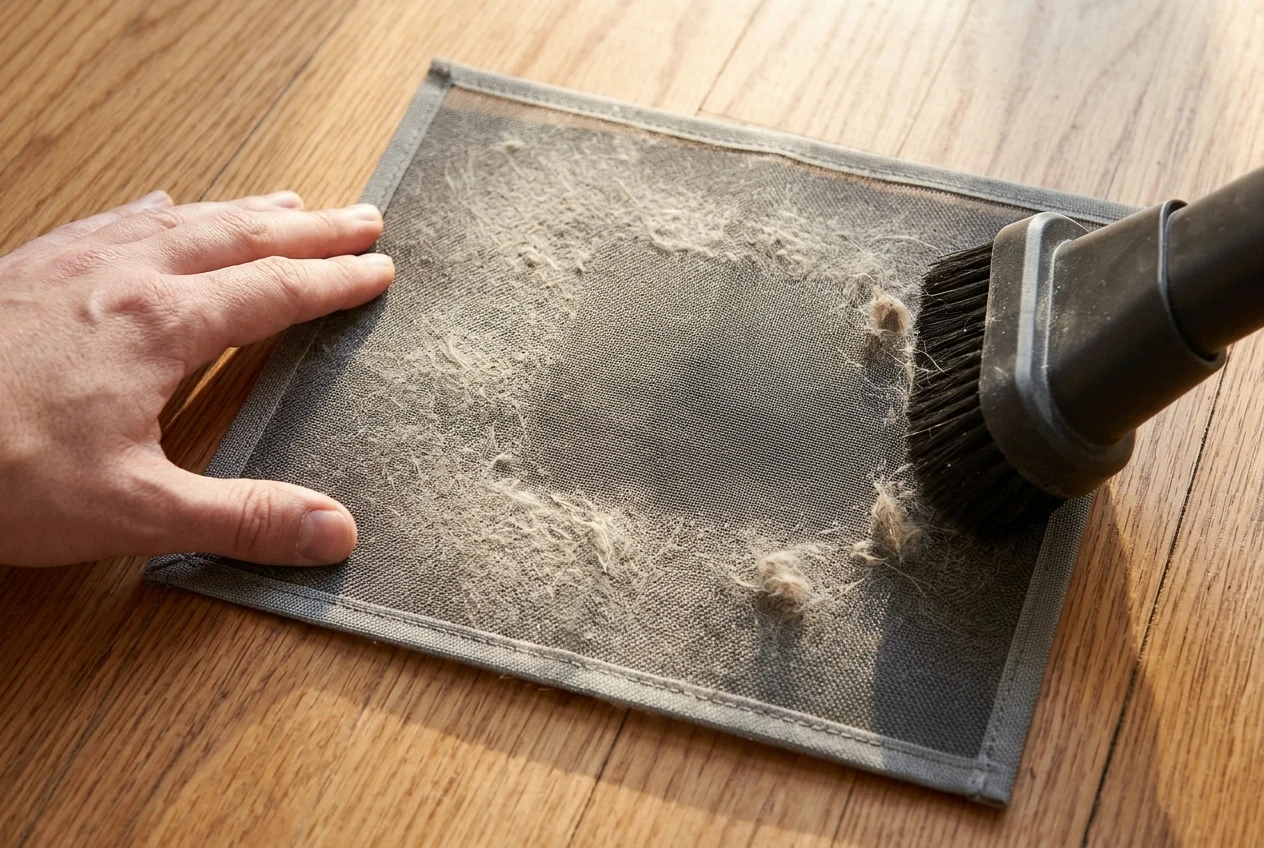
- Use a soft brush attachment on your vacuum, on a low or medium setting. Pass over the mesh in one direction, then the other, lifting the dust off instead of pressing it in.
- Check both sides. The side facing the room usually collects more, but turn it over and look.
- Wipe the housing opening with a dry microfiber cloth, since dust also settles in the frame where the pre-filter sits.
- Put it back in the orientation you photographed, close the cover, and plug the unit in.
For pet hair that clings to the mesh, a lint roller or a dry, soft brush pulls it off before you vacuum. Skip sharp tools and stiff bristles, which can tear a fine screen.
A word of caution about the main filter. If you remove or handle it during this routine, do not vacuum it with a brush attachment unless your manual says that is allowed. Many main filters are not made to be cleaned and can be damaged by it. Keep your attention on the pre-filter.
When a rinse is worth it, and how to dry it fully before it goes back in
Sometimes vacuuming does not lift everything. Kitchen grease can leave a film that dust sticks to, and a pre-filter that still looks gray after vacuuming may need water. Rinse only if your manual says the pre-filter is washable, and follow its exact instructions on water temperature and soap.
If your model allows it, a general approach looks like this:
- Vacuum off the loose dust first so it does not turn to mud.
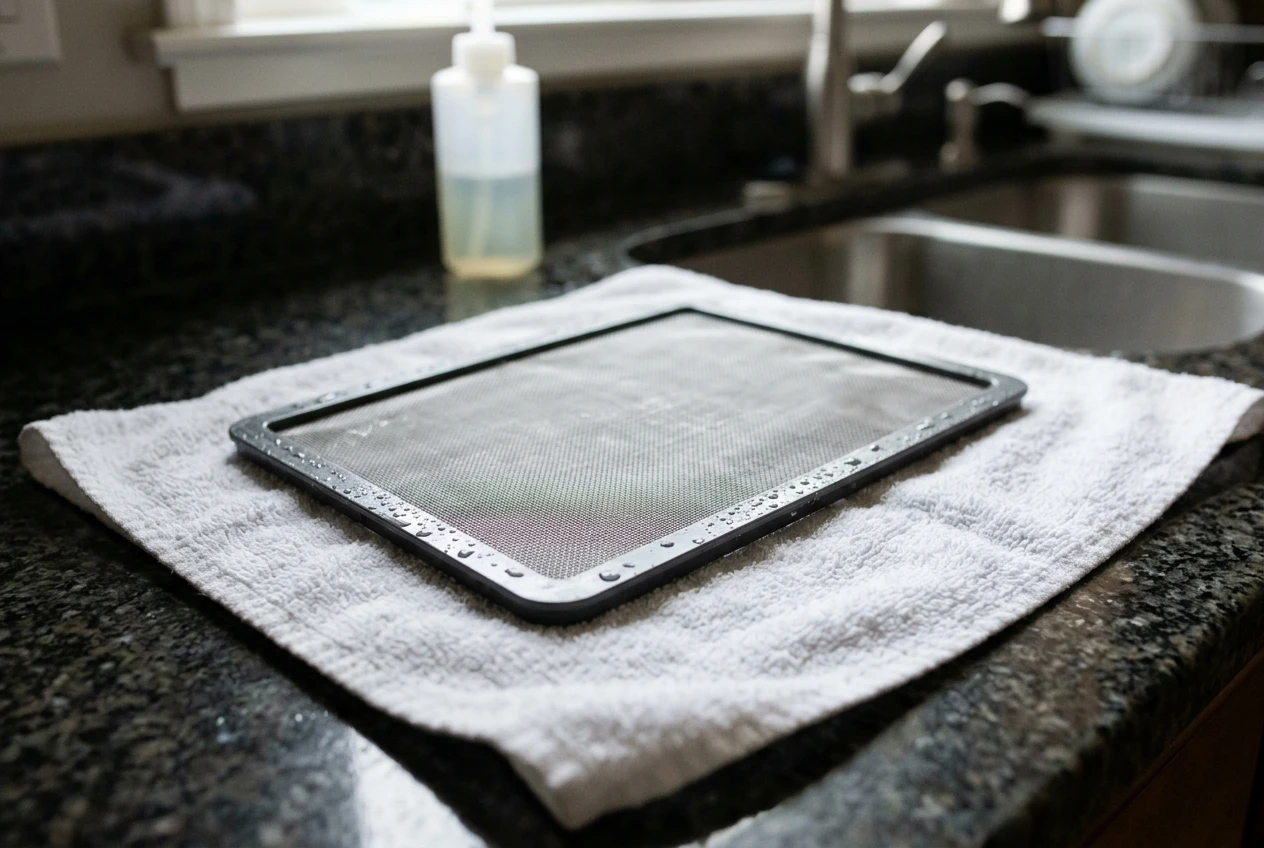
- Rinse under lukewarm running water, running it through the mesh from the back toward the front.
- If the manual permits soap, use a small amount of mild dish soap and rinse until the water runs clear. Skip harsh cleaners and anything scented.
- Shake off excess water and let it air dry flat, away from direct heat and sunlight.
Drying is the step to take seriously. A damp pre-filter returned to the unit can leave moisture on the main filter behind it and in the housing, and that is a common source of musty smells. Give it plenty of time, and when it feels dry, leave it a little longer to be sure. Do not use a hair dryer or place it on a heater, because heat can warp the frame or the mesh. Some owners keep a spare pre-filter, if the manufacturer sells one, so the purifier can keep running while the first one dries.
If you do get a damp or musty smell afterward, our seven checks for a musty or sour air purifier walks through what to look at.
Cleaning mistakes that quietly shorten your main filter’s life
Most filter problems come from a few repeatable errors, and almost all of them are easy to avoid:
- Washing a main filter. Pleated HEPA-style filters are generally not designed for water, and a wet one can lose its performance. If it has already happened, read this before powering on: accidentally washed your air purifier filter.
- Putting the pre-filter back damp. Covered above, and worth repeating because it is the most common one.
- Running the purifier with the pre-filter removed. Without it, lint and hair go straight to the main filter. Run the unit with the layer in place, as designed.
- Skipping the check during busy seasons. Pollen season, a long stretch with open windows, or home projects with sanding or drywall all load the pre-filter faster than normal.
- Using compressed air or a leaf blower. The force can push particles deeper into the mesh or damage it.
- Cleaning with sprays or disinfectants. Residue can end up in the airflow. Stick to dry methods or plain water and mild soap if your manual approves.
- Forcing a layer that does not fit. If the pre-filter will not seat, stop and check the orientation. Forcing the cover can bend the frame.
What a clean pre-filter helps with, and what it can’t fix
A clean pre-filter keeps big debris from reaching the main filter, and it lets air move through the front of the unit more freely. That can mean the main filter collects less coarse material, and it gives you a fair chance of getting the most out of each replacement. It does not promise a specific lifespan, because that depends on your room, your usage and the model.
Here is what it cannot do:
- Fix a main filter that has reached the end of its life. At that point, replacement is the answer.
- Clear the filter light on its own. Many purifiers count hours of use rather than sensing dirt, so the indicator may still come on at its scheduled time. Our guide on how to reset the filter light explains what to do after a real replacement.
- Correct a purifier that is too small for the room. Sizing is a separate issue from filter care.
- Explain uneven wear. If only one side of the filter is dirty, the cause is usually placement or airflow, and this explanation of uneven dust covers what to check.
Treat the pre-filter as a maintenance habit and a way to avoid replacing filters sooner than you need to. Keep your expectations modest and your manual close.
Make it stick: a simple reminder routine using your purifier’s app
A cleaning routine only works if it happens, and a connected purifier gives you a convenient nudge. Check your app’s settings to see whether it supports custom reminders or notes. Many apps focus on the main filter’s life indicator, so if yours does not offer a custom reminder, use your phone’s calendar instead.
A routine that is easy to follow:
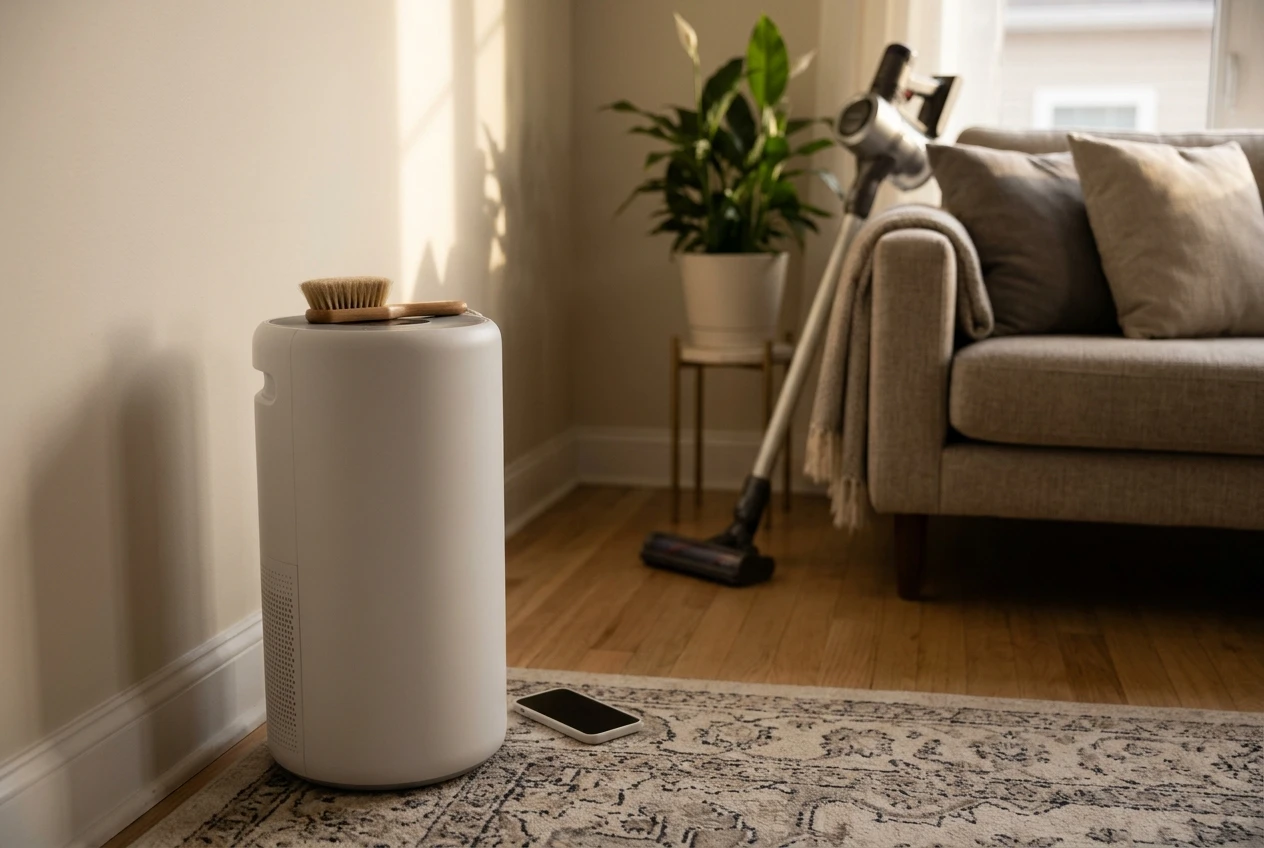
- Set a recurring reminder at the interval you worked out in your first two months, such as every two or four weeks, with the note “check pre-filter.”
- Tie it to an existing habit, like the day you take out the trash or vacuum the floors.
- Keep a soft brush attachment near the purifier so the job takes minutes.
- Check the app’s air quality readings and fan speed when you open the cover. If the unit is running harder than usual, that is a reason to look sooner.
- Adjust the interval after each change of season or any change in the household, like a new pet or a renovation.
Once the routine is in place, you will know quickly when something is off, and the main filter gets a better shot at lasting as long as it reasonably can.
Get a maintenance checklist you can keep
If you would like a simple reminder you can keep next to your purifier, join the email list for a filter and pre-filter maintenance checklist, plus practical tips for keeping your purifier running well without overspending on filters.