Your smart air purifier is glowing red and running on high, but the room looks clean. The floors are vacuumed, nothing is cooking, and no one is lighting candles. Before you assume the air is bad, or that the purifier is failing, check the part that decides what “bad” means: the dust sensor.
This guide covers how to clean an air purifier dust sensor safely with tools you already own, how to tell whether the sensor is the problem, and when to stop and contact the maker.
Is it your air or your sensor? Three quick signs the readings are off
A purifier does not see your air. It reads a small sensor and reacts to the number. If that sensor is coated in dust, the number can be wrong. These three signs point to the sensor.
1. The reading stays high with no cause. Real air quality moves. It rises when you cook, vacuum, burn something or open a window on a dusty day, then falls as the purifier works. A reading that stays red overnight in a closed bedroom, or sits at the same number for hours, deserves suspicion.
2. The reading changes when the purifier moves. Carry the unit to another room, ideally one away from the kitchen and entry door, and let it run for 30 minutes. If the color drops to green or blue there, the first location may have had real air issues. If it stays red in both places, the sensor is a stronger suspect.
3. A second source disagrees. If you own a separate air quality monitor, compare the two. Inexpensive monitors vary in accuracy, so a small difference means little. A large, lasting gap, with the purifier saying “poor” and the monitor saying “good,” is worth acting on.
One more clue: the purifier ramps up with no event to explain it. If it goes to high fan speed on auto mode at 3 a.m. in a room with nobody moving, the sensor may be reading its own dust.
Where the sensor lives and what it actually measures
Most smart purifiers use an optical particle sensor. In general terms, a small fan or the purifier’s own airflow pulls room air through a tiny chamber. Light passes through that chamber, and the sensor estimates how many particles are in the air from how the light scatters. The purifier turns that estimate into the color ring, the number in the app and the fan speed on auto mode.
Dust on the sensor’s lens or inside its small air channel can scatter light the same way airborne particles do. The result is a reading that keeps climbing even though the room is fine.
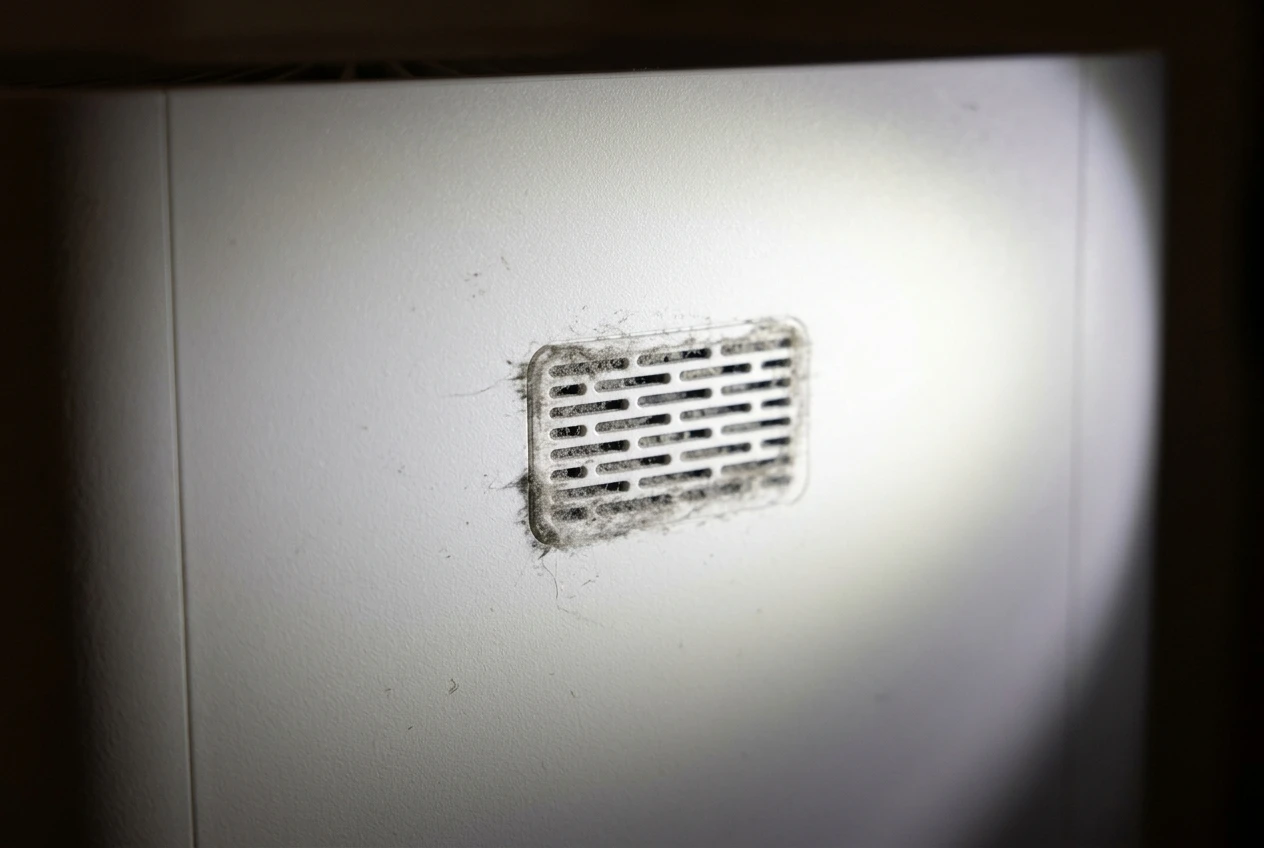
Where the sensor sits depends on the model. Common spots include:
- A small grille or slotted opening on the side or back of the unit
- A panel behind the pre-filter or rear cover
- A small window or vent near the control panel, sometimes with a tiny removable cover
Your manual’s diagram is the reliable guide. Look for a section called “sensor,” “dust sensor” or “maintenance.” If your manual shows a sensor cover that you are meant to open, open it. If it shows a sealed housing, treat it as sealed and clean only what is reachable from outside.
Some models also have a gas or VOC sensor, which reads vapors instead of particles. The steps below are for the dust sensor, but the same grille-cleaning approach applies to the openings of other sensors. Do not poke anything inside them.
What you need: a soft brush, a dry cotton swab and a vacuum with a brush attachment
You do not need to buy anything. Gather these:
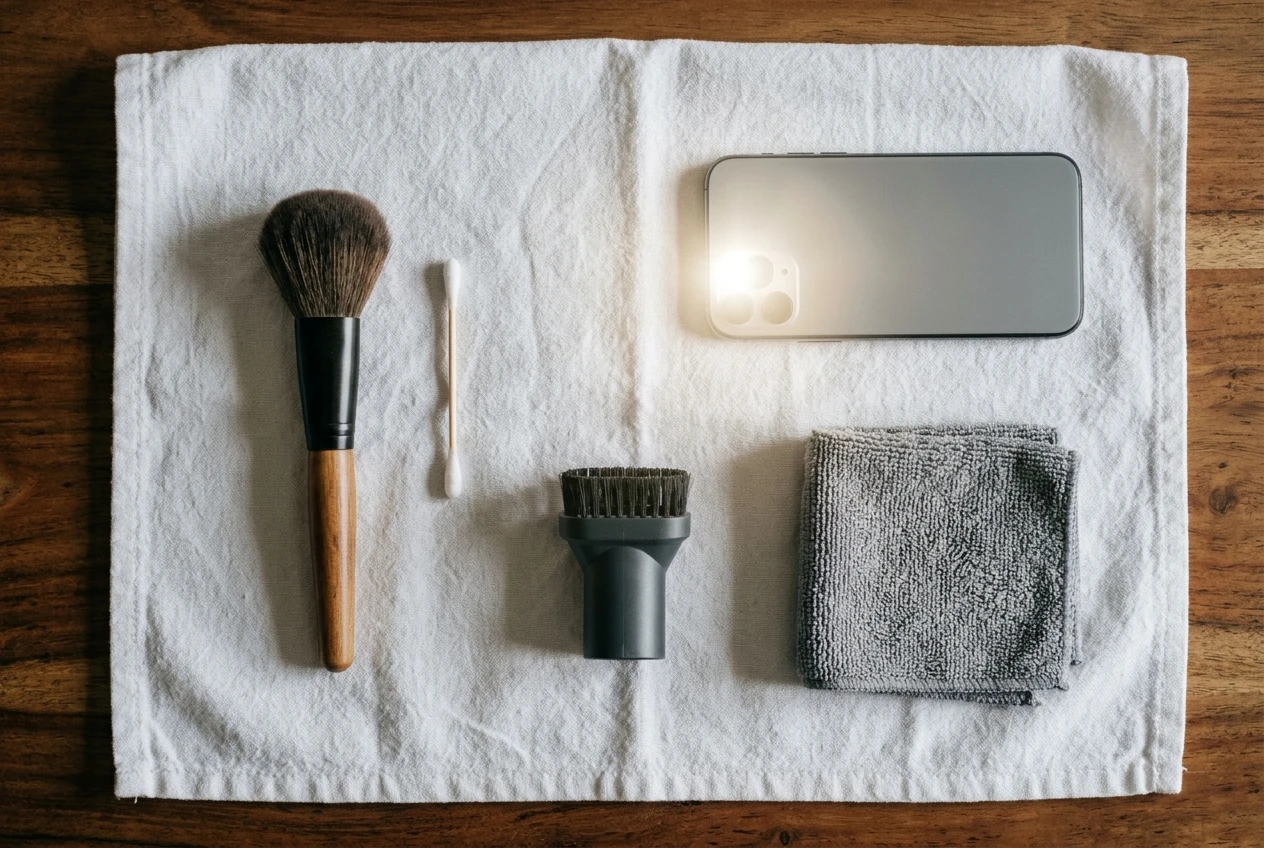
- A soft, dry brush. A clean makeup brush, a soft paintbrush or a small dusting brush works. Stiff bristles can scratch a lens.
- A dry cotton swab. Use one with a firm shaft so it does not shed fluff. Pull off any loose cotton before you start.
- A vacuum with a soft brush attachment, set to low suction if it has that option.
- A flashlight, such as your phone light, so you can see dust in the opening.
- A dry microfiber cloth for the outside of the unit.
Set up near a power outlet in a spot where you can place the purifier on a table or a clean towel. Wash or wipe your hands first so skin oils do not get on any lens you can see.
Cleaning the sensor step by step, with the purifier unplugged
Unplug the purifier from the wall. Turning it off with the button or the app is not enough, since a smart purifier keeps some electronics powered while it waits for commands. Pull the plug.
- Move the unit to a stable surface and open any rear panel or cover that your manual says gives access to the sensor. If the pre-filter sits in front of the sensor, take it out and set it aside.
- Look with the flashlight. Find the sensor opening and check for visible dust, lint or pet hair around it. A gray film on a small lens is common. Note what you see.
- Vacuum the surrounding area first. Using the soft brush attachment at low suction, clean the grille and the nearby interior surfaces, holding the nozzle slightly away from the sensor opening. This removes the loose dust that would otherwise fall into the sensor as you work.
- Brush the opening. With the dry soft brush, sweep dust gently away from the sensor opening, not into it. Short, light strokes are enough.
- Swab the lens or channel if you can reach it. Roll a dry cotton swab lightly across a visible lens or just inside the opening. Do not push it in. Turn the swab as you go so you use a clean part of the cotton. If the cotton comes away gray, repeat with a fresh swab until it comes away mostly clean.
- Wipe the outside of the unit and the covers with the dry microfiber cloth.
- Check the pre-filter before reinstalling it. A clogged pre-filter restricts airflow around the sensor area, and our guide on how to clean your air purifier’s pre-filter covers that part.
Reassemble the covers, make sure everything clicks into place, and leave the plug out for now.
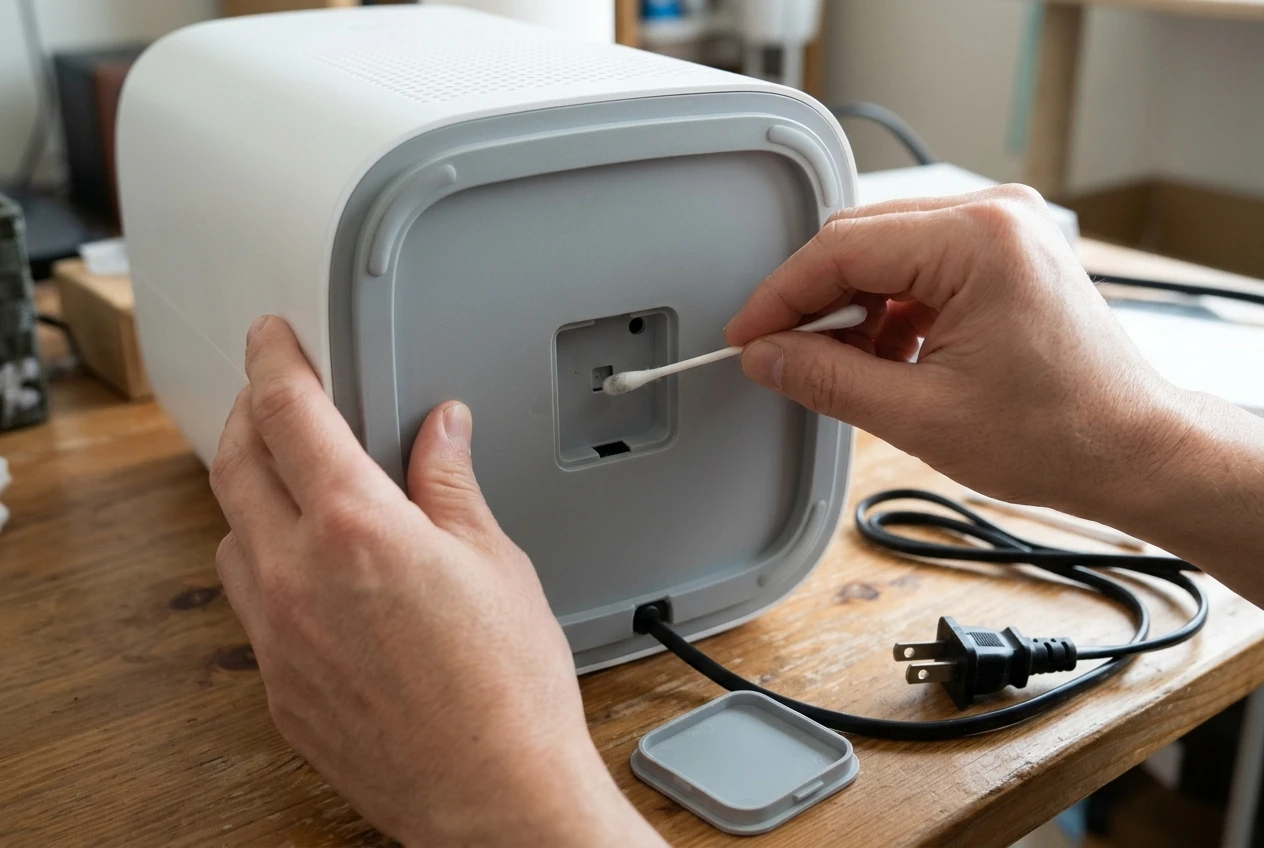
What not to do: sprays, water, compressed air and prying open the housing
Sensors are small and sensitive. A few well-meant shortcuts can damage one.
- No cleaning sprays or wipes. Household cleaners, disinfectant sprays and glass cleaner can leave a residue on the lens and can drift into the chamber. A residue can skew readings worse than dust did.
- No water. Moisture on a lens or circuit board can cause permanent damage, and a damp swab can leave streaks. Keep everything dry.
- No compressed air. A strong blast can push dust deeper into the sensor chamber, or onto a lens you were trying to clear. It can also spin a small fan faster than it was built to go.
- No prying open the housing. If the sensor sits in a sealed case, leave it sealed. Opening it can void your warranty and can break fine parts. If your manual does not show a way in, it is not designed for you to go in.
- No sharp tools. Pins, toothpicks and metal tweezers can scratch a lens or short a contact.
If your manual specifically says to use a lightly dampened cotton swab or a particular cleaning method, follow your maker’s instructions over this list. They know the exact parts.
Putting it back and checking the readings again after an hour
Plug the purifier back in and set it to auto mode. Place it where it normally runs, with a few inches of clear space around it.
Give it time. The first few minutes after power-up can show a high reading as the sensor settles, and the purifier may run on a higher fan speed while it clears whatever real dust is in the air. Check again after an hour.
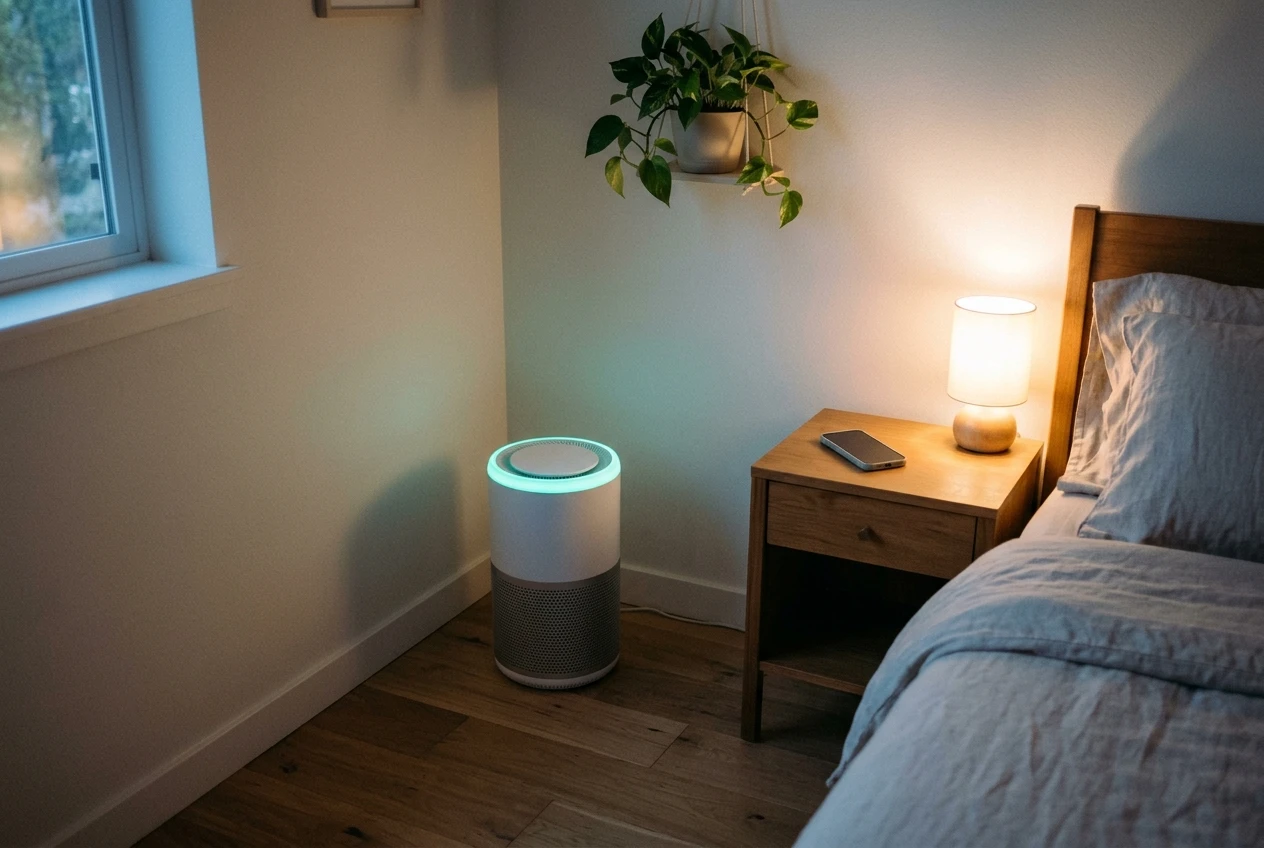
What you want to see:
- The color or number settles into a steady range instead of climbing
- The fan drops to a lower speed on auto mode once the room is stable
- The reading changes when something real happens, such as a bout of cooking, and then recovers
If the readings drop and behave normally, the sensor was dirty. If they are unchanged, run the same hour-long check with the purifier in a different room before deciding anything. It also helps to write down the time and reading so you can compare the next day.
Habits that keep the sensor clean: placement, humidity and a simple monthly check
Sensors get dirty faster in some spots than others. A few small habits slow the buildup.
Placement. Keep the purifier a few inches from walls, curtains and furniture, as the maker advises. Avoid putting it on the floor next to a shedding pet bed, a dusty rug edge or a bookshelf you rarely clean. Raising it onto a stable stand, if the manual allows it, can reduce how much floor dust it pulls in.
Humidity. Mist and damp air can affect optical readings. If you run a humidifier in the same room, keep it several feet from the purifier. Our checklist for a humidifier turning your smart air purifier red walks through that situation in more detail.
A simple monthly check. Once a month, unplug the unit, look at the sensor opening with a flashlight, and do the quick brush-and-vacuum pass from the steps above. It takes a few minutes. In a home with pets, construction nearby or a lot of open-window dust, check more often.
Pair the sensor check with your pre-filter cleaning so you only have one maintenance day to remember.
When cleaning does not help: other causes of constant red readings and when to contact the maker
If the sensor is clean and the reading is still red, look at the other possibilities before deciding the unit is broken.
- Real air quality problems. Cooking, candles, incense, aerosol sprays, new furniture, fresh paint and some cleaning products can keep readings high for hours. Ventilate, then watch whether the number falls.
- A clogged pre-filter or filter. Weak airflow means the purifier cleans slowly, so readings stay high longer. If the light is also on, our guide on how to reset the filter light explains what that light does and doesn’t tell you.
- Placement near a source. A unit beside the kitchen, a litter box or an often-opened door may be reading real particles.
- An app or firmware glitch. If the app number disagrees with the ring on the unit, restart the purifier and the app, and check for an update.
- A faulty sensor. If the number stays pinned at the same high value, or jumps around wildly in a still room, after cleaning and a restart, the sensor itself may have failed.
At that point, stop. Contact the maker’s support, and have the model number, the purchase date and a short note about what you tried: unplugged, cleaned the opening with a dry brush, checked the readings in another room. If the purifier is under warranty, a failed sensor is often covered, and opening the unit yourself could put that coverage at risk.
A dirty sensor is the cheapest purifier problem to fix, and checking it first can save you from replacing filters or a whole unit you did not need to replace.
Get the free maintenance checklist for your purifier’s sensor, pre-filter and filters, and join the email list for a short seasonal reminder so cleaning never slips your mind.