Air purifier maintenance reality check
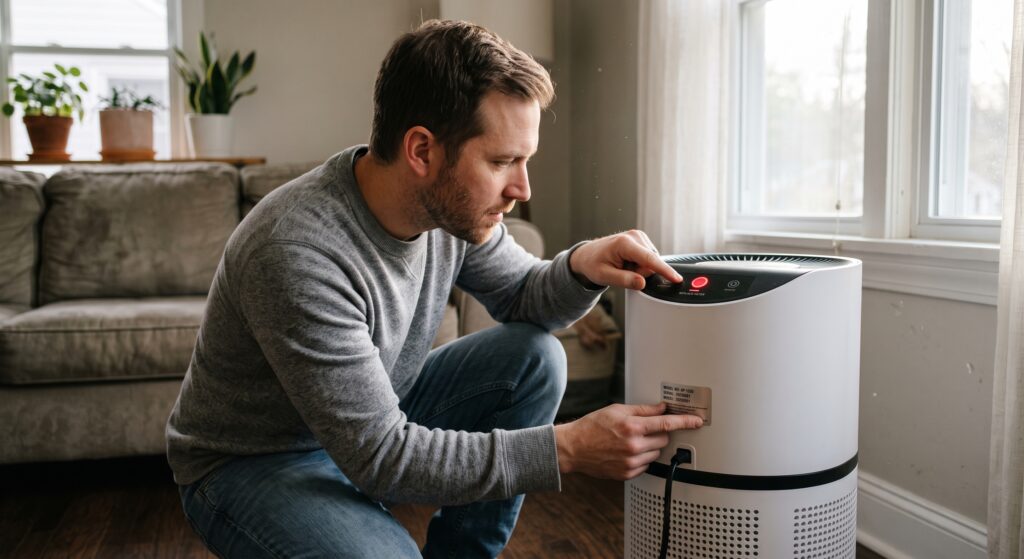
The red light appeared, the app says the filter has 0% life left, and the filter itself does not look especially dirty. Before you order a cartridge—or silence the warning—find out what your purifier is actually tracking.
Reader-first affiliate disclosure: This guide contains FiltersFast and Field Controls affiliate links. BestSmartPurifiers.com may earn a commission from a qualifying purchase at no added cost to you. Those relationships do not change the model, compatibility, maintenance, or safety checks used below.
You expected the replace-filter light to settle the question. Instead, it created three more: Is this a timer or a real measurement? Can the filter keep working? And why did the light return immediately after you installed a new one?
The honest answer is model-specific. A filter alert may count powered-on hours, apply a brand algorithm, or provide a scheduled maintenance reminder. It may not directly measure how much dust is inside the filter, whether an activated-carbon layer is saturated, or whether the replacement cartridge seals correctly. That makes the light useful—but not self-explanatory.
Should You Trust an Air Purifier Filter Light?
Trust the light as a prompt to perform the maintenance procedure for your exact model—not as universal proof that the filter is dirty or that it is safe to keep using. Check the manual or official support page, identify what the indicator tracks, inspect the filter as directed, and consider actual conditions such as smoke, pets, renovation dust, cooking, pollen, runtime, odor, and reduced airflow.
Replace the filter when the manufacturer’s instructions call for it or when inspection shows that it is dirty, damaged, incorrectly fitted, producing persistent odor, or restricting airflow. Reset the indicator only after completing the required maintenance. If the purifier smells hot or electrical, overheats, makes a new mechanical noise, or shows damage, turn it off and follow the manufacturer’s safety or support instructions.
What the Filter Light May Be Counting
“Filter life” sounds like a direct reading, but the calculation can be much less literal. The display may know how long the motor has run. It may adjust an estimate using fan speed or a model-specific algorithm. Or it may simply remind you to inspect the machine after a set interval.
| Indicator approach | What it may use | What it can do well | What it may miss | Your next move |
|---|---|---|---|---|
| Powered-on runtime counter | Hours while the purifier’s motor is operating | Creates a consistent service reminder tied to use | Actual particle load, carbon saturation, filter damage, and room-specific pollution | Follow the model’s replacement and reset procedure |
| Model-specific life estimate | Usage data, fan operation, or a manufacturer algorithm | Can give a more tailored estimate than a calendar alone | Pollutants or conditions the calculation does not measure directly | Read how the manufacturer defines “filter life” for that model |
| Calendar or app reminder | A date or interval selected by the user, app, or manufacturer | Helps prevent forgotten maintenance | Changes in runtime, smoke, pets, heavy dust, and airflow | Inspect on schedule and revise the plan when conditions change |
| Separate maintenance alerts | Different counters or reminders for pre-filter, particle filter, or carbon stage | Matches multi-stage systems more closely | Incorrect filter identification or maintenance performed on the wrong stage | Confirm which symbol and filter stage triggered the alert |
Two official examples show why the manual matters. Blueair explains that the filter timer on certain Blue Pure Max models runs while the purifier is powered on and operating. Levoit describes a built-in filter-life algorithm for its Vital 100 line. Those examples should not be transferred to another brand—or even another model from the same brand—without checking its instructions.
Do not confuse two red lights. On some purifiers, a red air-quality light and a red filter-replacement symbol are different indicators. Blueair’s support guidance, for example, distinguishes a front air-quality LED from its filter timer. Identify the exact icon before replacing anything.
The Light Cannot Inspect the Filter for You
It may not see the particle load
A runtime estimate does not necessarily know whether the room had mild background dust or a week of wildfire smoke. The same number of operating hours can produce very different filter loading.
It may not know the filter fits
A 100% filter-life display cannot prove the cartridge is the correct code, seated in the right direction, sealed around its edges, or free of shipping plastic.
It may not judge the carbon stage
Activated carbon can lose odor- and gas-reduction capacity without developing the same visible dust layer as a particle filter. Appearance alone is not a reliable carbon-life test.
This is the same air-versus-surface distinction behind the site’s guide to a room that stays dusty while the purifier runs. The machine can report only what its design is built to track. A green air-quality display cannot see dust on the dresser, and a filter-life percentage cannot verify every condition inside the cartridge.
The Five-Minute Filter Alert Check
Do not start by pressing reset. Start by preserving the information the alert is trying to give you. Then work from the purifier label to the filter—not from a shopping result back to the machine.
Identify the exact purifier and the exact alert
Record the full model number from the rear, bottom, side, app, manual, or filter compartment. Photograph the alert icon if needed. “Red light” is not specific enough because a purifier may use red for air quality, Wi-Fi status, a fault, or filter service.
Read the official maintenance procedure
Use the manual or the manufacturer’s support page for that exact model. Confirm which filter stage needs attention, whether the pre-filter may be cleaned, whether the main filter is replace-only, how power should be disconnected, and when the indicator should be reset.
Inspect safely and without damaging the media
Turn off and unplug the purifier if the instructions require it. Check for visible loading, damage, moisture, persistent odor, blocked air paths, an incorrectly seated filter, and packaging that was never removed. Do not wash, vacuum, brush, or blow out a main filter unless the manufacturer explicitly permits that method.
Match the replacement by code and supported model
Do not order by shape, color, or a generic “fits” claim alone. Compare the purifier model, manufacturer filter code, dimensions, filter stages, package quantity, seller identity, and return terms. AHAM now operates a replacement-filter verification program for participating products, which gives shoppers another performance credential to check.
Replace or service first—then reset
Install and close the unit exactly as directed. Only then complete the model-specific reset. Resetting first can erase the reminder while leaving the same loaded, damaged, incorrect, or poorly sealed filter in service.
Replace Now, Inspect First, or Stop Using the Purifier?
| What you notice | Best first action | Why |
|---|---|---|
| The official replacement alert is on, and the stated service interval or life estimate has been reached | Follow the replacement procedure | The model’s maintenance system is calling for service; do not reset it without completing the required step |
| The light is on much earlier than expected | Inspect and verify the alert logic | Heavy smoke, dust, pets, longer runtime, a missed prior reset, or a model-specific calculation may explain the timing |
| The filter looks clean, but odor returns or airflow has fallen | Inspect all stages and consult the manual | Color alone may not reveal carbon saturation, fine loading, a seal problem, or a blocked intake |
| A new filter is installed, but the light stays on | Check the model-specific reset and installation steps | Many indicators require a deliberate reset after replacement; the purifier may also detect an open cover or installation problem |
| The purifier smells hot or electrical, overheats, sparks, is damaged, or makes a new mechanical noise | Turn it off and seek official support | This is not a routine filter-life decision; follow safety, recall, warranty, or repair guidance |
| There is visible moisture, suspected mold growth, or contamination from hazardous work | Address the source safely | A filter change does not correct moisture, contamination, unsafe renovation practices, or a continuing pollutant source |
The U.S. EPA advises checking portable air-cleaner filters and cleaning or changing them when they become dirty or start to smell, especially under wildfire-smoke conditions. For normal use, pair that inspection advice with the manufacturer’s model-specific schedule. Conditions matter, and no single month count works for every filter in every home.
Why a filter can look clean and still need attention
Large lint and hair are easy to see. Fine particle loading can be less obvious, especially deeper in pleated media. Carbon performance is harder to judge visually because adsorption capacity is not measured by whiteness. A filter can also be the wrong construction or fit even when it looks new.
Why a dark filter is not automatically “dangerous”
Darkening can be evidence that particles have been captured. It does not, by itself, measure remaining airflow, filter integrity, or safe service life. Follow the model instructions and the actual signs you can verify rather than using a color photo from another household as your replacement standard.
Why filter compatibility matters after the light comes on
The cheapest cartridge is not a bargain if it leaves gaps, adds too much airflow resistance, contains a token carbon sheet when you need odor control, or does not match the purifier’s tested configuration. Review the site’s guide to HEPA, activated carbon, and other air-cleaning technologies before comparing filter stages.
Need to compare replacement filters?
Keep the purifier model number and manufacturer filter code beside you. Verify supported models, filter stages, package quantity, current availability, and return terms before ordering.
Check FiltersFast Options Affiliate link. Compatibility, price, and availability can change.Is the problem spread across the home?
A whole-home air-cleaning option is a different decision from replacing a portable purifier cartridge. Check system compatibility, installation, maintenance, and qualified HVAC guidance.
Explore Field Controls Options Affiliate link. Product fit and installation requirements vary.Why the Light Came Back After You Changed the Filter
A persistent light does not automatically mean the new filter failed. The most common next check is the reset procedure—but complete the checks in order so the indicator does not distract you from a fit or installation problem.
- The reminder was not reset: Some models keep the alert active until a button is held for a stated number of seconds or the reset is completed in the app.
- The wrong control was used: Fan-speed, power, display, and filter buttons can share a panel. Use the instructions for the exact model.
- The cover is not fully closed: A loose panel or improperly seated filter may prevent normal operation on some units.
- The filter is incorrect or reversed: Confirm the code, orientation, tabs, seals, and packaging removal.
- The indicator is not the filter light: A red air-quality or fault light may require a different response.
- The app and purifier need to synchronize: Follow official app, firmware, or account guidance rather than repeatedly power-cycling or resetting at random.
Blueair’s official Blue Pure Max instructions illustrate how specific a reset can be: the company tells users to replace the filter, then hold the fan-speed button for a defined period. That is an example, not a universal shortcut. Your purifier may use a different button, duration, or app path.
Put the Filter Alert Into Your Fit & Filter Planner
The free 15-page Smart Air Purifier Fit & Filter Planner already includes filter matching, ownership cost, and a 12-month maintenance plan. Add a simple filter-alert log so the next warning arrives with context instead of guesswork.
- Purifier brand and full model number
- Manufacturer filter code
- Filter stages in the cartridge or set
- Installation date
- Alert date and exact icon
- Normal fan speed and daily runtime
- Recent smoke, pollen, pets, dust, or renovation
- Visible condition and odor notes
- Pre-filter service date
- Replacement and reset date
Planner rule: Record what changed before changing everything. If you replace the filter, clean the sensor, move the purifier, alter fan speed, and reset the app on the same day, you may not know which action fixed the problem.
Do Not Let the Filter Light Hide the Bigger Air Problem
A fresh filter does not stop an active source. If smoke, moisture, heavy cooking emissions, a dusty renovation, a damaged material, or an HVAC problem keeps adding pollutants, correct that source safely. Use ventilation when outdoor air is suitable and when the source and building setup call for it. A purifier is a supplemental air-cleaning tool, not a repair crew.
Likewise, replacing a cartridge does not fix poor room fit. If the purifier is undersized, blocked, or always on a speed too low to move useful air, a new filter may restore the intended airflow without supplying enough clean-air delivery for the space. Return to the complete air purifier guide to check the room, concern, CADR, filtration, noise, and ongoing cost together.
Health and safety note: Air cleaning can reduce some airborne pollutants, but it does not diagnose symptoms, eliminate every contaminant, correct carbon monoxide, repair moisture damage, or replace required alarms and qualified professional service. Discuss health concerns with a healthcare professional and building or HVAC concerns with an appropriate qualified professional.
Four-Question Interactive Knowledge Check
Can you respond to the filter light without guessing?
Frequently Asked Questions
Can I keep running an air purifier when the filter light is red?
Check the exact model’s instructions promptly. A filter alert usually calls for maintenance or replacement, and continuing indefinitely can reduce the usefulness of the reminder and may leave the purifier operating with restricted airflow or spent filter media. Turn the unit off if it overheats, smells electrical, is damaged, or behaves abnormally.
Why is the filter light still on after I replaced the filter?
Many purifiers require a separate indicator reset after the filter is installed. Confirm that the new filter is the correct code, oriented and seated correctly, removed from its packaging, and enclosed by a fully closed cover. Then use the reset procedure for that exact model.
Can I reset the filter light without replacing the filter?
Do not reset the alert merely to silence it. First identify what the light means and complete the manufacturer’s inspection, cleaning, or replacement instruction. A reset can restart or erase the maintenance counter without improving the filter.
Can I vacuum or wash an air purifier filter to extend its life?
Only if the manufacturer explicitly says that the specific filter or pre-filter may be cleaned using that method. Washing or aggressive vacuuming can damage media that is designed for replacement, disturb seals, or change performance. “Washable pre-filter” does not mean every layer in the cartridge is washable.
Does a dark filter mean it must be replaced immediately?
Not by color alone. Darkening can show particle capture, but the correct decision also depends on the manufacturer’s instructions, service interval or life estimate, airflow, odor, damage, operating conditions, and the type of filter media.
Can an activated-carbon filter be spent even if it looks clean?
Yes. Carbon adsorbs certain gases and odor molecules, and its remaining capacity is not reliably judged by surface color. If odors return, check the source first, then review the manufacturer’s replacement guidance and the amount and type of carbon in the filter.
How long should an air purifier filter last?
There is no universal interval. Filter type, purifier model, fan speed, daily runtime, pets, pollen, smoke, cooking, renovation dust, and other conditions can change service life. Use the manufacturer’s model-specific guidance, inspect as directed, and keep a maintenance record.
Authoritative Guidance and Model Examples
- U.S. EPA: Guide to Air Cleaners in the Home
- U.S. EPA: Indoor Air Filtration
- AHAM Verifide: Replacement Air Filter Verification Program
- Blueair: Blue Pure Max Filter-Light and Reset Guidance
- Levoit: Vital 100 Replacement Filter and Filter-Life Guidance
Editorial note: BestSmartPurifiers.com provides research-based consumer education. Product designs, filter-life calculations, reset procedures, compatibility, prices, availability, certifications, apps, and support instructions can change. Verify important details with the purifier manufacturer and current seller information. Brand examples explain why model-specific instructions matter; they are not universal procedures or product endorsements.
Final Takeaway: Let the Light Start the Check—Not End It
The replace-filter light is valuable because it interrupts the easiest maintenance mistake: forgetting the filter entirely. But the alert cannot replace the model label, the official instructions, a safe inspection, or a compatibility check.
Identify what the indicator tracks. Inspect the correct filter stage. Consider the room’s real particle and odor load. Replace with the right cartridge when the instructions and evidence call for it. Then reset the reminder so the next alert has meaning.
What Did Your Filter Light Do?
Did it appear early, stay on after replacement, or disagree with a filter that looked clean? Share the purifier brand, full model, filter code, alert icon, runtime, and what you found during inspection in the comments. Do not post serial numbers, account details, or other personal information. Your real-room observation may help another reader distinguish a normal maintenance reminder from a fit, reset, airflow, or source problem.