Best Smart Purifiers • Sound-by-Sound Troubleshooting Guide
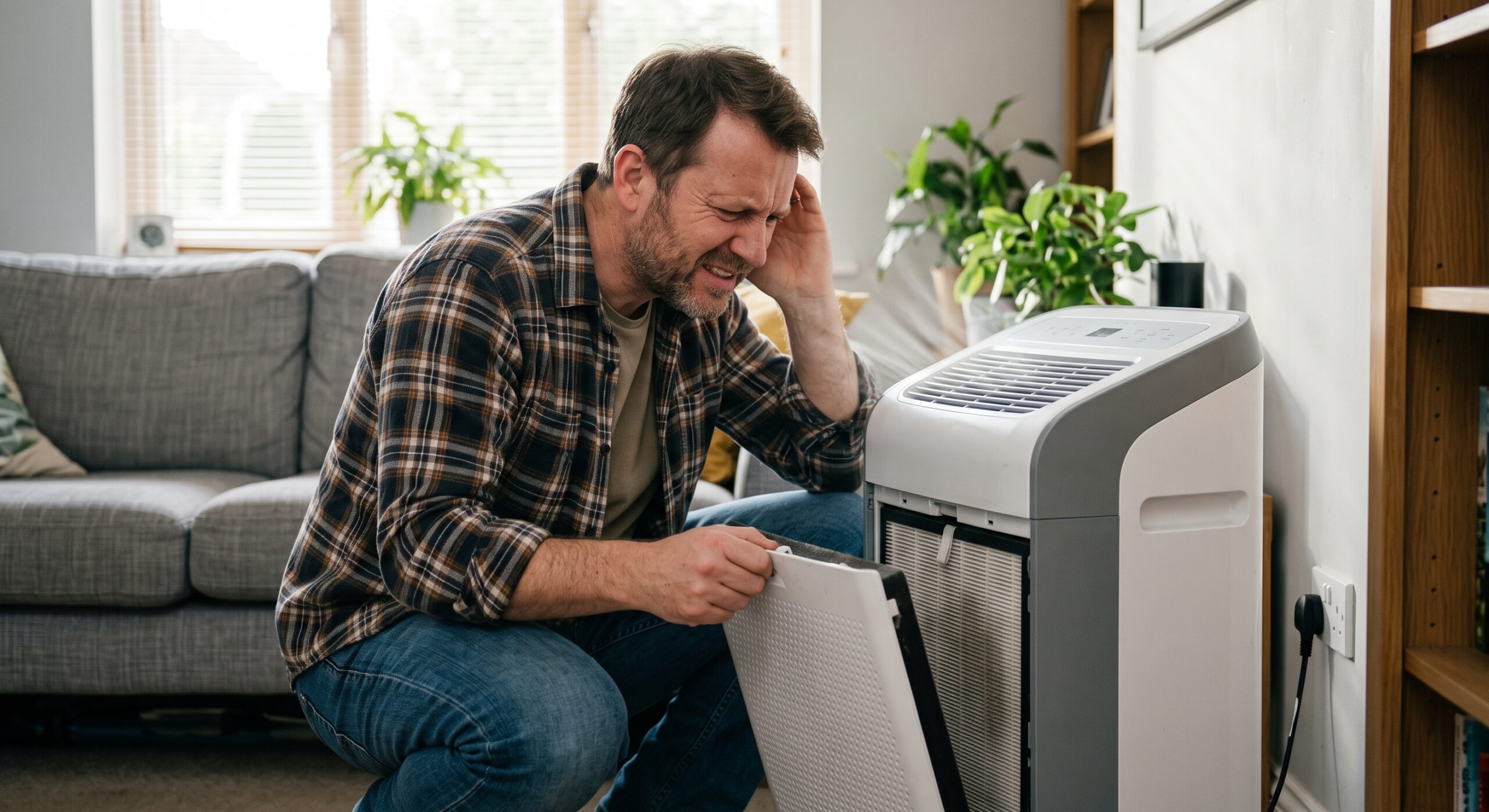
An air purifier that once made a steady whoosh can be unsettling when it starts rattling, whistling, clicking, buzzing, or grinding. The sound may come from something simple—a loose cover, a poorly seated filter, a blocked intake, or an uneven floor—but some noises should end the test immediately.
The goal is not to guess which internal part failed. It is to separate normal airflow from a safe owner check and from a warning sign that needs manufacturer support.
Affiliate disclosure: This article contains a replacement-filter affiliate link. Best Smart Purifiers may earn a commission from a qualifying purchase at no added cost to you. This guide is based on manufacturer troubleshooting information and consumer-safety guidance; always follow the manual for your exact model.
Quick Answer: What Should You Do When an Air Purifier Gets Loud?
Turn the purifier off and unplug it before removing a filter or cover. Check the floor, intake and outlet clearance, removable pre-filter, main-filter orientation, protective packaging, access panel, and any owner-removable parts described in the manual.
A smooth increase in airflow noise at a higher fan speed is usually expected. A new grinding, scraping, electrical crackle, burning smell, smoke, unusual heat, damaged cord, or noise that continues after basic checks is not a do-it-yourself motor repair. Leave the unit unplugged and contact the manufacturer or a qualified repair professional.
Steady fan hum or air rush that rises smoothly when you select a higher speed.
New rattle, whistle, ticking, or vibration after moving the unit or changing the filter.
Grinding, scraping, electrical crackling, smoke, burning odor, damaged wiring, or unusual heat.
First, Decide Whether the Sound Is Actually New
Portable air purifiers move air with a fan, so silence is not the standard. Fan and airflow noise normally increase as speed increases. Auto mode can also raise the fan quickly when the sensor detects more airborne particles.
The more useful question is: Did the sound change? A steady whoosh that has always been present on high speed is different from a rattle that began after a filter change or a scraping sound that appeared overnight.
- Does it happen on every fan speed or only one?
- Did it begin after moving, cleaning, or changing the filter?
- Does gently moving the unplugged unit away from a wall change the vibration?
- Is the sound coming from the purifier, the floor, a nearby object, or an air vent?
- Is there any heat, smoke, sparking, electrical smell, or damaged cord?
If low noise is the main concern rather than a sudden malfunction, use the site’s quiet air purifier comparison to compare published sound ranges and sleep-mode features.
Air Purifier Noise Comparison: What Each Sound May Mean
| Sound | Common owner-checkable causes | Safest first response | Escalate when |
|---|---|---|---|
| Steady whoosh or hum | Normal airflow, higher fan setting, auto mode responding | Compare low, medium, and high speed | The sound becomes rough, electrical, unusually hot, or dramatically louder |
| Rattle or vibration | Uneven surface, loose panel, misseated filter, nearby object touching the case | Unplug; stabilize and reseat owner-removable parts | Rattle continues inside the motor or fan area |
| Whistle | Air gap, blocked intake, clogged pre-filter, incorrect filter seating | Unplug; inspect airflow path and filter fit | Correct installation and a clean approved pre-filter do not help |
| Click or tick | Loose cover, label or debris near airflow, vibration against furniture | Unplug; check removable covers and nearby objects | Clicking is fast, electrical, irregular, or paired with heat or odor |
| Buzz | Normal motor tone on some units, case vibration, loose fit | Compare with the manual and previous operation | Buzz is new, electrical-sounding, intermittent, hot, or coming from the plug/outlet |
| Grinding or scraping | Possible internal obstruction, fan contact, bearing or motor problem | Turn off and unplug; do not keep testing | Immediately—contact support or qualified service |
These are troubleshooting categories, not a remote diagnosis. Designs differ, and your model’s manual controls which parts an owner may remove, clean, or replace.
Stop Using the Purifier If Noise Comes With These Warning Signs
Leave the purifier unplugged if you notice:
- smoke, sparks, a burning or melting-plastic odor;
- a hot plug, discolored outlet, damaged cord, or loose electrical connection;
- grinding, scraping, or electrical crackling;
- a fan that struggles to start, repeatedly stops, or changes speed erratically;
- visible internal damage or liquid inside a purifier not designed for it.
Do not open the motor housing, bypass an interlock, lubricate the fan, or keep cycling the power to “see if it clears.” The U.S. Consumer Product Safety Commission’s home electrical safety checklist treats smoke, sparks, unusual noises, and other irregular appliance operation as signs that damaged electrical parts may need repair or replacement.
If a loud sound arrives with an odor, use the companion guide to musty, burning, plastic, and ozone-like air purifier smells. If there is active smoke or fire, move to safety and contact emergency services rather than troubleshooting the appliance.
A Safe Seven-Step Check Before You Call Support
1. Record the sound before changing anything
Note the fan speed, mode, time, filter status, and what happened just before the noise began. A short video can help customer support hear the pattern, but do not keep a potentially unsafe unit running just to capture it.
2. Turn it off and unplug it
Wait for the fan to stop completely. Use only the owner-accessible steps in the manual. This is especially important before touching the filter compartment or intake area.
3. Move the purifier onto a hard, level surface
A slightly uneven floor, thick rug, shelf, hollow cabinet, or nearby object can amplify a small vibration. Check that curtains, cords, toys, papers, and furniture are not touching the case or blocking airflow.
4. Check the filter installation
If the noise followed a filter change, confirm that all shipping plastic was removed, airflow arrows face the correct direction, the filter is the exact compatible model, and every cover or latch is fully seated.
An almost-correct replacement can leave a gap, resist airflow differently, or prevent a cover from closing properly. That can create whistling, vibration, or reduced performance. Review what the replace-filter light actually means before assuming the timer alone proves the filter is finished.
5. Inspect the approved pre-filter and intake
Pet hair and dust can restrict the accessible pre-filter or intake. Clean only the parts and only by the method listed for your model. A disposable HEPA filter can be damaged by vacuuming, washing, brushing, or compressed air unless the manufacturer explicitly allows that method.
The guide Can You Vacuum an Air Purifier Filter? explains how to separate a washable or vacuumable pre-filter from a main filter that should be left alone.
6. Check placement and clearances
Do not crowd the intake or blow the outlet directly into a wall, curtain, or shelf. Follow the model’s specified clearance. The site’s room-by-room placement guide can help you find a position that supports circulation without turning furniture into a sounding board.
7. Reassemble, then run one short controlled test
If there were no electrical warning signs, plug the purifier directly into a suitable wall outlet as instructed by the manufacturer. Test low, medium, and high speed briefly. Change only one condition at a time so you know what affected the sound.
If the noise remains, unplug the unit and contact the manufacturer with the model number, serial number, purchase date, filter code, video, and troubleshooting steps already completed. Blueair’s official air purifier troubleshooting guidance, for example, directs users to check loose filters or obstructions and seek support if unusual rattling, buzzing, or grinding continues.
Identify the sound, speed, mode, and moment it began.
Turn off, unplug, and wait for the fan to stop.
Level surface, clear vents, correct filter, seated covers.
Only if there was no heat, odor, smoke, spark, or grinding.
Do not open the motor housing or improvise a repair.
Share model, serial number, filter code, video, and test notes.
Why the Same Noise Can Have Different Causes
Rattling and vibration
Start outside the purifier. A cord tapping the case, a loose shelf, or a thin floor panel can sound like an internal failure. If the unit becomes quiet on a stable floor with nearby objects moved away, the purifier may have been amplifying contact vibration.
If the rattle remains after the filter and cover are correctly seated, stop there. Reaching through a grille or removing the motor cover creates more risk than useful information.
Whistling or a high-pitched air sound
A whistle often points toward airflow through a narrow gap or restriction. Recheck filter orientation, packaging, panel closure, intake blockage, and whether the replacement filter is truly compatible. A visibly similar filter is not automatically an airflow match.
Clicking or ticking
A slow tick can come from a loose cover or light debris near an accessible grille. A single control click when changing modes may be normal on some designs. Fast, irregular, or electrical-sounding clicking—especially with heat, odor, flickering, or power interruptions—belongs in the stop-and-unplug category.
Buzzing or humming
A consistent motor hum may be part of normal operation. A new buzz can also be case vibration, a poorly fitted filter, or an internal electrical or motor issue. If the plug or outlet is warm, damaged, discolored, loose, or buzzing, stop using the appliance and have the electrical condition evaluated.
Grinding or scraping
Grinding and scraping suggest that moving parts may be contacting an obstruction or that an internal fan or motor component needs service. Do not run the purifier to “wear it back in.” Turn it off, unplug it, and use warranty or repair support.
Clean, Adjust, Replace, or Repair? Use This Comparison
| Action | Best fit | What it does not solve |
|---|---|---|
| Adjust placement | Case vibration, wall or furniture contact, unstable surface, blocked clearance | Internal fan, motor, bearing, wiring, or control faults |
| Clean an approved pre-filter | Visible lint or pet hair on a manufacturer-approved washable or vacuumable pre-filter | A damaged main filter or a mechanical/electrical problem |
| Reseat or replace the filter | Noise began after installation, filter is clogged, wrong, warped, damaged, or poorly sealed | Grinding, electrical crackle, overheating, smoke, or damaged wiring |
| Contact support or service | Noise persists after approved checks or involves internal moving/electrical parts | Do not treat support as permission to keep running an unsafe unit |
| Replace the purifier | Repair is unavailable or uneconomical, parts are obsolete, or the unit no longer fits the room and noise needs | A bad outlet, poor placement, or an incorrect replacement filter |
Use the Fit & Filter Planner Before Buying a Part—or a New Purifier
Do not let one strange sound turn into a rushed purchase. Open the free Smart Air Purifier Fit & Filter Planner and record:
- the exact purifier model and filter code;
- room length, width, and ceiling height;
- the main air concern and the purifier’s smoke CADR;
- the sound at each fan speed and when it began;
- the filter installation date and maintenance history;
- replacement-filter cost versus repair or replacement cost.
The U.S. Environmental Protection Agency notes that higher fan speeds and longer run times generally increase filtration, while a correctly sized CADR matters for particle removal. That creates a practical tradeoff: a purifier must be powerful enough for the room but tolerable enough to keep running. Review the EPA’s Guide to Air Cleaners in the Home when checking room fit and realistic performance.
Get the Free Fit & Filter PlannerNeed the correct replacement filter?
Start with the label on your purifier. Match the complete model number and filter code, then confirm dimensions, package quantity, seller, and return terms. Do not buy by shape or appearance alone.
Compare Replacement FiltersAffiliate link. Availability, pricing, and compatibility can change. Confirm the exact purifier and filter model before ordering.
What Not to Do With a Noisy Air Purifier
- Do not keep running a grinding or overheating unit. More testing can worsen internal damage.
- Do not reach through the grille. The fan and electrical components are not owner-service areas.
- Do not spray lubricant or cleaner into the machine. Residue can damage materials, contaminate airflow, or create an electrical hazard.
- Do not wash or vacuum the main filter unless the manual allows it. “Looks dusty” does not make every filter cleanable.
- Do not defeat a cover switch or safety interlock. A purifier that will not run with the panel open is behaving as designed.
- Do not assume a new third-party filter is equivalent. Fit, seal, media, and airflow resistance can differ.
Once a safe unit is operating normally again, a consistent schedule can reduce dramatic changes between long idle periods and maximum fan speed. See how to build a smarter daily airflow plan without treating “24/7” as a one-setting answer.
Can You Choose the Safe Next Step?
Choose an answer before opening each result. The answer stays hidden until you select Check answer.
1. The purifier begins grinding and the plug feels unusually warm. What should you do?
Check answer
Answer: B. Grinding plus unusual heat is not a normal airflow sound or an owner lubrication job.
2. A whistle begins immediately after a filter change. What should you check first?
Check answer
Answer: A. A filter gap, restriction, incorrect orientation, or loose panel can create a new air whistle.
3. The purifier produces a smooth, louder whoosh only on high speed. There is no odor, heat, rattle, or scraping. What is the most likely explanation?
Check answer
Answer: A. Higher fan speeds normally move more air and make more airflow noise. Compare it with the manual and the unit’s previous sound.
4. A disposable HEPA filter looks dusty. Should you vacuum it?
Check answer
Answer: B. Cleaning methods are filter-specific. Vacuuming, brushing, washing, or compressed air can damage media that was designed for replacement.
Frequently Asked Questions About Noisy Air Purifiers
Why is my air purifier suddenly louder than usual?
Common owner-checkable causes include a higher automatic fan speed, clogged approved pre-filter, blocked intake, unstable surface, loose access panel, or incorrectly seated replacement filter. A new grinding, scraping, electrical noise, heat, smoke, or burning smell requires a stop-and-unplug response.
Why does my air purifier rattle after I changed the filter?
The new filter may be incorrectly oriented, not fully seated, still wrapped in protective plastic, incompatible with the model, or preventing the cover from latching. Turn the unit off, unplug it, and reinstall the exact filter according to the manual.
Can a dirty filter make an air purifier noisy?
A loaded filter or pre-filter can restrict airflow and change the sound. Inspect the filter on the manufacturer’s schedule and follow its exact cleaning or replacement instructions. Do not assume the main filter is washable or vacuum-safe.
Is a humming air purifier dangerous?
A steady fan or motor hum may be normal. A new electrical buzz, irregular hum, hot plug, damaged cord, burning odor, smoke, sparks, or repeated power interruption is not normal. Unplug the unit and seek manufacturer or qualified electrical help.
Why does my air purifier whistle?
Whistling can happen when air is pulled through a narrow gap or restriction. Check for blocked vents, a dirty approved pre-filter, incorrect filter direction, remaining packaging, poor filter fit, and a cover that is not completely closed.
Should I repair or replace a noisy air purifier?
Use warranty service when available. Compare the repair price, purifier age, parts availability, filter cost, room-size fit, and noise needs. Replace the unit when safe repair is unavailable or uneconomical, but first rule out placement and filter-fit problems.
The Best Clue Is the Change in Sound
A louder high-speed whoosh may mean the purifier is simply moving more air. A new rattle after maintenance points you toward fit and placement. Grinding, scraping, electrical crackling, heat, smoke, or burning odor tells you to stop.
Start with the safest checks, follow the manual for your exact model, and do not turn an owner-maintenance task into an internal repair. That protects both the purifier and the people relying on it.
What sound brought you here? In the comment section, share the purifier model, the sound you hear, which fan speed triggers it, and whether it began after moving or changing the filter. Your details may help another reader recognize the same pattern—and I can help you identify the safest next check.