S.M.A.R.T. Method · Test & Track
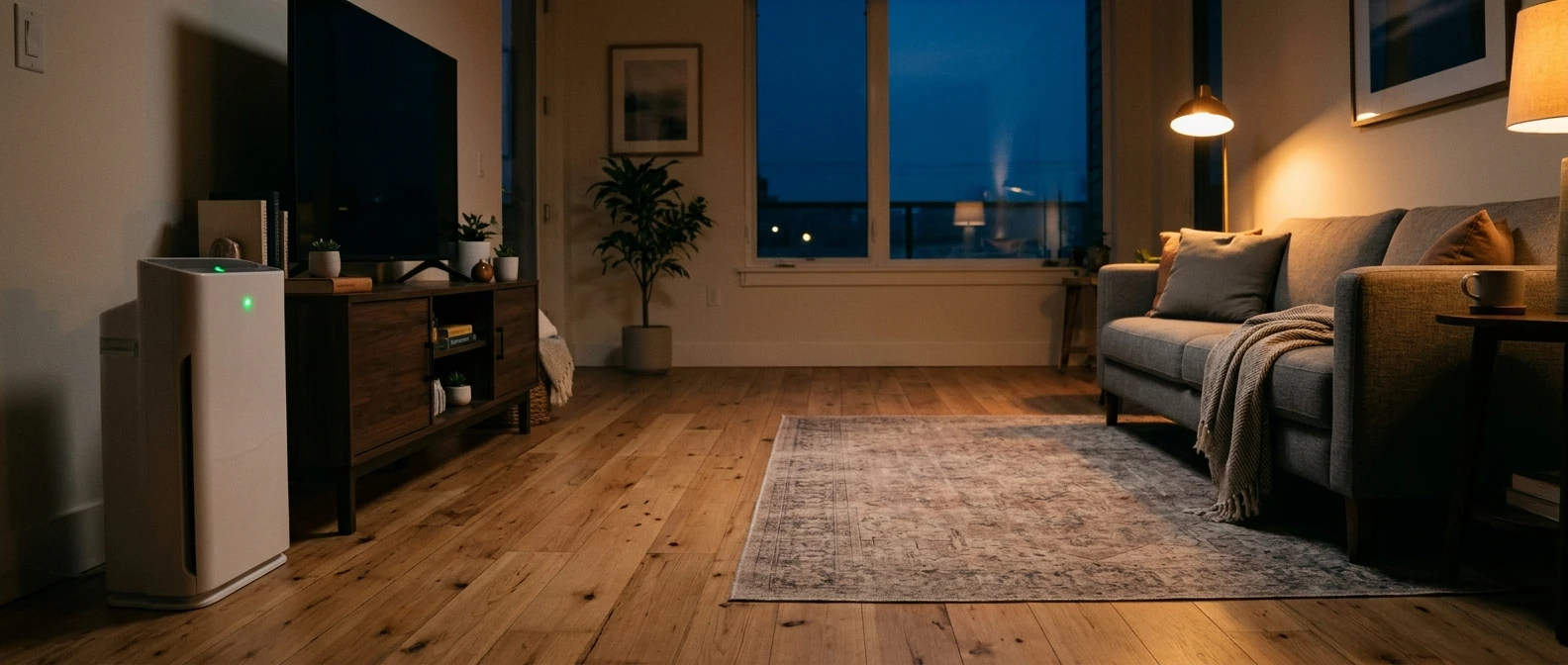
The light is green. The fan is humming. But your favorite chair is across the room—and the purifier cannot tell you what is happening there just by glowing reassuringly beside the TV.
Before you buy a bigger machine, check the setup you already have. A blocked intake, a quiet fan setting, or a continuing particle source may deserve attention first.
Here is how to check air purifier coverage using three useful locations and a repeatable routine. You will learn what to measure, how to avoid a misleading comparison, and which change to try next.
The quick answer
Check the air where you spend your time
Use a separate PM2.5 monitor to compare repeated particle readings at your usual seat and two other occupied locations. Make your usual seat the repeat reference point, and keep every measuring location away from the purifier’s exhaust. Keep fan speed and room conditions consistent. With one monitor, return to your starting point between locations so changes over time are less likely to look like coverage gaps.
This is a practical screening exercise, not a certified performance test. It cannot prove that every corner is clean, measure every pollutant, or isolate the purifier’s contribution from all other changes.
Start with the equipment you have
No separate monitor? Check room size, fan speed, filter fit, and unobstructed airflow first. Those checks cost nothing.
Have a PM2.5 monitor? Use the three-location routine below to look for repeat differences. PM2.5 means fine airborne particles; this exercise does not measure every kind of indoor pollution.
First, decide what you are trying to measure
For this check, the question is deliberately narrow: Do fine-particle readings show a repeatable difference between the places I use? A monitor that reports PM2.5 concentration is useful for that question. A temperature reading or a general “air quality” color is not an equivalent measurement.
The EPA explains that consumer monitors measure only the pollutants or conditions their sensors are designed to detect. Readings also depend on device performance and placement. See its guidance on low-cost indoor air monitors.
If your concern is an odor while the display stays green, start with why a purifier can report good air while the room smells bad. That is a different problem from mapping fine particles.
| Check | Useful for | Does not establish |
|---|---|---|
| Purifier’s built-in display | Following the signal at that device’s sensor | Conditions at every seat or corner |
| Separate PM2.5 monitor | Comparing particle trends at selected locations | Complete air quality, gas safety, or a mold diagnosis |
| Feeling airflow | Noticing a blocked outlet or an uncomfortable draft | Particle removal across the room |
| Room dimensions and CADR | Checking whether the purifier is plausibly sized for the space | How evenly air mixes around your furniture |
Before testing, fix the obvious bottlenecks
Check the filter packaging has been removed, the correct filter is seated as directed, and the intake and outlet are clear. Follow your model’s placement clearances; there is no single wall distance that fits every design. Inspect and maintain the pre-filter and sensor according to the manual.
Then look at the space the purifier is actually serving. A living room connected to a kitchen and hallway is a different assignment from a closed bedroom. ENERGY STAR’s sizing guidance uses room area and CADR, with higher ceilings requiring additional consideration.
Check the fan setting behind the rating. EPA notes that published CADR is typically measured at the highest speed. A large coverage claim does not tell you what the machine delivers in sleep mode. Its Guide to Air Cleaners in the Home also explains why higher speeds and longer operation generally increase filtration.
Your sofa, your desk, and one more useful spot
Sketch the room on paper. Mark the purifier, furniture, doors, windows, and HVAC vents. Choose three practical measuring locations at a consistent height near where people breathe, following the monitor’s instructions.
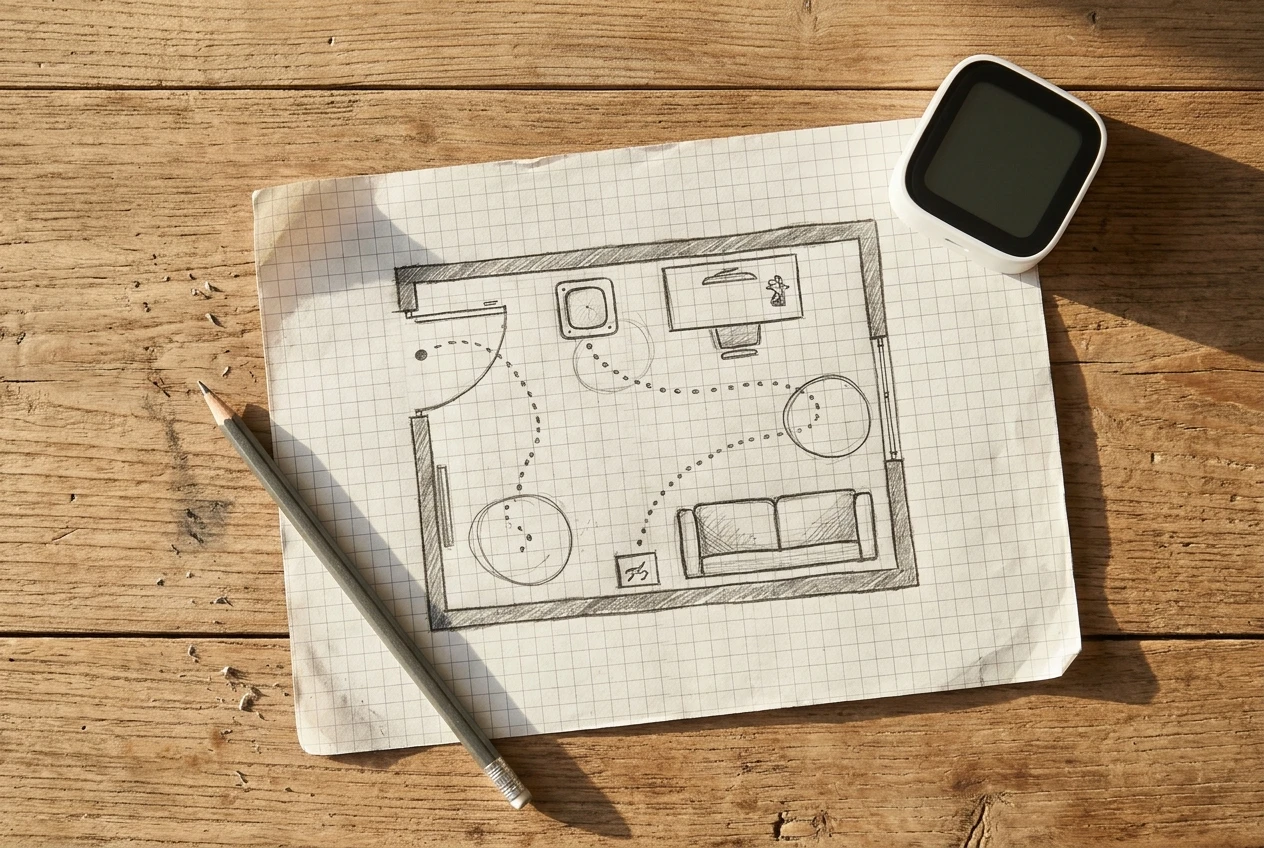
The sofa, desk, or other place where you spend the most time. Use this as your repeat reference.
A reading chair or workspace farther from the purifier. Avoid choosing an unused corner just because it is far away.
A second seating area or the occupied side of an open connection to another room.
Keep the monitor out of direct purifier exhaust, vent drafts, and immediate pollution plumes. Do not place it against a wall or block its inlet. Leave the purifier in its normal position while mapping; moving both devices would change two things at once.
The room check: keep the setup steady
1. Record the conditions before the numbers
Write down fan speed, door and window positions, HVAC activity, humidity if available, and recent household activities. Choose an ordinary, reasonably steady period. Do not burn incense, light candles, spray products, or stir up dust to create a test challenge. You do not need to make the air dirtier to investigate it.
Use a fixed manual fan speed you could realistically live with for the first comparison. Keep essential ventilation and protective filtration operating. If conditions change unexpectedly, note that change and repeat another time.
2. Let the monitor settle
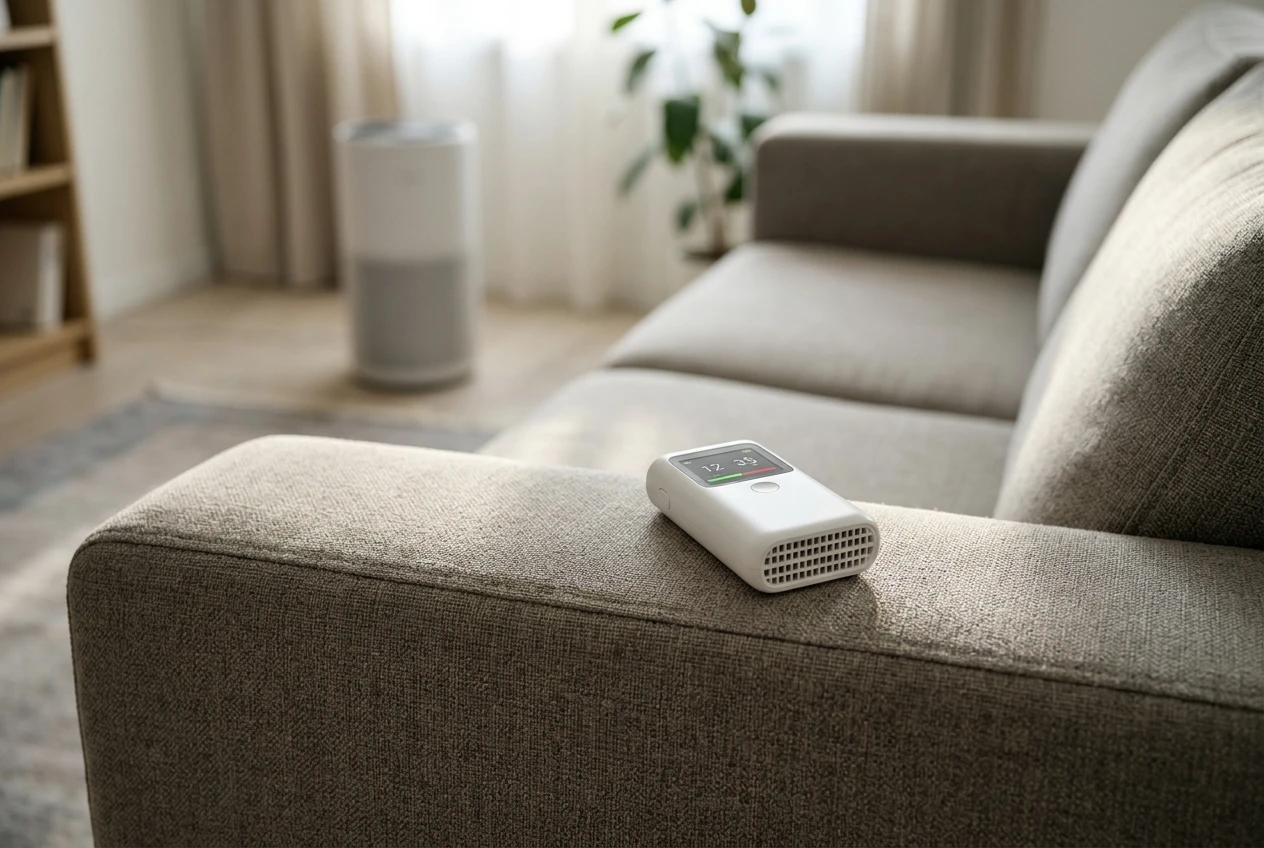
Follow the manufacturer’s warm-up and response-time instructions, including after each move. Do not record the first number that flashes on screen. Once settled, note a short run of readings over the same duration at each location, or use matching logged averages if the device supports them.
There is no universal five-minute wait that makes every sensor accurate. Likewise, a home exercise has no universal “pass” percentage. Near-zero readings or differences within normal sensor variability may leave you with nothing meaningful to compare.
3. Return to your starting point between visits
A: usual seat · B: farther occupied area · C: another useful spot
Start at your usual seat, check the farther spot, then return to the seat. Repeat for the third location. Note the time at every stop.
The return visits matter. Suppose you measure A first and C twenty minutes later. A lower reading at C might simply mean particles decreased throughout the room while you were walking around. Returning to A helps reveal that time trend. It does not remove it completely.
On another comparable occasion, reverse the visiting order: A → C → A → B → A. Treat a persistent location difference as a clue to investigate, especially if it appears across several rounds with a reasonably steady reference.
4. If you already have two monitors, compare them together first
Place them side by side, with unobstructed inlets, to see whether they track similarly under the same conditions. This is a consistency check, not calibration. Then leave one at A and move the other between B and C. Time-aligned readings help separate room-wide changes from local differences.
Swap the devices between locations on a later round. If the higher reading follows the device, be cautious about blaming the location. You do not need to buy a second monitor just to do this exercise.
The most useful finding may be “inconclusive”
If all locations stay low, your check has not demonstrated poor coverage. It also has not proved how quickly the purifier would handle a new particle event. Keep the notes and revisit during normal household use; do not manufacture pollution to force a result.
What your readings are telling you to check next
| What you observe | What it could mean | Try next |
|---|---|---|
| B repeatedly reads higher while A stays fairly steady | A local source, weaker mixing, or a sampling issue | Check nearby sources and monitor placement; then try one purifier-position change |
| All locations rise together | A shared source or changing incoming air | Look for what changed before increasing equipment capacity |
| The higher reading follows one monitor when swapped | Device disagreement | Review sensor maintenance and specifications before drawing a room conclusion |
| Readings keep falling during every visit | Time is dominating the comparison | Repeat during steadier conditions or use simultaneous monitoring |
| Higher fixed speed repeatedly improves the occupied-area trend | The lower setting may be inadequate for those conditions | Choose a sustainable setting; reassess room fit if that speed is intolerable |
| Every point stays similarly low | No measurable gap under the conditions checked | Keep the setup and revisit if the room or routine changes |
These are troubleshooting possibilities, not diagnoses. A room survey alone cannot tell you exactly how much of a change came from filtration, settling, outdoor air, or a source stopping.
Before you buy another purifier, change one thing
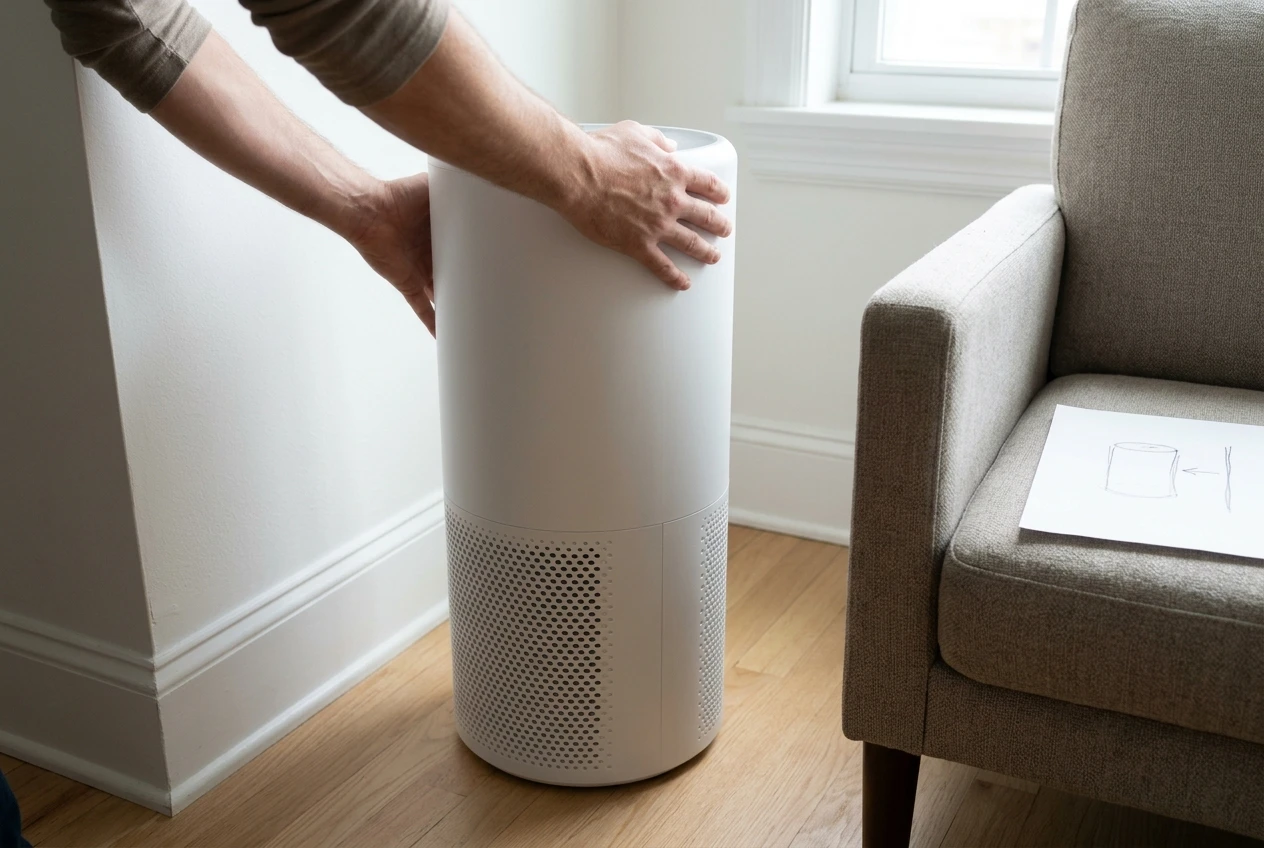
Start with the easiest correction your notes support: clear an obstruction, reposition the purifier within its allowed clearances, or increase fan speed. Repeat at the same locations with comparable room conditions. Photograph or sketch the new position so you can reproduce it.
Do not move the purifier, replace the filter, close a door, and change speed all at once if you want to learn which adjustment mattered. If you discover an ongoing pollution source, address it first rather than preserving it for an experiment.
A larger purifier or a second unit becomes a more sensible discussion after you have checked room size, realistic fan speed, filter condition, sources, and placement. Portable cleaners are intended for a room or area, and filtration supplements source control and appropriate ventilation, as the EPA explains.
Keep a room log you can actually repeat
- Room and date: dimensions, ceiling height, connected spaces.
- Purifier: model, location, fan setting, filter condition.
- Monitor: model, PM2.5 units, warm-up and averaging method.
- Conditions: doors, windows, HVAC, humidity, recent activities.
- Route: A → B → A → C → A; record time and settled readings at each stop.
- Repeat: date, reversed route, and whether the pattern returned.
- One change: what changed, what improved, and what remains uncertain.
Keep this log beside the room-sizing and filter information in your planner. It completes the Test & Track step of S.M.A.R.T.: Size, Match, Automate, Replace, Test & Track.
Open the Free Fit & Filter PlannerNo separate monitor? Start here
You can still measure the room, check CADR and operating speed, inspect the filter, and correct blocked airflow. Those are useful improvements without buying anything.
What you cannot do is verify particle levels across the room by watching one built-in light. For help reading that display, see what real-time AQI displays actually mean. If settled dust is your main concern, use the guide to a room that stays dusty with an air purifier.
Four-question knowledge check
Choose an answer before opening each explanation.
1. A green display proves: A) the whole room is clean, or B) the sensor’s current signal meets its green-light criteria?
B. The display reflects that sensor and its programmed thresholds, not a measurement at every location.
2. With one monitor, which is more useful: A) measure three spots once, or B) return to the reference spot between visits?
B. Return visits help expose time trends that could otherwise look like location differences.
3. Should you burn incense to create a stronger test signal: A) yes, or B) no?
B. Do not deliberately add pollution. Low, steady readings may simply make the check inconclusive.
4. A higher reading follows the same monitor after a swap. Check: A) device disagreement, or B) buy another purifier immediately?
A. Investigate the instruments before treating the difference as a coverage problem.
Frequently asked questions
How long should the whole-room check take?
Allow enough time for your monitor’s prescribed warm-up, settling after each move, and equal observation periods. One circuit offers a preliminary clue. Repeat comparisons matter more than finishing in a particular number of minutes.
How much difference between locations is too much?
There is no universal home-test cutoff. Consider the monitor’s specifications, normal variability, conditions, and whether the difference repeats. Small differences near the sensor’s lower measuring limit may not be meaningful.
Can I compare a purifier’s AQI number with a monitor’s PM2.5 number?
Not directly. AQI is an index; PM2.5 concentration is commonly reported in micrograms per cubic meter. Compare the same pollutant, units, and averaging period. Different devices may still disagree.
Does a low PM2.5 reading mean the room is safe?
No. It describes one measured aspect of the air. It does not rule out gases or other unmeasured hazards. Consumer air monitors do not replace smoke or carbon-monoxide alarms.
Should I run this check with auto mode on?
Start at a fixed speed to reduce one source of variation. After that, a separate check during normal auto-mode use can show whether your usual routine produces similar occupied-area trends. Record when the fan changes.
Make the seat you use the place you check
You do not need a perfect map of every cubic foot. You need a clearer picture of the places where you live—and enough consistency to know whether a change helped.
Where does your purifier sit compared with your usual seat or desk? Share your room layout, model, and everyday fan setting in the comments. If you have measurements, include the units and whether you used one monitor or two.
Method note: This is a suggested household troubleshooting workflow based on public guidance about filtration and sensor limitations. It is not a standardized test, a product review based on hands-on measurements, or a health assessment. No test results are claimed.