Your purifier starts, the fan pushes air across the room, and soon your eyes, skin, nose, or throat feel uncomfortably dry. It is reasonable to connect the two events. But does an air purifier dry out the room—or is it making already-dry air feel worse in one particular spot?
A standard portable air purifier is designed to recirculate room air through particle and, in some models, gas-removal filters. It is not designed to condense water like a dehumidifier or exhaust moist air outdoors. The best next step is therefore not an automatic humidifier purchase. It is a two-part check: measure the relative humidity and map where the purifier’s air is blowing.
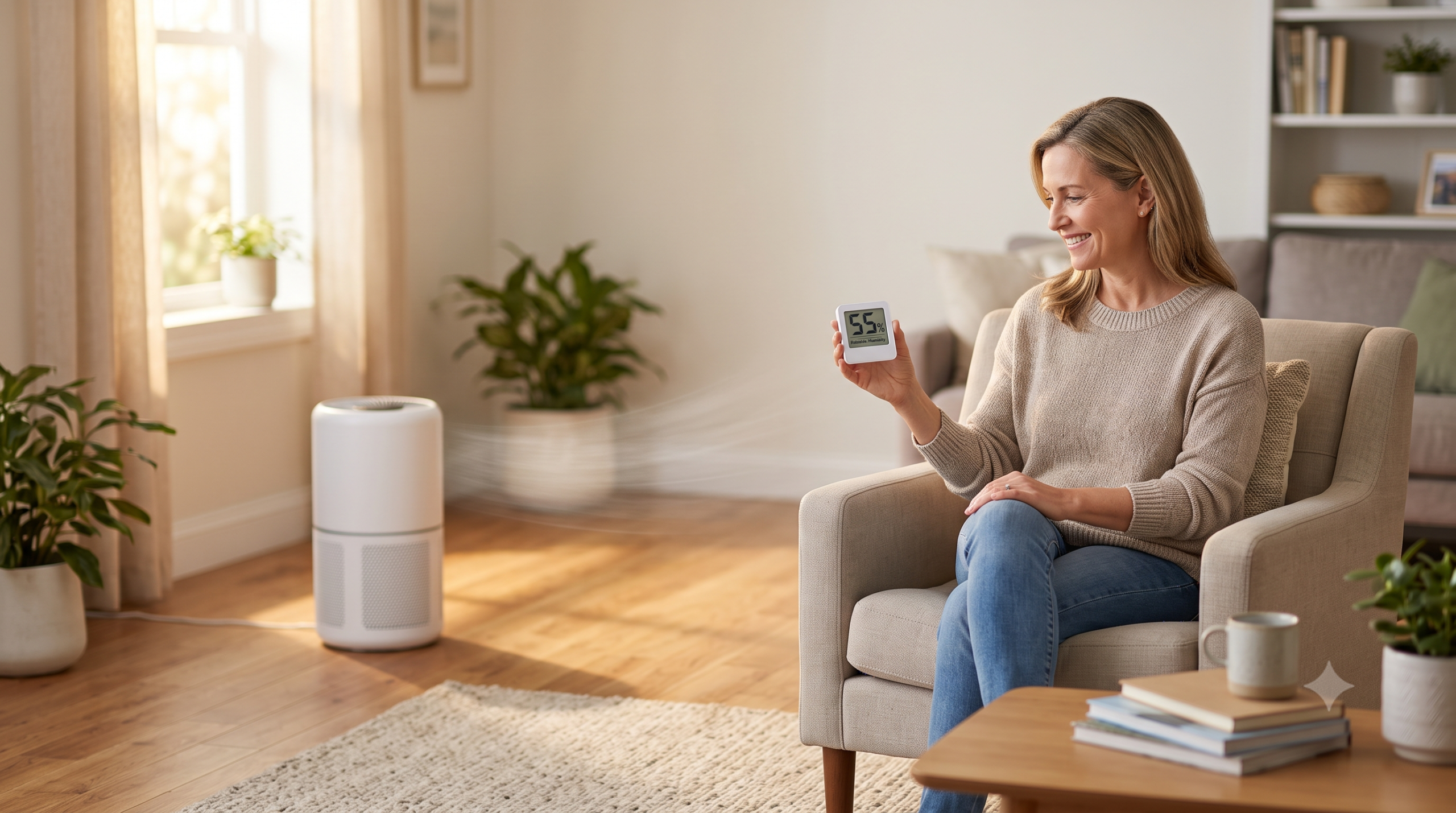
Does an Air Purifier Reduce Humidity?
A typical portable air purifier does not meaningfully reduce the room’s humidity. It moves and filters existing air rather than removing water vapor. However, a steady outlet stream can increase evaporation at exposed eyes or skin and make one chair, desk, or side of the bed feel dry—especially when the home’s humidity is already low.
Place a reliable hygrometer away from the purifier outlet, windows, vents, sunlight, bathrooms, and cooking steam. Compare readings under similar conditions. If the humidity remains stable but discomfort follows the airflow path, reposition the purifier while preserving every manufacturer-required clearance. If the room is genuinely dry, investigate heating, weather, ventilation, and moisture sources before using a humidifier responsibly.
Dry-Feeling Air Is Not Always Lower-Humidity Air
Relative humidity describes the amount of water vapor in the air compared with the amount the air can hold at that temperature. A purifier’s fan changes air movement. It normally does not perform the moisture-removal step that defines a dehumidifier.
That does not mean the discomfort is imaginary. Moving air can affect the thin moisture layer at the eyes and increase evaporation from exposed skin. A direct stream may therefore make your face or hands feel dry even while a properly placed humidity meter shows little change.
Visual explainer 1
What the purifier changes—and what it usually does not
The latest guide on why a purifier can make a room feel cold addresses a related airflow effect. This guide takes the next step by separating local comfort from a measured moisture problem.
Run a Two-Reading Humidity and Airflow Test
You do not need a laboratory. You need repeatable conditions and a meter suitable for home relative-humidity checks. The U.S. Environmental Protection Agency recommends using a moisture or humidity meter rather than guessing from how a room feels.
Choose a representative location
Place the hygrometer in the occupied area at a useful height. Keep it out of the purifier’s outlet stream and away from a window, exterior door, HVAC register, bathroom, kitchen steam, direct sun, or a humidifier. Let it stabilize according to its instructions.
Record the room before changing anything
Write down the humidity, temperature, purifier speed, HVAC mode, door and window position, outdoor weather, and where the discomfort occurs. A single number without its conditions is hard to interpret.
Map the purifier’s clean-air path
Find the intake and outlet in the manual. Sit where the dryness feels strongest and note whether the stream reaches your face, hands, pillow, desk, or reading chair. Keep hands and objects out of the grilles.
Move the complete purifier safely
Turn it off and unplug it before relocating it. Use an open, stable position that meets the exact model’s clearance instructions but does not blow continuously across an occupied spot. Do not cover an outlet, crowd an intake, or hide the unit behind furniture.
Repeat under similar conditions
Use the same fan speed, HVAC setting, door position, and approximate time of day. Record the second humidity reading and the comfort result. The useful clue is a repeated pattern—not a brief fluctuation after a shower, cooking event, open door, or HVAC cycle.
Visual explainer 2
One discomfort complaint, two different starting routes
Humidity stays similar
Discomfort changes when the purifier moves.
Start with airflow direction, distance, and fan-speed comfort.Humidity is repeatedly low
The whole occupied area—not only the outlet path—feels dry.
Investigate heating, weather, ventilation, and moisture control.What Is Actually Making the Room Feel Dry?
| What you notice | First useful explanation | What to check | Best first move |
|---|---|---|---|
| One side of your face or one chair feels dry | Direct purifier or fan airflow | Outlet direction and occupied zone | Relocate the unit without blocking airflow |
| The entire home feels drier during heating season | Outdoor conditions and heated indoor air | Humidity in several rooms, HVAC operation, and weather | Confirm the pattern before adding moisture |
| Discomfort starts only on high purifier speed | Higher local air velocity | Whether a slightly lower steady speed still fits the room | Balance comfort with useful clean-air delivery |
| Humidity falls after an exhaust fan or window is used | Moist indoor air is being replaced | Outdoor conditions, ventilation, and exhaust runtime | Use ventilation for the real source and reassess afterward |
| A monitor spikes when an ultrasonic humidifier runs | Water droplets or airborne minerals may affect a particle sensor | Humidifier type, water, cleaning, distance, and monitor placement | Separate the devices and follow humidifier guidance |
| Airflow weakened after a filter change | Packaging, wrong filter, seating, or a blocked path | Exact model, filter code, installation, intake, and outlet | Correct the installation before buying again |
If the purifier’s airflow itself has become unusually weak, use the separate seven-check weak-airflow guide. A loaded, incorrect, or poorly seated filter can change airflow and sound, but it does not make the filter a household dehumidifier.
What Humidity Number Should You Look For?
EPA guidance says indoor relative humidity should remain below 60% and ideally between 30% and 50%, when possible. That range is a practical home-moisture reference, not a diagnosis or a promise that every person will feel comfortable at the same number.
Temperature matters because relative humidity changes as air temperature changes. So do location and timing. A meter beside a shower, boiling pot, cold window, supply register, or humidifier is not describing the room in the same way as a meter placed in the normal occupied area.
- Below the target repeatedly: confirm the meter and room pattern, then examine heating, outdoor air, ventilation, and whether humidity control is appropriate.
- Within the target: prioritize the purifier’s outlet direction and other local drafts if discomfort follows a particular seat.
- Above the target or condensation appears: do not add more moisture. Find and correct the moisture source.
- Different rooms disagree: treat them as different zones. Bathrooms, kitchens, basements, bedrooms, and sunlit rooms rarely behave identically.
Should You Run a Humidifier Beside an Air Purifier?
A humidifier and an air purifier do different jobs. A humidifier adds moisture. A particle purifier removes some airborne particles as air passes through its filter. Using both can be reasonable when the room has a verified need for each—but placement and maintenance matter.
Visual explainer 3
The four-part purifier-and-humidifier setup
The EPA says humidifiers should be used only when conditions require them, with the correct moisture setting, and cleaned thoroughly. Cool-mist and ultrasonic models also deserve attention to water quality because they can disperse minerals from tap water. Those particles may settle as “white dust” and can confuse a nearby particle sensor.
Never aim mist into the purifier’s intake. Moisture can wet a filter that was not designed to be washed, encourage unwanted growth on damp materials, distort a particle reading, or leave water near an electrical appliance. Follow both manuals; if either manufacturer specifies a placement distance, use that instruction rather than a generic rule.
What if the purifier’s display turns red near the humidifier?
Do not assume the humidifier has created smoke. Optical particle sensors may respond to airborne droplets or minerals. Move the monitor or purifier out of the mist path, review the humidifier’s water and cleaning instructions, and compare the reading after the mist clears. The site’s three-point sensor-placement check can help when the display and the occupied area tell different stories.
Do Not Sacrifice Filtration to Stop the Dry Feeling
Turning the purifier toward a wall, wrapping the outlet, hiding it behind a couch, or crowding the intake may reduce the breeze you feel—but it can also reduce airflow and useful particle cleaning. Keep the manufacturer’s required clearances and choose a location where filtered air can mix into the room.
If the only tolerable setting is sleep mode, check whether that realistic speed supplies enough clean-air delivery for the actual room. Published CADR is commonly tied to a defined test setting, often the highest fan speed. A quieter mode may move considerably less air.
For the broader operating tradeoff, compare continuous, automatic, scheduled, and event-only purifier routines. Comfort matters because an impressive purifier that stays off is not cleaning the room.
When the Filter Belongs in the Investigation
Filter replacement does not correct low humidity. It belongs in this check only when airflow, odor, dust loading, or maintenance history points there. Turn off and unplug the purifier as instructed, then verify the exact model number, manufacturer filter code, filter orientation, cover closure, and any permitted pre-filter cleaning.
Do not wash, vacuum, brush, or add moisture to a disposable particle filter unless its current instructions explicitly allow that method. If replacement is genuinely due, keep the model and filter code beside you while you compare replacement-filter availability through FiltersFast. Confirm compatibility, filter stages, package quantity, seller information, shipping, and return terms before ordering.
Put Humidity and Comfort Into the Fit & Filter Planner
The free 15-page Smart Air Purifier Fit & Filter Planner helps you match the room, air concern, filter system, and true cost before you buy. Add five notes to the room page: relative humidity, temperature, purifier outlet direction, occupied location, and the fan speed you can comfortably keep running.
That small record separates the purifier decision from the humidity decision. It also prevents a comfort problem from turning into an unnecessary filter, humidifier, or purifier purchase.
Open the Free Fit & Filter PlannerFour-Question Interactive Knowledge Check
Can you solve a dry-room complaint without weakening filtration or adding unnecessary moisture?
Frequently Asked Questions
Can a HEPA air purifier make the air dry?
A standard HEPA air purifier filters particles from moving air; it does not normally remove water vapor. Its outlet stream can make exposed eyes or skin feel drier, especially when indoor humidity is already low. Measure relative humidity and redirect the airflow before assuming the machine changed the room’s moisture.
Why do my eyes feel dry when the purifier is on?
The clean-air outlet may be blowing across your face, desk, chair, or bed. Move the purifier to an open location that preserves the manual’s required clearances but redirects the stream away from you. Persistent or significant eye symptoms deserve appropriate professional guidance rather than an appliance diagnosis.
What indoor humidity should I aim for?
EPA guidance says indoor relative humidity should be below 60% and ideally between 30% and 50%, when possible. Measure in a representative occupied location and watch for condensation or damp surfaces. Individual comfort and building conditions vary.
Can I use an air purifier and humidifier in the same room?
Yes, when the room has a verified need for both. Keep mist out of the purifier intake and away from filters, electronics, walls, and floors. Follow both manuals, measure humidity, clean the humidifier thoroughly, and stop adding moisture before condensation or dampness develops.
Why does my purifier’s air-quality reading rise when the humidifier runs?
An optical particle sensor may respond to airborne droplets or minerals from some humidifiers. Separate the devices, keep mist away from the sensor and purifier, review water-quality and cleaning guidance, and compare readings after the mist clears. A consumer particle reading is not a complete measure of indoor air quality.
Should I lower the purifier’s fan speed if it feels drying?
First redirect the airflow. If a lower setting is needed for comfort, confirm that the realistic speed still provides enough clean-air delivery for the room. A steady tolerable speed may be more useful than high speed followed by hours with the purifier turned off.
Will replacing the air filter fix low humidity?
No. A replacement filter may restore airflow when the existing filter is loaded or incorrectly installed, but it does not add moisture. Verify the humidity problem separately and replace filters only according to the exact model’s instructions and condition.
Authoritative Guidance Used for This Guide
- U.S. EPA: Guide to Air Cleaners in the Home — what portable air cleaners can and cannot address.
- U.S. EPA: A Brief Guide to Mold, Moisture and Your Home — humidity measurement, moisture control, and the 30–50% ideal range.
- U.S. EPA: Use and Care of Home Humidifiers — appropriate use, moisture settings, cleaning, water, and mineral-dispersion concerns.
- U.S. EPA: Sources of Indoor Particulate Matter — cool-mist and ultrasonic humidifier maintenance and distilled-water considerations.
Editorial note: BestSmartPurifiers.com provides research-based consumer education. This article is not a medical diagnosis, humidity-control design, HVAC inspection, or guarantee of indoor-air safety. Purifier airflow, clearances, filters, sensors, humidifiers, apps, maintenance steps, and safety instructions vary by model and can change. Follow the current manuals for the exact appliances in the room.
Final Takeaway: Measure the Moisture, Then Move the Air
When an air purifier makes the room feel dry, begin with two observations: the relative-humidity reading and the purifier’s clean-air path. If the number stays similar while discomfort moves with the fan stream, solve the local draft. Relocate the purifier without starving its intake or blocking its outlet.
If repeated readings show genuinely low humidity, investigate the whole room—weather, heating, ventilation, doors, windows, and moisture sources. Add a humidifier only when the conditions call for it, then control and maintain it carefully. The right goal is not “more moisture” or “less airflow.” It is a room that is comfortable enough to use and filtered well enough to matter.