Smart purifier reality check
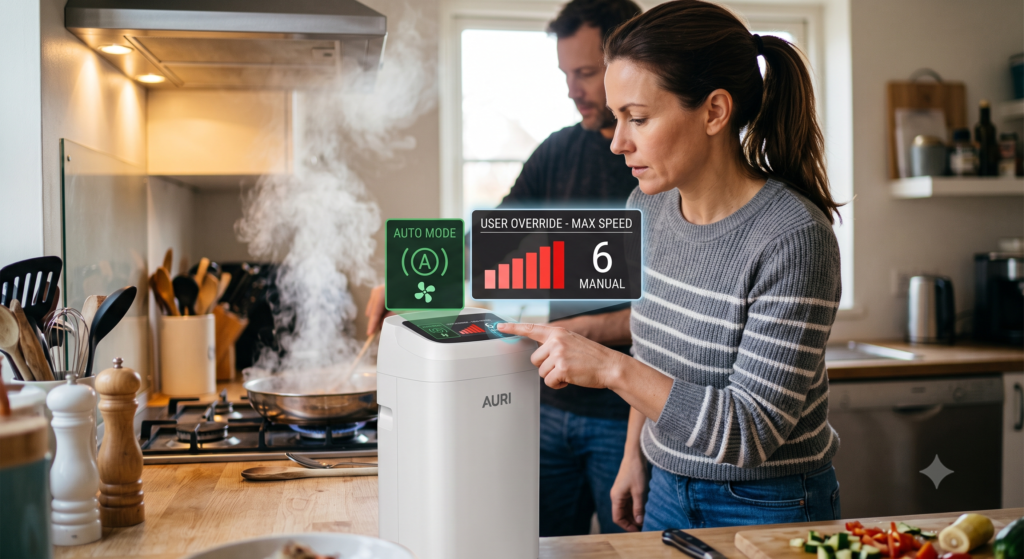
Auto Mode Is Convenient. Manual Mode Is Sometimes the Smarter Move.
Auto mode can make a smart air purifier easier to live with, but it is only as good as the sensor, placement, fan-speed logic, filter condition, and pollutant it can actually detect. When you already know the air problem is happening, waiting for the purifier to notice may be the slow path.
Quick answer
Should you leave an air purifier on auto mode?
Auto mode is useful for ordinary day-to-day changes when the purifier’s sensor responds well to the main pollutant. It can reduce noise, save energy, and keep the unit from running harder than needed.
Manual speed is better when you already know pollution is present: cooking smoke, wildfire smoke, heavy pollen, cleaning dust, pet activity, renovation dust, or a room that needs a scheduled cleanup before sleep.
The rule is simple: use auto mode for convenience, but use manual control for known air events. The purifier should support your decision—not make every decision for you.
Auto Mode vs. Manual Speed
| Setting | What it does well | Where it can fall short | Best use |
|---|---|---|---|
| Auto mode | Adjusts fan speed when the built-in sensor detects a change | May react late, miss gases and odors, or stay too quiet during known events | Normal daily background use |
| Manual medium | Provides steady filtration without the noise of maximum speed | May be too slow for smoke, heavy cooking particles, or a large room | Bedrooms, offices, and consistent occupied use |
| Manual high | Moves more air through the filter quickly | Higher noise, energy use, and faster filter loading | Cooking smoke, wildfire smoke, dust spikes, and pre-cleaning a room |
| Sleep mode | Reduces noise and display light | May deliver too little clean-air flow for the room | Only when the purifier is still strong enough at that quiet setting |
| Schedule or routine | Runs the purifier harder before predictable events | Still requires correct room sizing and filter maintenance | Before bedtime, after cooking, during pollen hours, or before guests arrive |
When to Override Auto Mode
Cooking smoke
Turn the purifier up before or during cooking, especially if the kitchen opens into the living area. Use an outdoor-venting range hood when available.
Wildfire smoke
When outdoor PM2.5 is high, use a steady manual speed in the cleaner-air room instead of waiting for the built-in sensor to decide.
High pollen days
Run the purifier stronger after doors open, windows were used, pets come inside, or clothing and hair may carry pollen into the room.
Cleaning and dusting
Dusting, vacuuming, changing bedding, and moving storage can stir particles that deserve more than a quiet auto response.
Pet activity
After brushing, litter-box cleaning, play, or heavy shedding, a defined manual run can help capture particles reaching the intake.
Pre-cleaning a room
Run the purifier on a higher speed before sleep, study, or guests arrive, then switch to a quieter setting once the room has improved.
A Five-Step Auto Mode Check
Name the actual air concern
Is the problem smoke, dust, pollen, pet dander, odor, VOCs, moisture, or poor ventilation? Auto mode often depends on a particle sensor, and a particle sensor cannot identify every indoor-air problem.
Confirm the purifier is sized for the room
Auto mode cannot overcome a low CADR. Measure the room, account for ceiling height and open doorways, and compare smoke CADR to the space where the unit actually runs.
If the purifier is undersized, it may show progress near its own sensor while the far side of the room still needs more clean-air delivery.
Check sensor placement
A built-in sensor mainly measures the air reaching the unit. If the purifier sits behind a chair, next to its own clean-air outlet, under a desk, or in a corner pocket, auto mode may respond to the wrong micro-location.
Inspect the filter and intake
A purifier may react correctly and still underperform if the pre-filter is packed, the main filter is loaded, the plastic wrapping was never removed, or the intake is blocked by furniture, curtains, laundry, or pet hair.
Do not reset a filter reminder until the correct replacement filter is installed and inspected.
Build a simple mode routine
Use auto mode for normal background operation, manual medium for steady occupied use, manual high for known air events, and a schedule for predictable daily patterns.
Free 15-page workbook
Use the Planner Before Trusting the Setting
The free Smart Air Purifier Fit & Filter Planner helps you measure the room, name the real air concern, estimate a CADR target, compare filter stages, verify replacement-filter compatibility, and calculate first-year ownership cost.
Use it to decide whether auto mode is managing a properly sized purifier—or quietly hiding that the unit is too small, under-filtered, badly placed, or too expensive to maintain.
Get the Smart Air Purifier Fit & Filter PlannerAuto Mode Mistakes That Waste Performance
- Leaving auto mode on during a known wildfire-smoke event
- Assuming a green display means odors, gases, or VOCs are gone
- Using sleep mode in a room that needs higher CADR
- Placing the purifier where the sensor reads its own clean-air bubble
- Ignoring a dirty pre-filter because the app still shows filter life remaining
- Running auto mode with blocked intakes or outlets
- Trusting color lights without checking what pollutant the sensor actually measures
Manual High Speed Loads Filters Faster
If you override auto mode often—for smoke, pollen, pets, cleaning, or cooking recovery—your filter may load faster than the reminder suggests. Record the exact purifier model and filter code before the current filter becomes packed.
Readers who have confirmed the correct replacement part can check replacement-filter availability through FiltersFast . Verify the purifier model, filter code, package quantity, compatibility details, seller information, and return terms before ordering.
Affiliate disclosure: This is an affiliate link. BestSmartPurifiers.com may earn a commission at no additional cost to the reader. Its inclusion does not change the room-sizing, mode-selection, filter-verification, or reader-first standards used in this guide.
Four-question knowledge check
Can You Choose the Right Purifier Mode?
Choose one answer for each question, then check your score.
Reader Check-In
Does your purifier stay on auto mode, or do you manually turn it up during cooking, smoke, pollen, pets, or cleaning? Share the room size, purifier model, normal fan setting, filter age, and what causes the biggest air-quality change. Real examples help other readers separate useful automation from quiet underperformance.
Frequently Asked Questions
Is air purifier auto mode worth using?
Yes, when the purifier is properly sized, well placed, clean, and responding to the pollutant you care about. Auto mode is best for ordinary background use, not every known pollution event.
Should I use auto mode during wildfire smoke?
A steady manual speed is often more predictable during known wildfire-smoke conditions. Close windows and doors when outdoor air is smoky, use a properly sized purifier in the priority room, and follow current public-health guidance.
Why does my purifier stay green while the room smells bad?
Many purifier sensors focus on particles, not every odor or gas. The smell may come from VOCs, damp materials, trash, cooking residue, pets, smoke residue, or another source the sensor does not identify.
Does manual high speed clean air faster?
In general, higher fan speed moves more air through the purifier, which can improve particle-cleaning speed when the filter is appropriate and the room is properly sized. It may also increase noise, energy use, and filter loading.
Should I use sleep mode all night?
Only if the purifier still delivers enough clean air at that quiet setting. A very low sleep mode may be comfortable but too weak for a larger bedroom, smoke event, or high-pollen night.
Can a dirty sensor affect auto mode?
Yes. Dust or buildup near the sensor opening can affect readings. Follow the manufacturer’s sensor-cleaning instructions and never spray cleaner directly into the purifier or sensor area.
Continue learning
Related Best Smart Purifiers Resources
Smart Air Purifier Fit & Filter Planner
Measure the room, estimate CADR, compare filter stages, verify replacements, and calculate first-year cost.
Get the free plannerComplete Air Purifier Guide
Review filtration, CADR, sensors, smart controls, energy use, placement, and filter maintenance.
Read the complete guideWhy the Purifier Says the Air Is Good
Understand why odor, gases, and sensor location can make a green display incomplete.
Understand the green lightOutdoor AQI vs. Purifier Readings
Learn why outdoor AQI and indoor purifier readings can both be true but useful for different decisions.
Compare the readingsRoom Coverage Claims Explained
See why a large square-foot claim may hide a slow air-change assumption.
Check the room fitReplacement-Filter Mistakes
Match the exact purifier model, filter code, seal, stages, airflow design, and seller details.
Avoid the wrong filterAuthoritative Guidance
Editorial note: BestSmartPurifiers.com reports on air-cleaning equipment from a consumer-research perspective. Product sensors, auto-mode thresholds, apps, fan logic, filter reminders, replacement filters, and specifications can change. Verify current manufacturer instructions before relying on a setting. Air purifiers can reduce certain airborne particles when properly sized, placed, operated, and maintained, but they do not remove every pollutant or replace source control, safe ventilation when appropriate, certified safety alarms, medical care, emergency guidance, or qualified HVAC service.