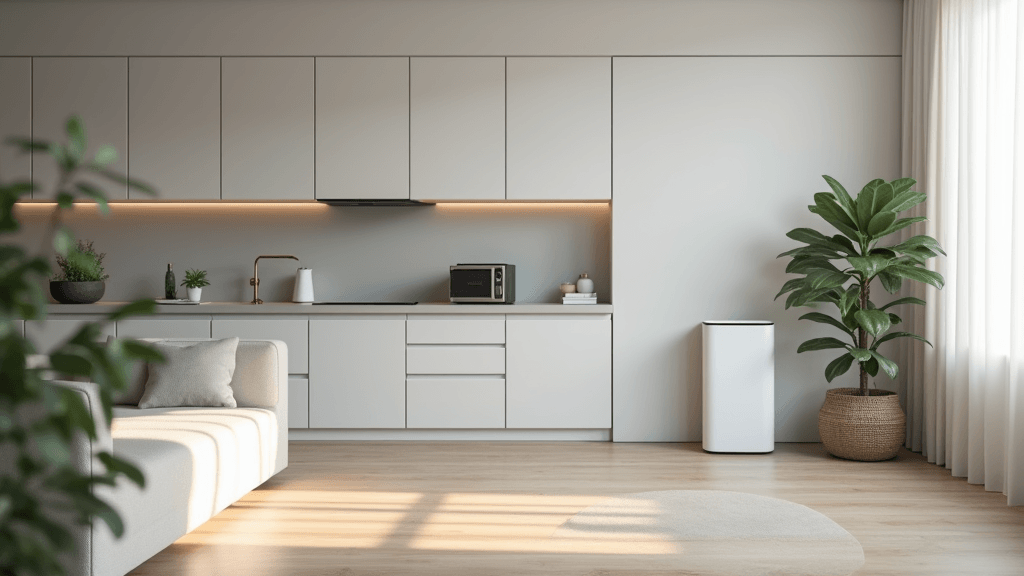
Smart air purifiers are no longer just standalone gadgets; they have become a central part of a connected home. Integrating these devices into your smart ecosystem means cleaner air, better health, and a streamlined lifestyle that practically runs itself. If you’re looking to give your air quality a boost while enjoying the perks of home automation, this guide will help you check out the ins and outs of smart air purifier integration.
Many homeowners are looking for ways to simplify daily routines with smart technology. Smart air purifiers fit right into this popular trend. With control through voice commands, mobile apps, and seamless connections to devices like thermostats and security systems, these units are designed to help every breath be as pure as possible. This guide is intended to provide you with a clear roadmap for adding smart air purifiers to your home system, ensuring that every detail of the setup is efficient and user-friendly.
We cover everything from evaluating your home’s air quality needs to setting up automation and maintaining your devices over time. Whether you’re a tech newbie or a long-time smart home enthusiast, you’ll find practical tips to build a system that is both effective and easy to manage.
Step 1: Assess Your Home’s Air Quality Needs
Before connecting any devices, it is essential to understand what your home truly requires. A smart air purifier is not a one-size-fits-all solution. Every home faces its own challenges, whether it’s pet dander, pollen, or chemicals from cleaning products and new paint. Knowing your specific issues makes the upgrade process more precise and straightforward.
Questions to Ask Yourself
- Which rooms tend to have higher levels of pollutants?
- Do you or your family members suffer from allergies or respiratory issues?
- Is your home in an area with high pollution or seasonal pollen surges?
- What other smart devices are you already using to manage your indoor environment?
Example Goals to Consider
- Improve overall indoor air quality throughout the home.
- Reduce allergens during certain seasons by adjusting purifier settings.
- Integrate the purifier with existing sensors for real-time monitoring.
- Achieve energy efficiency by linking purifier operation with smart thermostats.
Understanding your home’s air quality challenges lets you tailor your smart setup to tackle them directly, ensuring an upgrade that is as effective as it is efficient.
Step 2: Build a Realistic Integration Plan
After assessing your needs, the next step is to plan how to incorporate a smart air purifier into your system. A solid plan prevents future tech hassles and makes sure new devices work well with what you already have.
Planning Your Timeline
- Identify which rooms or zones require air purification.
- Decide whether you need a single unit or several purifiers for best coverage.
- Coordinate the installation with other upcoming smart home upgrades.
Network Setup Considerations
- Check your home’s Wi-Fi strength in various locations to secure reliable connections.
- Plan for additional routers or range extenders if needed.
Having a clear roadmap from the start can prevent integration issues and help devices communicate smoothly and effectively within your home network.
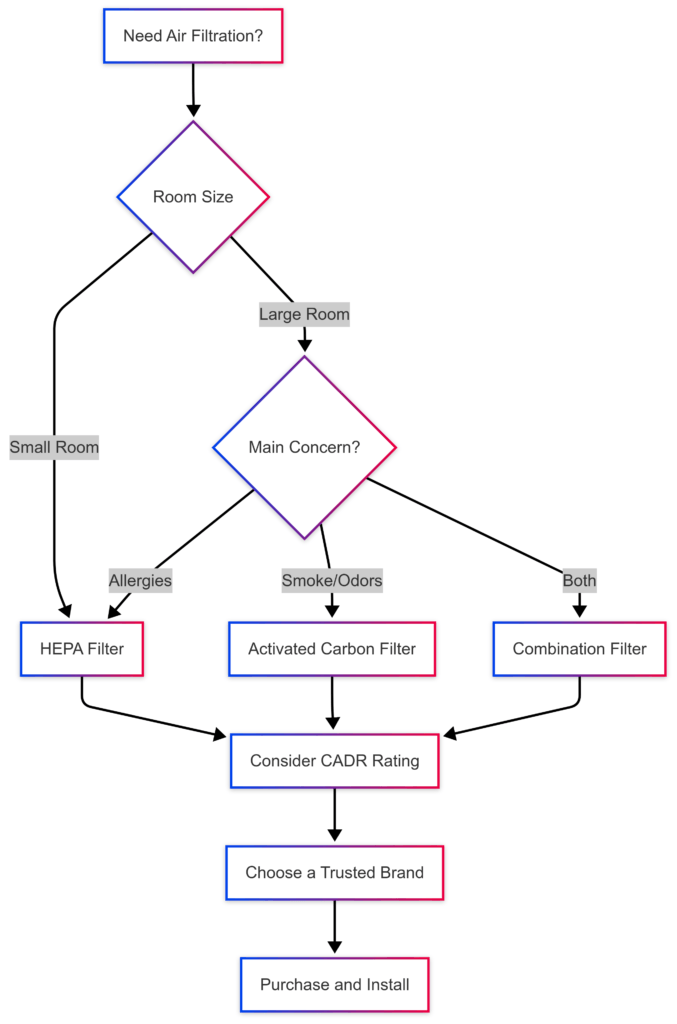
Step 3: Select the Right Smart Air Purifier
Choosing a smart air purifier means looking beyond its basic air-cleaning function. The right model must easily integrate with your smart ecosystem and address your specific indoor air challenges.
Consider Features That Matter
- Connectivity: Confirm that the purifier works with smart home platforms such as Alexa, Google Home, or Apple HomeKit.
- Sensors: Look for built-in sensors that track pollutants and adjust settings automatically.
- Filter Notifications: Automatic alerts remind you when it’s time to change filters.
- Energy Efficiency: Low power use is key to keeping the system sustainable and cost-effective.
Compare Reviews
- Examine user reviews and expert opinions to see how the device performs in real life.
- Consider the frequency of firmware updates and the quality of customer support available.
Selecting a model that fits well with your existing devices ensures a smooth integration. The right purifier will complement your overall smart home setup and contribute to a healthier indoor environment.
Step 4: Connect Your Smart Air Purifier to Your Ecosystem
After choosing your device, the next step is to connect it both physically and digitally. This stage is particularly exciting as it is when your home technology begins to work together seamlessly.
How to Connect Your Device
- Follow the manufacturer’s setup instructions to link the purifier to your Wi-Fi network.
- Integrate the purifier with your smart home hub or app for centralized control.
- Set up voice command options if available, allowing for hands-free use.
Syncing with Other Devices
- Pair the purifier with environmental sensors so it can adjust automatically based on real-time data.
- Link it with your HVAC system to create a unified home climate management strategy.
This step makes your air purifier an effective part of your connected home. A streamlined connection enhances the overall performance of the system and simplifies everyday operation.
Step 5: Customize and Automate Your Purifier’s Settings
Once your smart air purifier is connected, you can tailor its performance to better fit your daily habits. Automation lets the device work on preset schedules or respond automatically to sensor data, reducing the need for constant manual adjustments.
Automation Ideas for a Smarter Home
- Program the purifier to boost airflow during times of increased pollution or when indoor air quality drops.
- Set up automatic filter change reminders based on actual usage data.
- Integrate the purifier’s settings with your smart thermostat to synchronize operation during heating or cooling cycles.
- Schedule the device to switch to quiet mode at night for a peaceful sleeping environment.
Custom Control Options
- Adjust sensitivity levels so the purifier accurately responds to changes in air quality.
- Create scenes that coordinate multiple devices—for example, a ‘Good Night’ routine where lights dim and the purifier enters sleep mode.
Customizing and automating settings can save energy and extend the device’s life while making your environment healthier with minimal effort.
Step 6: Maintain and Update Your Devices
Even the best smart air purifier needs regular upkeep. Routine maintenance like cleaning filters and updating firmware is key to ensuring long-term efficiency and optimal performance.
Maintenance Tips
- Regularly check and replace filters according to the manufacturer’s schedule.
- Clean the exterior and sensor areas to avoid dust buildup that could hinder performance.
- Keep the device’s firmware up to date to benefit from new features and security improvements.
- Occasionally review network settings to make sure the connection remains strong.
By staying on top of these maintenance tasks, you can prevent performance hiccups and quickly address any potential issues before they become serious problems.
Step 7: Monitor and Adapt Your System Over Time
A truly effective smart home setup requires ongoing attention. For your smart air purifier, continuous monitoring and occasional adjustments ensure that the device remains effective in changing conditions.
Optimization Strategies
- Regularly review air quality data from your device to spot trends and adjust settings accordingly.
- Modify automated routines when seasonal changes affect indoor air quality.
- Use mobile notifications to get alerts when pollutant levels rise unexpectedly.
- Experiment with different settings to find the most efficient configuration for your needs.
Long-Term Adaptations
- Consider expanding your smart system by adding extra sensors or secondary purifiers in areas that need extra care.
- Stay informed about new product releases and firmware updates that could improve integration and performance.
By consistently checking on your system and making small improvements, you ensure that your smart air purifier continues to work effectively even as your home environment changes over time.
Common Questions and Troubleshooting
What if my smart purifier loses connection?
If your device loses connection, first verify that your Wi-Fi network is stable and that the purifier is within range. A simple restart of both the router and the device can often resolve the issue. Additionally, checking for any available firmware updates can help prevent future connection problems.
What if I am not very tech-savvy?
- Start by using basic features such as automatic operation and filter reminders.
- Follow the manufacturer’s setup guide closely, and don’t hesitate to ask for help if needed.
- Customer support and online tech forums can be valuable resources when you run into questions.
- Remember that many smart home systems are designed to be very user-friendly, so take your time learning one feature at a time.
What should I do if the air quality sensors provide inconsistent readings?
Make sure the purifier is positioned as recommended—away from walls, vents, and sources of interference. If inconsistent readings continue, consult the troubleshooting section of the user manual or contact support for further calibration tips.
Wrapping Up and Next Steps
Integrating a smart air purifier into your home ecosystem can transform your living space by ensuring cleaner air and a more connected daily experience. The process involves understanding your specific air quality needs, planning your integration carefully, choosing the right device, and keeping up with regular maintenance. Taking the time to plan and execute these steps properly not only makes for hassle-free operation but also ensures that every breath you take is as clean as possible.
Your Action Plan
- Evaluate your home’s air quality with detailed checks and sensor data.
- Plan your installation timeline and ensure your network is equipped to support smart devices.
- Research and select a smart air purifier that fits well with your existing ecosystem.
- Connect the unit according to manufacturer guidelines and test its performance with your other devices.
- Customize automation settings that align with your daily routines and seasonal changes.
- Keep on top of regular maintenance and firmware updates.
- Monitor system performance and adjust settings as needed over time.
Investing time in a well thought-out air purification setup can make a very important difference in your overall quality of life. Clean air is not just about the device itself—it is about creating a healthier and more efficient living environment. Which step will you start with to integrate smart air technology into your home? Share your thoughts and ask questions. Every detail counts when building a smarter, more sustainable home.
