Smart air purifiers are a practical part of many home setups, designed to provide clean air and protect against pollutants. Despite their advanced functions, these devices need regular care to operate at peak performance. This article discusses key signs that service is needed and offers guidance for essential maintenance steps that help ensure a long, trouble-free life for your air purifier.
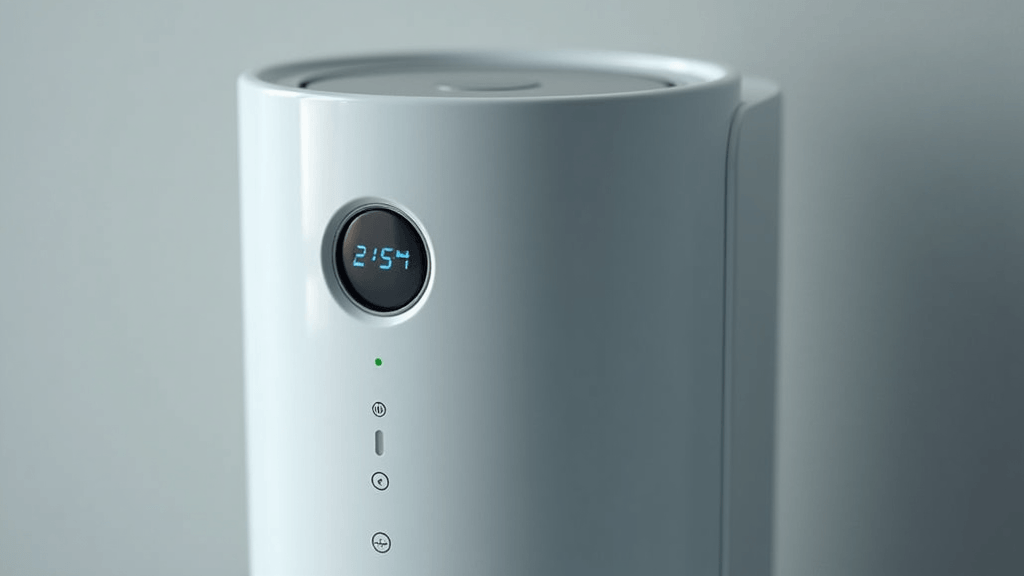
Recognizing Early Indicators That Service Is Needed
Smart air purifiers come with built-in alerts for detecting issues, but sometimes the clues are subtle. A noticeable decline in air filtering efficiency could indicate that filters or sensors are beginning to fail. Unusual mechanical noises—such as a persistent buzzing or clicking—might signal that parts like motors or fans are wearing out. Additionally, warning messages on the companion app may alert you to sensor misreads or connectivity problems. Even slight vibrations during normal operation can mean internal parts are starting to loosen. Keeping an eye on these early signs and addressing them promptly can prevent minor issues from evolving into major malfunctions.
Understanding the Basics of Your Smart Air Purifier
To take proper care of your air purifier, it helps to understand how it works. Most modern models use advanced sensors to monitor the quality of air in your space and adjust fan speeds and filtration levels in real time. Many devices connect directly to your smartphone, sending notifications when cleaning or filter replacements are needed. Features like ultraviolet lights and ionizers work together to keep harmful germs and particulates at bay. By getting to know each component, you can more easily diagnose performance changes and decide when maintenance or repairs are necessary.
Signs It’s Time To Service Your Device
There are several signs that your smart air purifier might need a tune-up. First, if you notice reduced airflow—where the air coming out of the unit seems weaker than usual—it might mean that filters are clogged or that the fan is experiencing wear. If the device begins making unusual sounds, such as buzzing or clicking noises, it may be a sign that internal components have accumulated dust or are wearing out. Frequent error messages on the mobile app, particularly those that reference sensor issues or filter status, also indicate that something isn’t right. Lastly, troubles with connectivity or unresponsive controls can suggest that the software needs an update or that hardware components are deteriorating. By spotting these signs early, you can take steps to prevent bigger problems later on.
Step-by-Step Guide To Servicing Your Smart Air Purifier
When you detect one or more warning signs, following a step-by-step maintenance routine can help keep your device running smoothly. Start by inspecting the air filters. If a filter appears discolored or heavily covered in dust, it should be cleaned or replaced promptly. Next, wipe down the exterior surfaces and any accessible internal compartments. Dust buildup can reduce efficiency, so using a soft cloth and, when safe, compressed air to remove debris is important. After cleaning, examine the sensor panel. Sensors that are dirty or misaligned may give inaccurate readings, so clearing any obstructions is key. Then, check if there are any available firmware updates. These updates can often fix minor bugs and improve overall performance; refer to the manufacturer’s website or app for guidance. Finally, run the unit in a quiet environment and listen carefully. Unusual sounds during operation can help identify specific issues with the fans or motors. This systematic approach not only resolves current problems but also extends the life of your air purifier.
Common Issues and Their Fixes
Many smart air purifier users experience similar maintenance challenges. A common issue is reduced airflow, often caused by dust-clogged filters or worn-out fan mechanisms. Regularly changing filters and cleaning the fan area typically restore normal performance. In cases where the unit starts to emit strange buzzing or clicking sounds, this can signal that internal parts are either loose or suffering from wear; tightening components or removing debris usually fixes the problem. Connectivity issues, such as the device losing its connection to the mobile app, are often resolved by resetting the system or installing the latest firmware update. Moreover, repeated error messages generally indicate that sensors are malfunctioning or that filters are overdue for replacement. Tackling these common concerns early on can help you avoid more expensive repairs in the future and maintain a steady quality of air in your home.
Advanced Maintenance Tips
For users who are comfortable with regular upkeep, there are additional strategies to keep your air purifier performing at its best. One helpful tip is to calibrate the sensors if your model enables manual adjustments. This process ensures that the device accurately interprets air quality changes. It’s also beneficial to set up a regular maintenance schedule rather than waiting for problems to appear. Many manufacturers recommend a monthly inspection along with periodic filter replacements every few months, based on usage and environmental factors. The placement of your air purifier also plays a crucial role; keeping it in an open area with unobstructed airflow can optimize performance and simplify routine checks. Finally, reviewing the user manual for model-specific maintenance advice can offer valuable troubleshooting tips. Integrating these advanced practices into your routine helps smooth the way for long-term, efficient operation.
Frequently Asked Questions
Question: How frequently should I service my smart air purifier?
Answer: The frequency depends on how much you use it and the quality of your indoor air, but a monthly check is a good rule of thumb. Filter replacements may be needed as often as every three to six months.
Question: What should I do if error messages persist on the app?
Answer: Start by checking the filters and sensor areas for dust buildup, and confirm that your firmware is up to date. Should the errors continue, it may be time to consult a professional technician.
Question: Can I replace the filters myself?
Answer: Yes, most smart air purifiers are designed for easy filter replacement. Simply follow the instructions provided in your user manual, and if you have doubts, contact customer support for further assistance.
Question: What actions should I take if I notice unusual noises coming from the unit?
Answer: Begin by unplugging the device and inspect it for any visible signs of wear or debris. Clean as needed, and if the noise persists, seek professional service to prevent further damage.
Conclusion,
Wrapping up, regular maintenance is very important to ensure your smart air purifier works efficiently. Whether you notice reduced airflow, strange noises, or connectivity glitches, addressing these signs early on can help prevent major issues down the line. A systematic routine that includes cleaning, filter checks, sensor calibration, and timely software updates not only keeps the device operating at a high level but also prolongs its lifespan. Your smart air purifier is a blend of modern technology and practical home care, and consistent upkeep can make a significant difference in the quality of your indoor environment. Taking the time to perform regular maintenance helps you avoid costly repairs and ensures that you continue to enjoy fresh, clean air in your home.