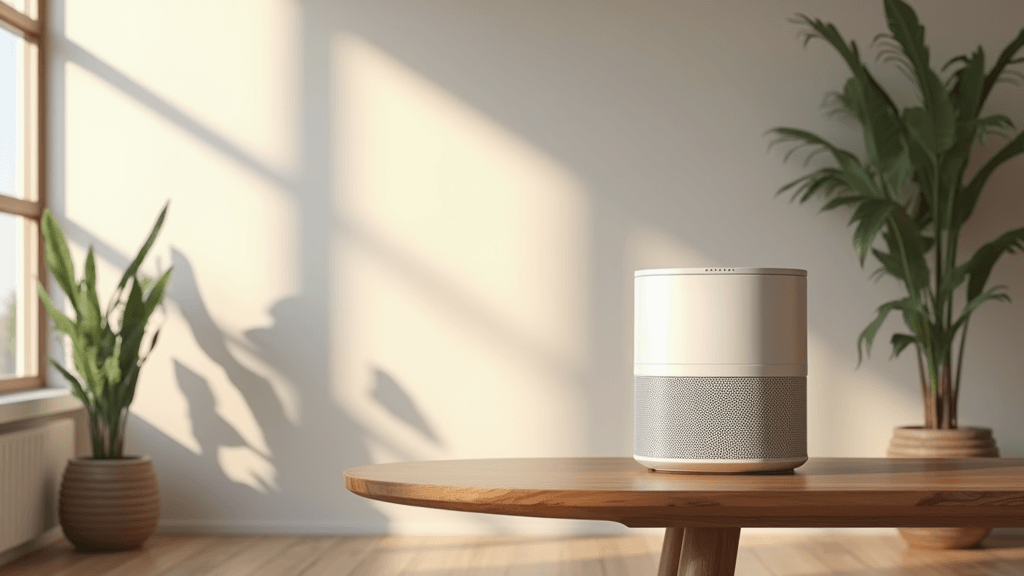
Voice control is changing the way we interact with everyday appliances, and smart air purifiers are no exception. These devices not only clean the air but also let you control settings with simple voice commands. This article explains everything you need to know about voice control and smart air purifiers.
If you’re interested in reducing allergens, improving indoor air quality, and enjoying the convenience of hands-free operation, smart air purifiers might be the right solution for you. By integrating voice control, these systems provide an effortless way to manage air quality and even adjust settings on the fly.
This guide will explain the key features of voice-controlled smart air purifiers, how to set them up with your existing smart home system, and tips on troubleshooting common issues. Whether you’re a tech enthusiast or just looking for a more convenient way to breathe cleaner air, you’ll find plenty of useful information here.
Step 1: Understand the Features of Voice Control and Smart Air Purifiers
Before jumping into the setup, it’s important to understand what smart air purifiers with voice control actually do. These devices bring together air purification technology and voice assistant integration, making it possible to manage your home’s air quality with commands like “turn on the purifier” or “set fan speed to low.”
Common Questions to Ask Yourself:
- Which voice assistants are compatible with the device? Does it support Amazon Alexa, Google Assistant, or others?
- What are the primary functions: adjusting fan speed, changing filtration modes, or scheduling on/off times?
- How does the device communicate with other smart home gadgets? Is it part of a larger automation system?
- What air quality metrics does it monitor, such as particulate matter levels or VOC readings?
Features to Look For:
- Hands-free operation through voice commands.
- Remote accessibility via smartphone apps.
- Automatic scheduling based on sensor readings and time of day.
- Integration with other smart home devices for cross-device routines.
Understanding these features can help you decide if a voice-controlled smart air purifier fits your lifestyle. Once you are clear about the benefits, selecting the right model becomes much easier.
Step 2: Set Up Your Device with a Smart Assistant
After choosing the right device, setting up the air purifier with your smart home system is the next major step. Most modern units come with voice control capabilities that allow you to adjust settings without lifting a finger.
Steps to Get Started:
- Connect your smart air purifier to your home Wi-Fi network using the manufacturer’s app.
- Link the device with your preferred voice assistant by following the in-app instructions.
- Test basic commands such as turning the unit on or off, adjusting fan speeds, and changing modes.
Pro Tip:
Ensure that your existing smart home devices are updated to the latest firmware. This makes it easy to maintain compatibility and minimizes connectivity issues, making voice control smoother and more reliable.
Step 3: Optimize Your Air Purifier with Voice Commands
Voice commands offer more than just the ability to switch your device on and off. They can help you maintain optimal air quality settings that are tailored to your needs.
How Voice Commands Give a Boost to Performance:
- You can easily adjust fan speeds depending on the air quality in your home.
- Activate specialized modes such as sleep mode, which minimizes noise during the night.
- Schedule automatic purifying cycles that start at specific times or in response to sensor readings.
- Enable notifications when it’s time to change filters or perform maintenance.
This functionality allows you to react in real time to changes in air quality without interrupting your day. Voice commands also free you from having to manually operate your device, offering convenience when your hands are busy with other tasks.
Step 4: Avoid Common Voice Control Pitfalls
While smart air purifiers bring many benefits, problems such as misinterpretation of commands or connectivity glitches can occur. A few simple precautions can help avoid these issues.
Tips to Improve Voice Recognition:
- Speak clearly and at a moderate pace when giving commands.
- Keep background noise to a minimum, especially during critical commands.
- Ensure your device is placed in a location that picks up your voice effectively without obstructions.
- Regularly update the firmware of both your voice assistant and the air purifier to enjoy improved performance and new features.
These practices help ensure that your voice commands are recognized accurately. Taking these steps saves you from frustration and reduces unnecessary troubleshooting calls.
Step 5: Integrate Your Purifier into Your Smart Home Ecosystem
Smart homes work best when devices operate in harmony. Integrating your voice-controlled air purifier with other home automation systems can improve overall efficiency.
Integration Ideas:
- Use your voice assistant to trigger a series of actions. For example, adjust lights and start the air purifier automatically when you arrive home.
- Create routines that respond to outdoor air quality changes by automatically adjusting your air purifier’s settings.
- Set up IFTTT commands to automate tasks across devices, such as notifying you when filter changes are needed.
- Coordinate with other smart appliances. For instance, when the thermostat signals warmer air, your purifier could automatically boost its operation to maintain balance.
Adding your purifier to your automated systems not only increases convenience but also improves energy efficiency. When devices communicate seamlessly, it creates a more comfortable living space.
Step 6: Troubleshoot Voice Control Issues Quickly
Even well-designed systems can face connectivity hiccups or misinterpret commands. Knowing how to troubleshoot common issues will keep your air purifier operating smoothly.
Common Troubleshooting Questions:
- Why does my device sometimes ignore my voice commands?
- What can I do if the air purifier fails to connect to my Wi-Fi network?
- How do I recalibrate the sensor if it’s giving inaccurate readings?
Quick Solutions:
- Double-check your internet connection and ensure your device is within range.
- Restart your smart air purifier along with your voice assistant to resolve temporary glitches.
- Consult the user manual for guidance on resetting the device or recalibrating the sensors.
- Contact customer support if persistent issues remain. They can often provide software updates or fine-tune your device settings.
A few simple steps can resolve most common issues without requiring expert interventions. This ensures that your device remains as useful as it was when you first set it up.
Step 7: Maintain Your Device for Longevity
A smart air purifier is an investment in your health and comfort. Regular maintenance not only extends the life of your device but also ensures it performs at its best.
Maintenance Best Practices:
- Regularly clean or replace filters according to the manufacturer’s guidelines.
- Keep the device dust-free and ensure that ventilation ports are unobstructed.
- Schedule routine firmware checks to benefit from the latest performance boosts.
- Monitor sensor performance and recalibrate if readings seem off.
Consistent care and attention allow your smart air purifier to run effectively, providing reliable, clean air and efficient voice-activated performance day in and day out.
Step 8: User Experiences and Long-Term Advantages
Many users have reported noticeable improvements in their indoor air quality after integrating voice-controlled air purifiers into their homes. Over time, they observe a significant decrease in allergens and achieve a more balanced living environment. This hands-free approach not only saves time but also offers an eye-catching experience in home automation.
Users often mention that after a few weeks, routine tasks become more effortless. They can easily adjust fresh air circulation with simple vocal commands. This convenience translates to fewer manual adjustments and noticeable energy savings, making voice control a very important feature in today’s smart home setup. In some cases, homeowners have even documented their improved comfort levels and reduction in allergies over consecutive seasons.
Moreover, integrating the air purifier with other smart devices creates a unified ecosystem that works together to maintain an optimal living environment. Homeowners have shared that syncing multiple devices not only simplifies their routines but also improves overall energy management. These combined benefits encourage users to experiment further and explore additional features, ultimately leading to a more personalized and efficient home experience.
In the long term, such innovations help in continuously monitoring and adjusting air quality based on real-time data. Whether it’s scheduled filter replacements or automatic sensor recalibrations, the system works around the clock to deliver consistently clean air. This proactive approach means that, over time, maintaining indoor air quality becomes almost effortless, allowing you more time to focus on the things that truly matter.
Common Questions & Troubleshooting
What if my voice command doesn’t work?
If your device is not responding, try speaking clearly and ensuring that your voice assistant is properly connected. Verify that the device’s firmware is current, and check your network connection. These steps often resolve simple command issues.
How do I know if my smart air purifier is working optimally?
Many devices provide real-time updates on air quality through their app. Look out for notifications about filter changes or sensor recalibrations and refer to the manufacturer’s guidelines to interpret common readings.
Can I integrate my purifier with multiple voice assistants?
Most modern devices support integration with several voice-controlled systems. However, check the compatibility details provided by the manufacturer to ensure smooth operation across devices.
Final Thoughts & Next Steps
Voice control transforms a smart air purifier from a standard appliance into an interactive part of your home. Enjoy experimenting with different commands, setting specific air cleaning routines, and integrating the device with other smart home systems. Each feature is designed to simplify your life while keeping the air in your home fresh and clean.
By understanding your device’s capabilities and following a few simple setup and maintenance steps, you can maximize performance. A little troubleshooting often gets things back on track, and soon, using voice control for your smart air purifier will feel natural. This gives you the freedom to focus on more important tasks throughout your day.
If you’re ready to experience the benefits of voice-controlled air purification, it’s time to take action. Experiment with different voice commands, integrate your device within your broader smart home network, and enjoy a consistent, high-quality air environment.
Curious to explore more smart home innovations? I invite you to check out FiltersFast.com for all your smart purifier needs. Stumble upon a range of products designed to make clean air more accessible and convenient.
