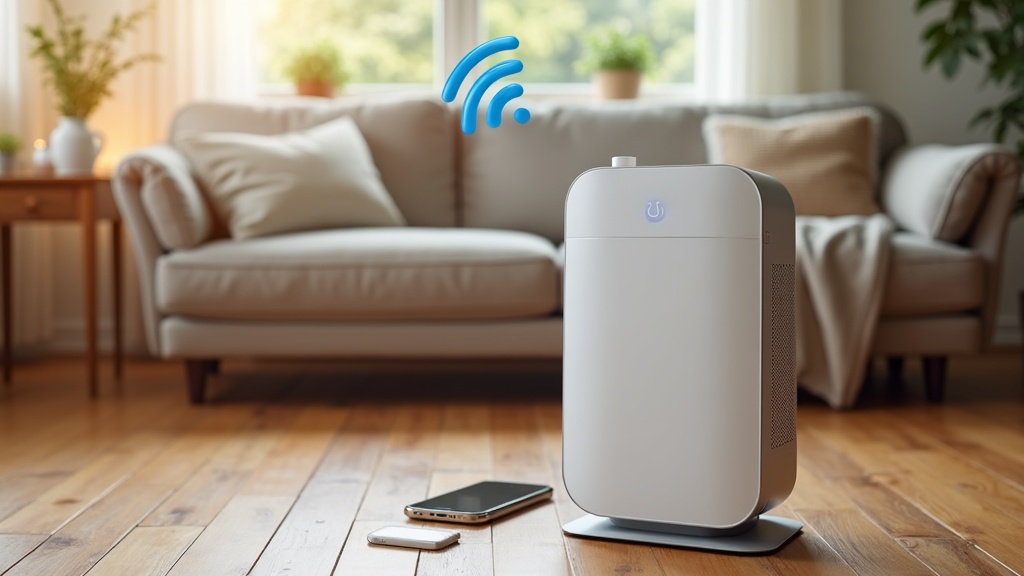
Keeping your indoor air fresh with a smart air purifier is a pretty easy way to make your home more comfortable. But when the purifier suddenly won’t turn on, starts making weird noises, or the app just won’t connect, it can get frustrating fast. I’ve had my share of issues working with different smart purifier brands, and honestly, most of the hiccups are easy to fix if you know what to look for.
Smart purifiers come packed with features like WiFi controls, sensors, and scheduling. While these are super handy, they also add a few more things that can go wrong compared to traditional models. This guide breaks down the most common issues people run into, plus step-by-step troubleshooting tips. With a little patience, it’s not hard to get your smart air purifier running smoothly, and you might even save yourself from an expensive service call in the process.
If you want more info on comparing the best models and smart air technology, you can check out BestSmartPurifiers.com for hands-on reviews and super detailed guides.
Getting Started: Simple Fixes for Power and Startup Problems
Most smart air purifier issues I see are surprisingly basic: the purifier doesn’t power up at all, or won’t start cleaning on schedule. Even with a ton of tech inside, sometimes it’s just a simple fix. That’s why checking the small stuff first is always a good idea before moving on to bigger problems.
Check the Basics First:
- Make sure the purifier is plugged in securely and that the outlet is working. Try another device, like a lamp, to rule out a blown fuse or a dead socket.
- Double-check that the power switch (if there is one) is turned on. Some models have switches that are easy to miss, especially if they sit low or on the side of the unit.
- Many smart purifiers won’t start if the filter cover or pre-filter housing isn’t seated just right. Make sure all parts click firmly in place after changing or cleaning the filter.
- Reset the purifier either by using the reset button or by unplugging it for 30 seconds. Some brands (like Levoit or Coway) require a reset after swapping filters to clear error lights and get back to normal operation.
Still not working, even after a power check and filter reset? It could be a deeper issue, like a faulty circuit board, which usually means contacting customer support. But if you spot blinking lights or error codes, keep reading for tips that might save you a call and help you get things sorted on your own.
WiFi and App Connection Problems
Features such as scheduling, air quality reports, and voice command controls are a major selling point for smart purifiers. But it’s no secret that the WiFi setup and app connections can trip people up. If you’re stuck getting your purifier online or the app won’t work, these steps might help you get back on track.
Common WiFi and App Fixes:
- Double-check your WiFi network. Most purifiers require a 2.4 GHz band and won’t connect to a 5 GHz-only network. Take a quick look at your home router settings and split the network if you need to.
- Make sure your phone or tablet is on the same WiFi network as the purifier during setup.
- If the initial connection fails, restart both your router and the purifier. Restarting usually clears a lot of connection bugs before they become a bigger hassle.
- Try uninstalling and reinstalling the app, and check your app store for updates. Outdated software can cause compatibility issues that are sometimes overlooked.
- Move the purifier closer to your router for setup; walls or distance can weaken the signal. Once it’s online, you can generally move it back to its original spot in the room.
If you’ve followed all the manufacturer’s in-app instructions and it still won’t connect, try looking up your exact model FAQs on FiltersFast.com. Their troubleshooting pages cover most major brands and are helpful if you’re stuck on something specific.
Annoying Noises, Unusual Smells, or Poor Performance
There might be nothing more irritating than turning on your smart purifier and hearing rattling, loud fans, or smelling something funky. These problems not only distract but can also reduce how well your purifier works. Here’s how I usually narrow down the cause and fix it:
Common Causes and How to Fix Them
- Loud or Strange Noises: Check for loose parts, like the filter or grill, since vibrations make even small pieces sound extra noisy. If your purifier has a particle sensor, sometimes it vibrates during heavy use, but it shouldn’t sound harsh or grinding. If it does, a quick cleaning of the components usually helps.
- Unusual Smells: It’s normal for a new filter to have a slight odor, but smells should fade within a couple of uses. If not, make sure you’ve removed all packaging from the filter. If you’ve used the purifier for a while, a dirty or expired filter can let old odors back into the air. Swapping in a new one generally clears it up fast and helps ensure your unit is fighting odors, not causing them.
- Weak Airflow or No Cleaning: This is almost always a clogged pre-filter or HEPA filter. Take out the filters and tap off the dust or replace as needed. Running the purifier on “auto” mode in a dusty room may lower fan speed if the unit thinks the air is already clean. Sometimes switching to manual high speed helps clear out particles faster, especially after heavy dust or pollen days. If performance doesn’t bounce back, look for clogs around the air intake and fan blades as well.
Troubleshooting Sensor and Air Quality Reading Errors
Most smart purifiers have sensors that track pollutants and show air quality on the app or the purifier’s display. If your air quality reading never changes or always says “poor,” it might be time for a quick sensor cleaning. Keeping the sensors clear prevents headaches and actually gives a boost to performance.
Sensor Cleaning and Calibration
- Unplug the purifier and carefully open the sensor area, which is usually behind a grill or small door on the unit. Use a soft brush or compressed air to gently remove dust from the sensor lens. Avoid touching it directly with your fingers, as oils can affect readings.
- Some brands let you recalibrate the sensor using the app or a button on the machine. Check the manual or support site if you’re not sure how to start this process.
- If readings stay stuck or wildly inaccurate after cleaning and resetting, the sensor might be wearing out. Sometimes you can order a replacement sensor, or it might mean it’s time for a new purifier, depending on the brand.
For upkeep, I like setting a cleaning routine every month or two. Regular cleaning really helps keep those sensors accurate and the purifier humming along. If you want a checklist for thorough maintenance, have a peek at my super detailed guides at BestSmartPurifiers.com.
Filter Replacement and Filter Reset Warnings
If the filter replacement warning keeps popping up, even after you put in a new one, it likely means the reset process wasn’t finished. Most purifiers need either a physical button press or an app reset to clear the filter warning and start tracking time on the new filter. Follow these steps to get things back on track:
Filter Reset Steps:
- Turn off and unplug the purifier before opening the filter compartment.
- Install the new filter securely, making sure there’s no wrapping or tape left on it.
- Find the reset button or touchpoint (some models use a pinhole reset, so you might need a paperclip). Hold it for 3-10 seconds as guided by your manual. If you use an app, look for the reset option in the filter section of the app settings and follow the prompts.
If a stubborn warning light won’t clear, check the support number on the manufacturer’s website, or check FiltersFast.com for step-by-step guides on your model so you can avoid unnecessary calls.
Frequently Asked Questions About Smart Air Purifier Problems
What do I do if my smart purifier keeps shutting itself off?
This can happen if the filter is badly clogged, the unit senses overheating, or the sensors are blocked. Clean or replace the filters and double-check that the vents and sensors are clear of dust. It’s also wise to make sure your dust environment isn’t overwhelming the purifier by running it in a less dusty area to isolate the problem.
Why won’t my app recognize the purifier, even though it worked before?
- Update both your phone’s operating system and the purifier’s app for seamless communication.
- Make sure the WiFi network name and password haven’t changed. Sometimes, even minor network changes can knock a smart device offline.
- Try deleting the device from the app and going through setup again. Occasionally, a complete reset is the only thing that works.
How often should I really change my filters?
This varies by model and air quality, but most HEPA filters last 6–12 months. If you have a lot of pets or allergies, check the filter more often; monthly checks make sure performance stays strong. You can order replacement filters for most brands on FiltersFast.com (affiliate) for good prices and reliable shipping, so you’re never left breathing stale air.
Smart Air Purifier Maintenance Tips & Next Steps
Smart air purifier issues often boil down to basics: keep the sensors and filters clean, check your WiFi settings, and monitor any recurring warnings or error lights. If you’re new to this, it’s worth reading through the manual so you know how your purifier likes to be reset or maintained. Making a habit of checking filters and wiping dust from the vents each month keeps your machine working at its best.
Handy Quick-Start Checklist:
- Check the basics: plug, power, filters, and always reset the device after every change.
- Keep WiFi details handy for app setup and troubleshooting so reconnecting is simple.
- Clean the sensors and filter housings regularly so your purifier can do its best work every day.
- Order filters from trustworthy sources like FiltersFast.com (affiliate) to get the right fit for your model without any hassle.
If there’s a smart purifier headache that just won’t go away, drop your specific issue on a user forum or check BestSmartPurifiers.com for walkthroughs. Getting comfortable with troubleshooting saves you time, money, and keeps your air clean and healthy throughout the year. Remember, a little routine care goes a long way toward making your smart purifier a reliable part of your home.