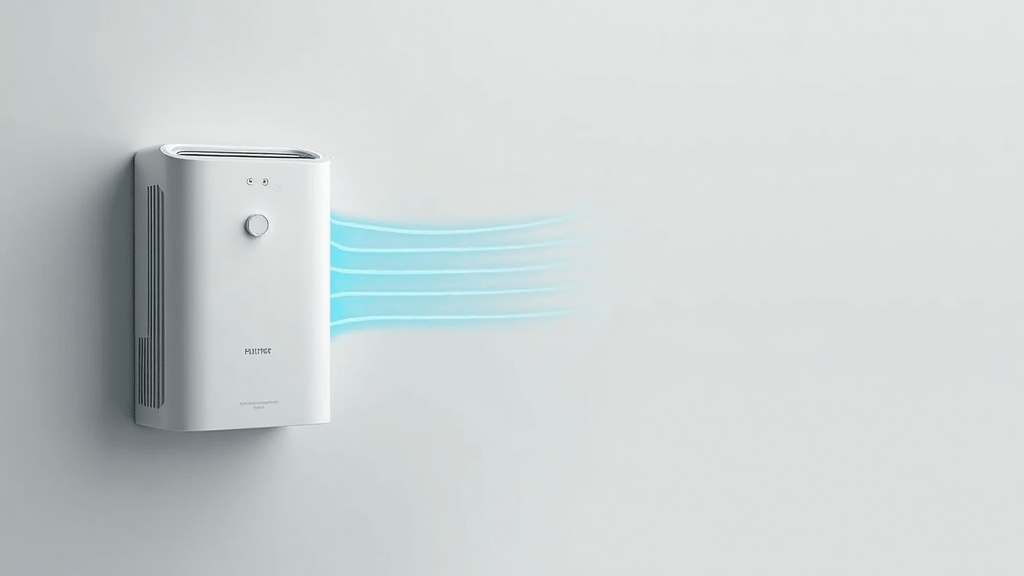
Smart purifiers offer remote monitoring, automatic adjustments, and data tracking features to simplify clean air management. However, neglecting routine care can lead to decreased performance, higher energy costs, and compromised air quality. This guide covers practical tips that will help you maintain your smart air purifier and keep it running smoothly.
In this article, I check out maintenance essentials, from assessing an initial condition to tracking your upkeep over time. Following these steps can help your device continue operating at its best and ensure that your living space remains safe and comfortable. Further details in the sections below offer actionable advice and in-depth explanations to make the entire process straightforward and accessible.
Step 1: Evaluate Your Air Purifier’s Condition
The first step is to assess the current state of your air purifier. Begin by checking both its physical appearance and the performance status on its smart app. A careful inspection helps you understand if any parts need more frequent attention. Spending a little extra time on these initial checks can save you many troubleshooting hours later on.
Questions to Ask Yourself:
- Are there visible signs of dust or dirt on the exterior surfaces?
- Do the indicator lights or app notifications signal any errors?
- Is the unit operating noisily or irregularly?
- When was the last deep cleaning performed?
What to Look For:
- Accumulated dust on the sensors or air vents.
- Signs of wear on the casing or control panel.
- An inconsistent display of air quality metrics on the smart interface.
Understanding your air purifier’s starting point is very important. It gives you a baseline for future comparisons and helps tailor your maintenance schedule based on the device’s condition and usage. Spending a few extra moments to note down any discrepancies or damage now means you can plan replacements or repairs more effectively in the future. Moreover, regularly checking the device in calm conditions builds confidence in managing its performance over time.
This evaluation step is not just about identifying obvious flaws; it is also about establishing a routine of observation. When you consistently record minor changes, you can pinpoint even subtle shifts in performance. This habit of recording will eventually help you notice trends and potentially avoid bigger issues before they develop into more severe problems.
Step 2: Establish a Regular Cleaning Routine
Keeping your air purifier clean is a simple yet effective way to step up performance. Dust, pet hair, and other fine particles can accumulate on grills and sensors, affecting the overall efficiency of the unit. A routine cleaning can prevent buildup and extend the life of both the machine and its filters. Creating a cleaning schedule that fits into your everyday life can remove the guesswork and provide consistent results.
Daily and Weekly Tasks:
- Wipe down the exterior with a soft, dry cloth to remove surface dust.
- Use a brush attachment or compressed air (carefully) to clear debris from air vents.
- Check the smart app for any self-diagnostic alerts and address them promptly.
Monthly Deep Cleaning:
- Remove and clean pre-filters following the manufacturer’s instructions.
- Vacuum around the unit to prevent dust from re-entering the system.
- Inspect seals and connections to ensure no loose parts or obstructions.
It is really important to integrate these cleaning tasks into your routine. A reliable schedule not only prevents the buildup of grime but also helps in keeping track of any irregularities that may appear over time. For example, if you notice a part that seems continuously grimy despite cleaning, it may be a sign that internal components need special attention or that the unit is operating in an unusually dusty environment. By making cleaning a routine ritual, you also reduce the overall stress of maintenance because everything is scheduled and predictable.
If you ever feel uncertain about any part of the cleaning process, remember that most manufacturers provide detailed guidelines or instructional videos. Spending an extra few minutes reviewing these resources could further smooth the way for efficient upkeep and might even help you discover additional tricks to keep your unit running at peak efficiency.
Step 3: Filter Inspection and Replacement
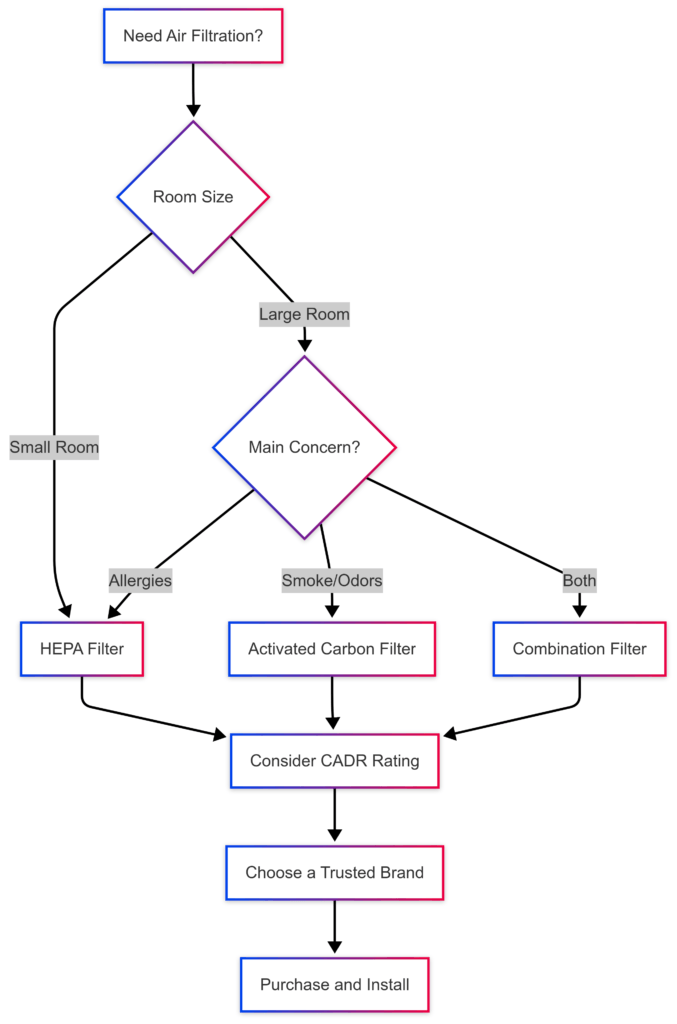
Filters are the heart of any air purifier. Over time, they can become clogged and less effective at capturing pollutants. Knowing when and how to inspect and replace your filters is key to maintaining optimal air quality indoors. This section breaks down the importance of regular filter checks and provides extra tips on what to watch out for when handling them.
Key Considerations:
- Consult the manufacturer’s guidelines for replacement intervals.
- Monitor air quality readings; a sudden spike may indicate that the filter is losing efficiency.
- Examine the filters for discoloration, odor, or visible debris.
Filter Maintenance Tips:
- Mark your calendar for regular filter inspections, even if the smart app doesn’t issue any alerts.
- Keep spare filters nearby so you can replace them as soon as they show signs of wear.
- When cleaning is recommended, gently vacuum the filters; however, avoid using water unless the manual specifies it is safe.
Regular filter maintenance is both cost-effective and essential for ensuring that your air purifier continues capturing harmful particles from your indoor environment. It is very important to replace or clean filters as soon as there is any evidence of reduced effectiveness. Doing so not only maintains air quality but also prevents unnecessary strain on the internal components, ultimately prolonging the overall lifespan of the device.
In addition to regular checks, consider maintaining a separate log exclusively for filter performance. This extra habit can help you predict the right moment to switch out the filters, reduce expenses on unnecessary checks, and ensure that the unit always performs at a high level.
Step 4: Optimize Your Smart Settings and Software
Modern air purifiers come with integrated smart features that allow remote monitoring and automated adjustments. Making full use of these settings can improve maintenance ease and overall performance. Staying up to date with the digital side of your device can save you from a host of potential issues.
Update Firmware Regularly:
- Check the manufacturer’s website or app frequently for the latest firmware updates.
- Install updates promptly to benefit from improved algorithms and bug fixes.
- Review update notes to better understand any new functionalities or critical changes.
Calibrate Sensors:
- Regular sensor calibration ensures that air quality readings stay accurate.
- Follow the calibration guidelines provided in the user manual to avoid errors.
- If sensor readings remain off after calibration, consider contacting support for further advice.
Using the smart functions to the fullest not only optimizes air quality management but also acts as an early warning system for potential maintenance issues. Also, consider periodically reviewing the unit’s smart notifications; they often offer insight into minor issues that might otherwise be overlooked. Having all your firmware and sensor readings checked regularly helps you stay on top of not only immediate performance declines but also long-term device glow-ups.
It is a good practice to set aside time every few months to review your settings. A quick overview can reveal whether the device needs any technical adjustments or if newer software versions offer additional tools that you could put to work in order to further smooth the way for your routine maintenance practices.
Step 5: Optimize Your Air Purifier’s Placement and Environment
Where you place your air purifier can play a significant role in its efficiency. Correct placement helps the unit work more effectively while reducing unnecessary strain on its components. Arranging your space thoughtfully can give a boost to both the physical and digital functionalities of your device.
Best Placement Practices:
- Place the device in a central location for ideal airflow throughout the room.
- Avoid positioning the purifier too close to walls or large pieces of furniture that might block air intake or output.
- Keep it away from heavy dust sources, such as open windows, during windy periods.
- Ensure that the surroundings remain tidy to help prevent additional buildup on sensors and vents.
A thoughtful setup helps maximize the efficiency of the air purifier and makes it easier to monitor its performance over time. In many cases, simply shifting the purifier to a more open area can result in an immediate improvement in air quality as the device is given room to circulate air freely. Taking a few moments to reconsider the unit’s location might result in visible and measurable benefits.
Moreover, think about the seasons and changes in your home environment. For example, in the winter months, heating systems can stir up more dust or affect the purifier’s sensor accuracy. Re-evaluating its position according to the changing climate within your home can be a practical way to keep your air quality consistent year-round.
Step 6: Troubleshooting and Diagnostics
Even with regular maintenance, issues may occasionally arise. Being prepared with basic troubleshooting steps can save both time and money by preventing small glitches from snowballing into serious problems. The following section offers a clear breakdown of common issues and simple remedies to tackle them.
Common Issues and How to Address Them:
- Error Messages: Restart the unit and see if the alert clears. If the alert continues, refer to the troubleshooting section in your manual.
- Reduced Air Flow: Look for blockages such as dust buildup on internal components or obstructed vents. A proper cleaning session can often resolve the issue.
- Inconsistent Sensor Readings: Follow the calibration steps provided in the user manual. Ensuring that the device is placed in a stable, undisturbed area can also help stabilize these readings.
- Unresponsive Smart Functions: Verify that your Wi-Fi connection is stable. Occasionally, performing a software reset as detailed in the manual can set things right.
Having a clear understanding of these potential issues allows you to react quickly and efficiently when a problem arises. Often, the best remedy is to start with the simplest solutions, like a restart or a quick cleaning. Such small actions can save you from more complex repairs later on, ensuring that your air purifier remains in peak condition with minimal downtime.
Keeping a printed checklist near your device might also help you track when these troubleshooting steps have been taken. This way, you can always review what actions have been performed and decide on the next steps if an error persists.
Step 7: Log Maintenance and Stay Consistent
Building a habit out of regular maintenance makes sure that nothing slips through the cracks. Keeping a detailed log can help you monitor the overall health of your air purifier and predict future care needs with accuracy. Documenting each activity ensures you have a clear track record of the device’s performance over time.
How to Keep a Maintenance Log:
- Write down the dates when you clean the unit, check sensors, and replace filters.
- Note any error messages or unusual performance changes that occur.
- Keep a checklist of tasks completed during each maintenance session.
- Review your log periodically to assess whether maintenance intervals need adjustment.
Having a well-maintained record is not only useful for your personal reference but also can be an invaluable resource when discussing issues with customer support or for warranty services. Taking a moment to document each maintenance task may seem tedious at first, but it pays off by providing insight into the life cycle of your appliance and offering peace of mind.
This log acts as a reminder to regularly inspect every part of your air purifier and assures that even the smallest signs of degradation do not go unnoticed. By being consistent with your record keeping, you are effectively setting the stage for long-term performance improvements and avoiding costly emergency repairs.
Common Questions and Troubleshooting
How often should I clean my air purifier?
The cleaning frequency depends on your usage environment. In households with pets or high dust levels, weekly cleaning is advisable. In less demanding settings, cleaning every other week or even on a monthly basis might be sufficient. The key is to remain alert and adjust your routine if conditions change over time.
My purifier shows error codes on the display. What should I do?
- Restart the unit to see if the problem resolves on its own.
- Refer to the user manual for specific error code explanations.
- If the error persists, contact customer support for guidance and further troubleshooting.
Do I always need to replace the filters?
Some filters in smart air purifiers are designed to be washed, while others require complete replacement. It is very important to stick to the schedule provided by the manufacturer while also considering the dust and particulate levels in your living space. Keeping a spare set of filters on hand can make the process smoother if a replacement is needed unexpectedly.
Final Thoughts and Next Steps
Smart air purifiers are sophisticated devices that require regular care, much like any other household appliance. Consistent maintenance not only steps up device performance but also prolongs the overall lifespan of your unit. By assessing its current condition, cleaning it frequently, monitoring filter performance, and keeping software updated, you contribute to a consistently healthy indoor environment.
Your action plan is straightforward. First, begin by checking your air purifier’s condition and addressing any visible issues immediately. Next, create a cleaning schedule that fits comfortably into your routine and stick to it. Remember to monitor filter performance closely and ensure spare filters are available. Regularly update your device’s firmware and calibrate sensors as needed. Finally, maintain a detailed log to track each maintenance step so that you can quickly troubleshoot and address any recurring issues.
This thorough approach not only makes maintenance manageable but also creates a safe and healthy indoor space for you and your family. Taking these proactive measures will surely result in better air quality and more reliable performance from your smart air purifier. What maintenance tip do you think will make the most difference? Consider trying out these strategies and observe how they improve the overall efficiency and reliability of your device.
Remember, maintaining your smart air purifier effectively is all about dedicating a small amount of time regularly to keep the unit in top shape. Every small step you take today can lead to huge benefits tomorrow, ensuring that the air you breathe remains as pure and clean as possible.