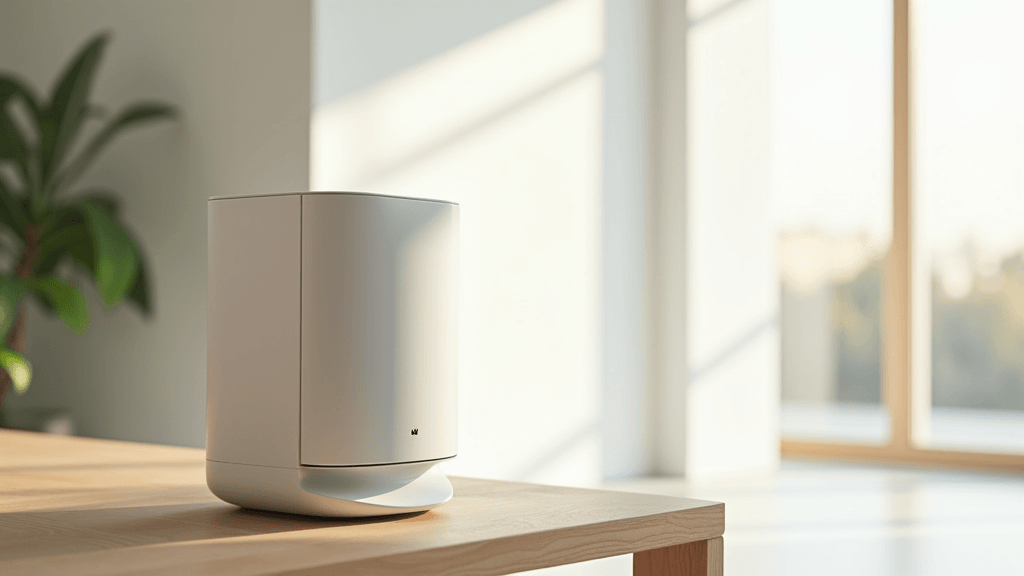
Smart air purifiers are now an essential part of many homes as more people aim for cleaner indoor air. Keeping your device in top shape may look daunting at first, but regular maintenance is key to a long life and efficient performance. This guide offers beginners simple steps to care for your air purifier, ensuring reliable operation and prolonged durability.
Often, the busyness of daily life means maintenance gets overlooked, and some assume that smart features automatically handle all upkeep. In reality, routine cleaning, timely filter checks, and basic troubleshooting can step up performance significantly. The clear steps and simple tips in this guide will help you maintain high-quality air indoors while protecting your investment.
In the sections that follow, you will learn practical maintenance routines explained in an easy-to-understand manner. Each part tells you what to do and why it matters. Even if you are new to smart devices, you will soon feel confident in taking these practical steps. Enjoy the walkthrough and stumble upon the simple habits that make a big difference in both air quality and device efficiency.
Step 1: Know Your Smart Air Purifier
Before jumping into regular maintenance, it’s very important to know your device inside and out. Smart air purifiers come with various features like sensors, filters, and connectivity modules that each require special care. Begin by reading the user manual to identify key components such as the pre-filter, HEPA filter, and carbon filter. Understanding these parts helps you plan when to clean or replace them.
Key Questions to Ask Yourself:
- What are the main parts of my air purifier?
- How does it alert me when maintenance is needed?
- What cleaning cycles does the manufacturer suggest?
- Which smart features affect its upkeep?
Answering these questions ensures you’re well prepared to care for your device and keep it operating at its best.
Step 2: Set Up a Regular Cleaning Routine
The core of maintaining your purifier is a consistent cleaning schedule. Dust, pollen, and other particles tend to accumulate not only on filters but also on the exterior surfaces and sensors. Regular cleaning helps prevent clogs that may interfere with airflow and overall performance. Depending on your environment, cleaning can be done weekly or every other week.
Quick Cleaning Tips:
- Use a soft brush or microfiber cloth to wipe the device’s surface.
- Vacuum the area around the purifier to capture stray particles.
- Gently clean the sensors to remove dust without damaging them.
- Avoid harsh methods that might damage delicate components.
By carving out a specific time each week for cleaning, the task becomes a simple habit rather than a burdensome chore, ensuring your air purifier remains efficient and reliable.
Changing your home filters is as easy as 1-2-3. FiltersFast.com Home Filter Club is a subscription service that protects your family’s health and your investment with filter deliveries for the products you need, on the schedule you need them. Check it off your to-do list today! Click here to sign up.
Step 3: Handle Filter Maintenance and Replacements
Your purifier’s filters are very important because they trap dust and pollutants effectively. Over time, filters can become clogged, lowering the device’s efficiency. Some models alert you when filter care is needed, while others rely on you to remember scheduled checks. Generally, pre-filters should be cleaned every few weeks, and HEPA or carbon filters need replacing every six to twelve months.
Filter Maintenance Guidelines:
- Regularly inspect filters for buildup or discoloration.
- Follow the manufacturer’s instructions for cleaning or replacing each filter type.
- For washable filters, use water and a mild detergent, ensuring they dry completely before reinstallation.
- Keep a simple log of when each filter was cleaned or replaced.
Timely maintenance of your filters not only preserves air quality but also keeps your purifier running smoothly and helps avoid unexpected issues.
Breathe Easy: Replace Your Air Filter Easily Today. GO NOW: FiltersFast.comStep 4: Monitor Software and Firmware
Aside from physical upkeep, managing the software side of your smart air purifier is very important. Firmware controls crucial functions like sensor accuracy, performance optimization, and connectivity. Regularly checking for firmware updates ensures that your device remains secure and efficient. Often, updates add new features that step up your overall user experience while keeping your purifier aligned with current technology trends.
Easy Software Maintenance Tips:
- Visit the manufacturer’s website or use the associated app to look for firmware updates.
- Review update notes to understand the improvements or fixes included.
- Follow the easy installation steps as directed in the update instructions.
- Restart the device if needed to allow major changes to take effect.
Keeping your firmware current is just as critical as physical cleaning, ensuring your air purifier delivers accurate data and dependable performance.
Step 5: Optimize Device Placement
Where you place your air purifier significantly influences its performance. Even a well-maintained device may struggle if it is in an area with restricted airflow, heavy dust, or physical obstructions. Evaluate your room’s layout by considering factors like natural air circulation, proximity to pollutant sources, and any potential blockages from furniture. Positioning your purifier in an open, central space can make a real difference.
Placement Best Practices:
- Place your device in a central area with open airflow.
- Avoid tight spaces or locations blocked by large furniture.
- Keep the purifier away from direct sources of dust or moisture.
- If possible, elevate it slightly to improve air circulation.
Experimenting with different placements and observing performance changes can help you quickly pinpoint the most effective spot for cleaner, more efficient air.
Step 6: Troubleshoot Common Issues
Even with routine maintenance, occasional issues can arise. When the device starts producing unusual noises, displaying error alerts, or showing a drop in performance, begin troubleshooting with a few simple steps. Often, checking the filter placement, removing any blockages, or performing a quick restart can resolve most problems.
Simple Troubleshooting Tips:
- Listen for any abnormal sounds and inspect filters for clogs.
- Reboot the diffuser to see if that clears any error messages.
- Verify connectivity if smart features seem unresponsive.
- Consult your user manual for guidance on specific error codes.
Addressing issues methodically usually prevents minor glitches from escalating. If problems continue, it may be time to contact customer support for further assistance.
Step 7: Maintain a Consistent Schedule
Consistency is key to keeping your air purifier in top condition. Establishing a fixed maintenance schedule ensures that everyday tasks like cleaning, filter checks, software updates, and placement evaluations are not forgotten. A calendar alert or a written log can be very helpful in keeping your routine on track.
Tips for a Steady Schedule:
- Set up regular calendar reminders for all maintenance activities.
- Keep a simple log that records cleaning and filter replacement dates.
- If you miss a scheduled task, get back on track as soon as possible.
- Encourage family members to help share the upkeep responsibilities.
By integrating maintenance into your regular routine, you ensure that your air purifier not only lasts longer but consistently delivers clean air for your home.
Common Questions & Answers
What Should I Do if My Purifier’s Sensors Aren’t Working?
If the sensors appear unresponsive, start by gently cleaning the outer surfaces, as dust may interfere with proper readings. Next, reboot the system and check for any available firmware updates that might adjust sensor calibration.
How Often Should I Replace the Filters?
The frequency of filter replacement depends on device usage and manufacturer guidelines. Generally, pre-filters should be cleaned weekly or bi-weekly, while HEPA and carbon filters might need replacing every six to twelve months. Always refer to your user manual for exact recommendations.
What if My Device Continues to Show Alerts Even After Maintenance?
First, ensure that all filters are properly reinstalled and check for any signs of physical wear. If alerts persist, consult the troubleshooting section of your manual or contact customer support, as recurring issues might require professional attention.
Final Thoughts & Next Steps
Maintaining your smart air purifier doesn’t have to be complicated. Regular cleaning, timely filter care, software updates, strategic device placement, and a consistent maintenance schedule all contribute to a device that performs well and lasts longer. Following these streamlined steps will help you enjoy cleaner indoor air with minimal hassle.
Your Simple Action Plan:
- Review your user manual to understand the parts and recommended upkeep of your device.
- Establish a regular cleaning schedule for the exterior surfaces and filters.
- Regularly check for firmware updates and install them as needed.
- Evaluate your purifier’s placement to ensure optimal airflow.
- Keep a log or set calendar reminders to maintain a steady upkeep routine.
Taking these steps can make a significant difference over time. A little regular upkeep not only brings consistently cleaner air but also extends the life of your smart air purifier. Clean air is very important for your health, and a well-maintained device is key to a comfortable, energy-efficient home environment. We hope this guide helps you manage your smart air purifier more effectively. If you have tips or personal experiences to share, please pass them along to help others achieve a healthier living space. Enjoy the process and keep your environment fresh and inviting.