Smart home devices continue to reshape our living spaces, and nothing illustrates this better than the seamless integration of smart air purifiers with Alexa. With rising concerns about indoor air quality, these devices not only clean the air but also offer control through your voice. Integrating your air purifier with Alexa brings added convenience, letting you monitor air quality and adjust settings with simple commands.
Many households face challenges when it comes to setting up consistent air quality management. Perhaps you’re used to manually switching your air purifier on and adjusting its settings as the seasons change. The good news is that once it’s connected with Alexa, you can automate and simplify these tasks. This guide walks you through every step needed to integrate a smart air purifier with Alexa in a smooth, straightforward manner.
If you’ve ever wished for a healthier, cleaner home environment without the hassle of constant manual adjustments, combining modern air purification with smart voice control can make a big difference. Keep reading to learn how to get started with a system that works in unison to keep your indoor air fresh and your home comfortable.
Step 1: Understand Your Smart Air Purifier and Alexa Compatibility
Before setting up your device, it is very important to understand if your smart air purifier is compatible with Alexa. Most modern devices offer this connectivity, but checking the manual or the manufacturer’s website will save you time later. Knowing your device’s specifications can help you avoid frustration during installation and later when fine-tuning how the system works with your other smart home components.
Take your time to read through the documentation provided by the manufacturer. Often, product pages and user forums provide practical tips and information on compatibility issues that may not be obvious at first glance. Furthermore, having a clear picture of your device’s capabilities can make the integration process smoother and more enjoyable. Spending a little extra time here is a smart investment in the long run.
Key Questions to Consider:
- Does my air purifier support Alexa integration?
- Is the firmware of the device up to date?
- What are the available smart features offered once connected?
- Do I need an additional hub or can I connect directly through Wi-Fi?
Understanding Your Device Capabilities:
- Air quality monitoring through built-in sensors
- Remote control via mobile applications
- Voice command activation using Alexa
- Customizable fan speeds and operating modes
The more familiar you become with these aspects, the easier it will be to take full advantage of your device’s features. Consider spending some additional time researching online reviews and video tutorials made by other users who have completed the process. This extra research can highlight unique tips that might just make the difference between a basic setup and a highly efficient smart home system.
Step 2: Establish Smooth Setup Connections
The initial setup is a blend of physical installation and digital synchronization. Begin by placing the air purifier in an optimal location where it can best capture airborne impurities. It should have a reliable power source and a clear Wi-Fi signal to ensure that it communicates seamlessly with Alexa.
In this phase, follow the manufacturer’s guidelines carefully for best placement in your home. The ideal location is usually a central area where pollutants are likely to gather. Avoid areas that may block air circulation, such as corners with excessive furniture placement or tight spaces between walls and large objects. Making sure you have a clear line to your Wi-Fi router will also help maintain a strong connection for uninterrupted performance.
Setting Up Your Device:
- Follow the manufacturer’s guidelines for the best placement in your home.
- Ensure that the air purifier is connected to a stable power outlet.
- Connect your device to your home Wi-Fi network using the provided instructions.
- Download the dedicated app, if available, to complete the registration process.
Syncing With Alexa:
- Enable the corresponding Alexa skill found in the Alexa app.
- Link your purifier’s app account to Alexa.
- Follow the on-screen instructions to allow device discovery.
- Perform a voice test by asking Alexa to check the air purifier’s status.
This part of the process is all about ensuring that your air purifier and Alexa can get in tune with each other. Often, minor tweaks in the settings or even a simple reboot of the router may solve any connectivity hiccups. It’s a good idea to experiment with the connection to understand how quickly and effectively your devices are communicating. By investing time here, you lay a strong foundation for subsequent steps.
In addition, consider keeping a small notebook or digital note of the steps you take and any troubleshooting measures. This log can prove useful later if you decide to add other smart devices or if you face issues down the line. It can also help pinpoint recurring problems, allowing you to fix them faster.
Step 3: Configure Smart Features for Your Air Purifier
After confirming that your devices are interconnected seamlessly, the next step is to unlock the smart features. These options allow you to automate routine tasks and provide you with in-depth data about your indoor air quality in near real-time. Activating these features can truly take your home environment to the next level of cool. By customizing your settings, you ensure that the air purifier not only responds to immediate needs but also learns your habits over time.
Spend a few extra minutes exploring the mobile app associated with your air purifier. Often, the settings menu will provide multiple customizations ranging from filter replacement reminders to scheduling auto-clean cycles. This extra effort can lead to a more personalized and efficient use of the device. Many users find that once they adjust these parameters, the device works almost like an additional member of the household, constantly monitoring and maintaining optimal air quality levels.
Smart Features to Activate:
- Air Quality Alerts – Set notifications for when air quality drops below a certain threshold.
- Remote Monitoring – Use your smartphone to check the current air conditions from anywhere in your home.
- Power Management – Create routines to automatically switch off the purifier during periods of low activity.
- Mode Adjustments – Allow Alexa to adjust fan speeds based on voice commands or pre-set conditions.
Customizing Your Settings:
It is crucial that you fully explore and adjust your air purifier’s settings via its dedicated app. Whether it means setting an auto-mode to kick in when pollutant levels are high or creating a sleep mode that operates quietly during the night, each option improves the overall performance of your device. Taking the time to get comfortable with these settings means you can craft a tailored experience that fits your life perfectly. In many ways, the smart features allow the device to work for you rather than requiring you to work for it.
Step 4: Create Effective Voice Commands and Routines
One of the standout benefits of connecting your air purifier to Alexa is the convenience provided by voice control. With just a few simple commands, you can adjust settings, check air quality, or activate specific modes without ever having to lift a finger. This ease of use makes managing your home’s environment both futuristic and user-friendly.
Create a set of voice commands that are easy for everyone in the household to remember. Simultaneously, building routines can streamline multiple actions into one simple command. For example, a morning routine might include checking air quality, turning on your favorite music, and dimming lighting to help you wake up gently. These routines make your home not only smarter but also more engaging and responsive to your needs.
Recommended Voice Commands:
- “Alexa, ask [Air Purifier Name] to check the air quality.”
- “Alexa, set the air purifier to auto mode.”
- “Alexa, increase the fan speed on the air purifier.”
- “Alexa, turn off the air purifier.”
Building Routines:
Routines in Alexa allow you to combine multiple actions into one streamlined command. For instance, you might have a routine called “Good Morning” where Alexa not only turns on the air purifier but also reports the current air quality and adjusts other connected devices. Experiment with various routines to see which configurations best match your daily habits. Each routine you create is a step toward a home environment that feels both natural and intuitively responsive. Document the commands and adjust them as necessary to match seasonal changes or changes in your home schedule.
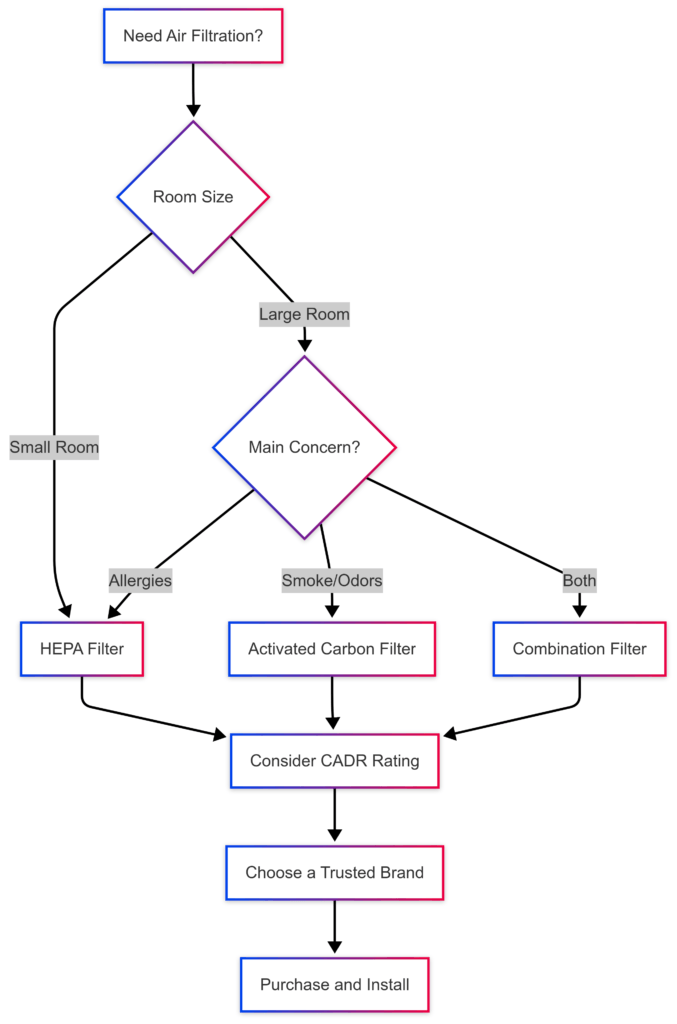
Step 5: Optimize Your Indoor Air Quality
Positioning the air purifier optimally and dedicating time to manage its routines are critical steps for maintaining healthy indoor air. Think about where pollutants tend to gather in your home. For many, kitchens, living areas, and spaces near entryways are hotspots for impurities. By focusing not just on placement but also on maintenance, you ensure that the device works at its peak efficiency over time.
Practical maintenance tips, such as cleaning or replacing filters on a regular schedule, can really boost the effectiveness of your air purifier. Many manufacturers offer guidelines or reminders through the mobile app that help you track when it is time for maintenance. Even integrating these reminders into your daily routine (for example, setting a monthly clean-up reminder with Alexa) can ensure that your device is always performing at its best.
Practical Tips for Air Quality:
- Place the air purifier in common, open areas such as living rooms or kitchens for better performance.
- Avoid blocking the device with heavy furniture to ensure effective air circulation.
- Regularly clean or replace filters as recommended by the manufacturer.
- Combine the purifier’s operation with routine cleaning to reduce dust and allergens overall.
Integrating With Other Smart Devices:
Integrating your air purifier with other smart home devices can further level up your indoor environment. For instance, linking the device to smart thermostats or humidity sensors permits the air purifier to adjust its settings based on real-time environmental changes. This connected ecosystem maximizes overall home health by ensuring that all aspects of indoor comfort are monitored and maintained together. Taking the time to set up this network of devices can make air quality management an almost automatic, ongoing process.
Common Questions & Troubleshooting
What if my air purifier is not discovered by Alexa?
First, ensure both devices are connected to the same Wi-Fi network and updated to the latest firmware. Sometimes, simply restarting the devices or the router can resolve connectivity issues. It also helps to double-check whether the corresponding Alexa skill is enabled in the Alexa app. If the problem persists, consult the support pages for both the air purifier and Alexa. A systematic approach to troubleshooting usually leads to a quick resolution.
How do I manage frequent connection drops?
- Make sure your Wi-Fi signal is strong in the area where the device is installed.
- Position the device away from electronic gadgets that might interfere with the connection.
- Regularly check for software updates for both Alexa and your air purifier.
What if voice commands seem unresponsive?
- Test your internet connection on the Alexa device.
- Use the Alexa app to re-sync your device settings.
- Reset the voice command settings if necessary.
These troubleshooting tips address common concerns when integrating a smart air purifier with Alexa. Regular checks and small adjustments often smooth out any bumps on the road, ensuring that the system remains reliable and efficient over time.
Final Thoughts & Next Steps
Integrating a smart air purifier with Alexa can completely transform the way you manage indoor air quality. With a thoughtful setup, you benefit from a device that not only operates efficiently but also adapts to changing conditions in real time. The process revolves around selecting the right device, positioning it correctly, and continually fine-tuning its operations to meet your needs.
Your journey toward a smarter, healthier home doesn’t stop at initial setup. It involves regularly checking on the device’s performance, updating its settings, and even sharing experiences with other users online. This ongoing process helps maintain peak performance. Keeping track of your experiences and adjustments creates a cycle of continuous improvement that benefits everyone in your household.
Your Action Plan:
- Verify that your air purifier is Alexa-compatible and update its firmware.
- Position your device in areas prone to air quality issues and ensure a stable Wi-Fi connection.
- Enable and configure the related Alexa skill for seamless voice control.
- Create personalized routines that align with your daily schedule and air quality management needs.
- Test voice commands and adjust settings based on performance feedback from your device.
Easy steps such as these make managing indoor air quality less of a chore and more an effortless component of your everyday life. With digital assistants like Alexa handling these tasks, you are free to focus on what matters most. Take some time to revisit these steps periodically to optimize performance, and do not hesitate to experiment with new routines as your needs evolve.
Wrapping up, integrating smart technology into your home is a continuous ride of discovery and improvement. Each adjustment you make can lead to significant benefits. What’s one routine or voice command you plan to try first? Share your experiences with friends or online communities to spread the word and contribute to a broader conversation about smart home innovations.
