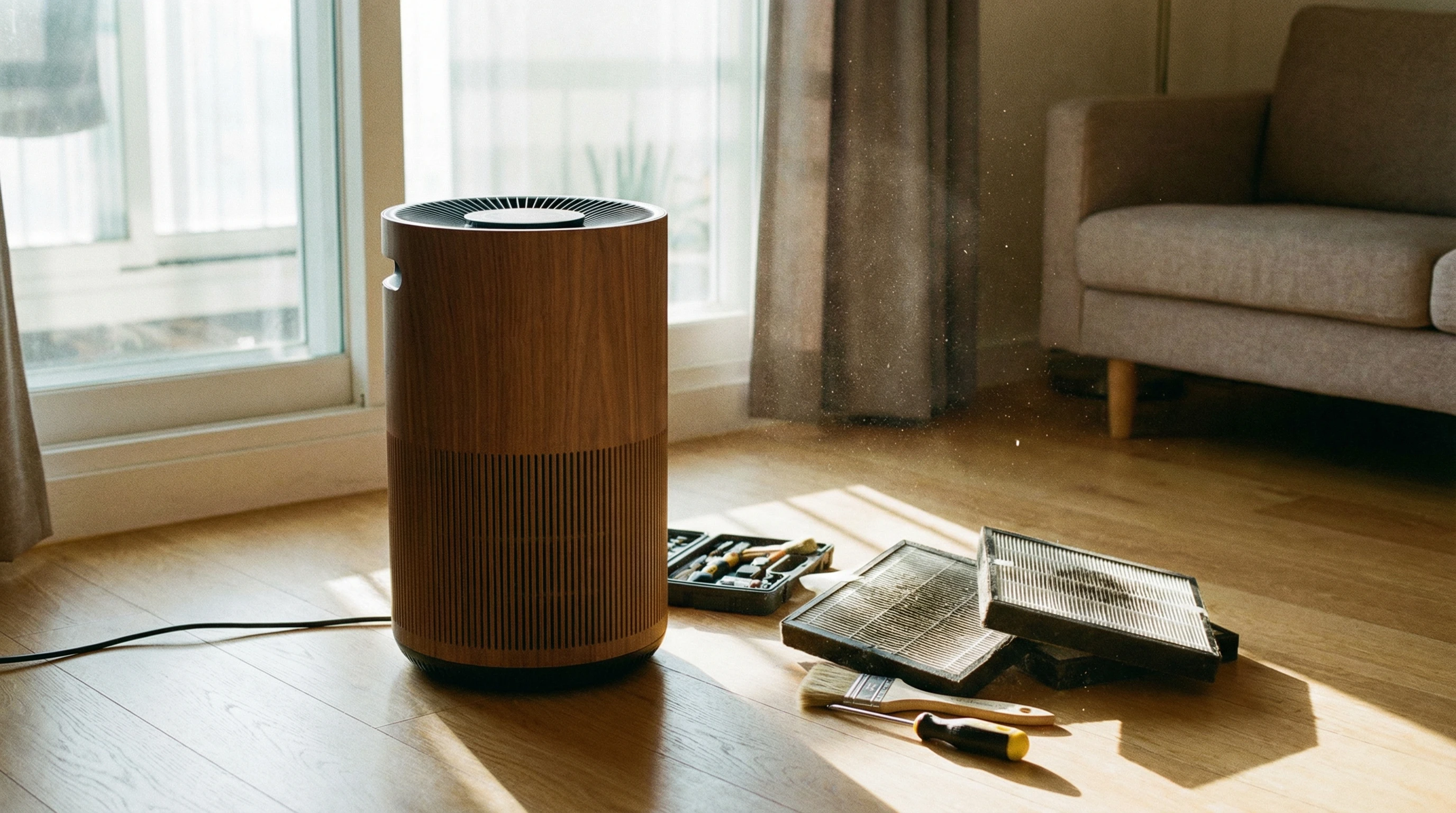
Proper purifier maintenance matters if I want reliable, clean air in my home and want to avoid unexpected wear and hefty repair costs. Regular care can help my air purifier run smoothly, last longer, and keep air quality high for everyone in my space. When I skip maintenance, I usually notice a drop in performance, odd smells, or even noisy operation. Even with the best purifier brands, a little upkeep goes a long way.
My own experience with air purifiers has taught me that just setting them up isn’t enough. Small steps like checking filters, wiping surfaces, and understanding warning signals have helped me keep my devices in great condition. In this guide, I’ll share clear, simple tips that have worked for me so you can feel confident about keeping your purifier in top shape, too. Plus, I’ll add a few extra considerations for maintaining air quality year-round.
Pinpoint Your Purifier Type and Core Needs
Knowing my air purifier model and what kind of filter it uses always makes maintenance so much easier. Every machine is a little different. Some purifiers use classic HEPA filters, others have activated carbon, and smart models might alert me when it’s time to change or clean parts. Before touching anything, I make sure I really know my device. I get this info from the owner’s manual or by searching the model number online. If you need advice on choosing a purifier, check the in-depth buyer’s guide on BestSmartPurifiers.com for super detailed brand and feature comparisons.
Quick Model Checklist:
- Look up your purifier’s make and model number.
- Download or bookmark the official user manual if you lost the paper copy.
- Check the kind of filter(s): HEPA, carbon, UV, washable, or specialty.
- See if your purifier tracks filter life digitally or by a simple LED indicator.
After I confirm those points, I feel ready to set a quick maintenance plan based on what my purifier actually needs rather than guessing. That saves me money and avoids awkward surprises.
Stay Ahead with Regular Cleaning Routines
Dust and dirt love to collect on purifiers, even when the device itself is working hard to clear the air around it. I learned that a dirty surface or clogged vents make my purifier work harder. That can shorten its lifespan and use more energy.
Weekly Wipe Downs:
- I unplug my purifier before cleaning (very important for safety).
- I use a soft microfiber cloth, damp with water or a tiny drop of mild dish soap.
- I run the cloth along the air intake and outtake vents, fan blades (if accessible), and the surrounding plastic for any stuck-on dust.
- I make sure not to use harsh chemicals that could damage the casing or filters.
Monthly Deep Cleans:
- I open the filter compartment carefully, following the manual’s guidance.
- I vacuum any loose dust with a hose attachment (held a few inches away) before removing the filter.
- Washable filters get a gentle rinse in cool water, but only if my device says that’s safe. I always make sure they’re fully dry before reinstalling.
- Non-washable filters go back as is or are replaced, never cleaned with water or soap.
Building this habit into my weekend routine keeps the purifier running quietly and helps me spot worn-out parts before anything major breaks. If you want tips about filter cleaning, BestSmartPurifiers.com offers practical cleaning walkthroughs for all common types. Adding a regular dusting routine around the purifier’s location – such as wiping nearby baseboards and floors – also makes a noticeable improvement in general performance and indoor air freshness.
Know When and How to Replace Filters
A fresh filter is the secret hero of any purifier. When I forget to swap mine out, I instantly notice a change in air quality (and sometimes in my allergies, too). Because different air purifiers have different replacement needs, I keep a sticky note by my unit listing the model number and ideal change interval. Sticking to a routine really keeps everything running smoothly and improves the effectiveness of your purifier, especially if you have pets, pollen, or live in a dusty zone.
General Filter Change Guidelines:
- HEPA filters – about every 6 to 12 months (check your model specs).
- Carbon filters – every 3 to 6 months for best odor removal.
- Washable prefilters – rinse monthly if possible.
- Other specialty filters – as recommended by the manufacturer.
I like to set calendar reminders for these intervals so I never run my purifier with a clogged filter. I also recommend keeping a backup on hand. I order my replacement filters from trusted sellers with good reviews. If you want to shop quickly, FiltersFast and FiltersCollection are two affiliate shops that carry a wide variety of brand-name filters and usually ship fast. I’ve found both sites really easy to use. If you want to compare official and compatible filters, BestSmartPurifiers.com offers up-to-date reviews of top sellers.
Monitor Performance and Pay Attention to Warning Signs
No one wants to breathe stale or dusty air because a purifier quietly quit working. I’ve learned that keeping an eye (and an ear) on my machine can prevent big problems down the road. Some purifiers have indicator lights or notifications on their apps, but others need me to watch and listen for clues.
Signs It’s Time to Act:
- The purifier is louder than usual or starts rattling.
- You notice weak airflow from the fan, even on high settings.
- Strange smells (musty or mechanical) come from the vents.
- Allergy symptoms return, or dust seems to settle faster nearby.
- Indicator lights blink, flash, or show red or yellow.
If I see any of those, I check the filter’s condition and clean the housing. If the problem sticks around, I call customer support or visit the troubleshooting section on BestSmartPurifiers.com for step-by-step tips. Staying sharp and catching issues quickly helps me fix small issues before they turn into expensive repairs. Also, listening for mechanical clicks or changes in fan speed can clue you in before bigger issues develop.
Location and Airflow: Little Changes, Big Difference
Where I place my purifier really affects its performance and makes routine maintenance easier. When I stick it in a corner or right up against the wall, airflow slows down, which puts more strain on the motor and clogs filters faster. Instead, I give my machine at least a few feet of open space on all sides. That way, the purifier can suck in and push out air smoothly without needing to work overtime.
Best Placement Tips:
- I avoid placing purifiers under drapes, shelves, or behind doors.
- Placing it centrally (or near the area I spend the most time) helps it cycle air efficiently.
- I check every week for dust or pet hair collecting near the intake.
- If my purifier is portable, I move it occasionally to areas with more dust or odors (kitchen, living room, etc.).
Adjusting placement even a little can make air cleaning more effective and decrease how often I change filters. If you need guidance on picking the right room or layout, this air purifier placement guide is full of helpful diagrams and placement tips for apartments, houses, and offices.
Choose High Quality Replacement Filters
I never want to risk my air quality or damage my device by grabbing random off-brand filters. Buying original, certified, or highly rated compatible filters means my purifier keeps performing the way it should. I always check for the right fit and verify that customer reviews are positive before buying. Using poorly fitting filters can leak dust back into your air or even void your warranty, so it’s worth tracking down the correct one.
For my own units, I usually go with mainstream sites like FiltersFast or FiltersCollection. For specialty systems, FieldControls stocks unique or hard-to-find options. Good filters really make a difference, especially in high pollen seasons or homes with pets and kids. Don’t hesitate to check the manufacturer’s website directly for official replacement links and extra warranties.
Seasonal Checks: Going Beyond the Basics
I find it helpful to give my purifier a deeper look every few months or anytime the seasons change. Dust and allergens spike when I open windows in spring, and indoor air gets stuffy in the winter with heaters running. My spring and fall checklist includes:
- Checking and resetting the unit’s timer or schedule.
- Inspecting power cords for wear or loose connections.
- Wiping any sensors or external air quality meters with a soft dry cloth.
- Check for firmware updates if your purifier has smart controls.
- Testing the buttons and remote, making sure everything responds as it should.
Since filters may fill up faster in certain months, I look inside even if the indicator hasn’t lit up. I also review the manual just to double-check if special upkeep is needed when running continuously during the cold and allergy-heavy months. Don’t skip these seasonal checks – they really help spot worn cables or sensors before breakdowns can happen, especially in homes with fluctuating humidity or lots of foot traffic.
Solve Common Purifier Problems Fast
Sometimes weird issues pop up even if I’m following every maintenance tip. Luckily, most fixes are quick and simple.
Popular Troubleshooting Solutions:
- If my purifier won’t turn on, I check the outlet, reset the plug, and look for tripped switches or loose cords.
- If there’s a musty smell, I check the filter, run the purifier outside for a bit, and wipe down the interior.
- For noisy operation, I check the fan, clean debris, and tighten screws if needed.
- If filter lights blink after replacing the filter, I hold the reset button (see my model’s instructions for timing or sequence).
If those steps don’t fix it, I head over to the troubleshooting resource page or call the manufacturer before spending on repairs. Sometimes, a quick call or email can save you a lot of time searching for answers.
Your Air Purifier Maintenance Action Plan
Keeping my air purifier running well isn’t complicated, though it feels like second nature after a few rounds. A few easy steps in my calendar, a little surface cleaning each week, and regular filter swaps have kept my home’s air much fresher. Here’s what I always keep in mind:
- Make a quick note of your purifier’s brand, model, and manual location.
- Set a repeating phone reminder to clean the exterior and change filters as scheduled.
- Order a replacement filter in advance through reliable shops like FiltersFast, FiltersCollection, or FieldControls.
- Check the position and surrounding space so airflow stays strong and steady.
- Watch for signs of poor performance, and act on them before issues get worse.
- Make a habit of dusting areas close to the purifier to cut down on debris.
- Update your maintenance schedule if you move or add more pets to the house.
Following these tips has lengthened the life of every purifier I’ve owned, and I always notice improvements in my allergies and in-home comfort. If you test out any hacks from this guide, I’d love to hear your results or tips in the comments below. Your experience could help someone else breathe easier, too. Time to roll—give your purifier that little bit of care it deserves, and it’ll do a great job keeping your home’s air as clean as possible throughout the year.