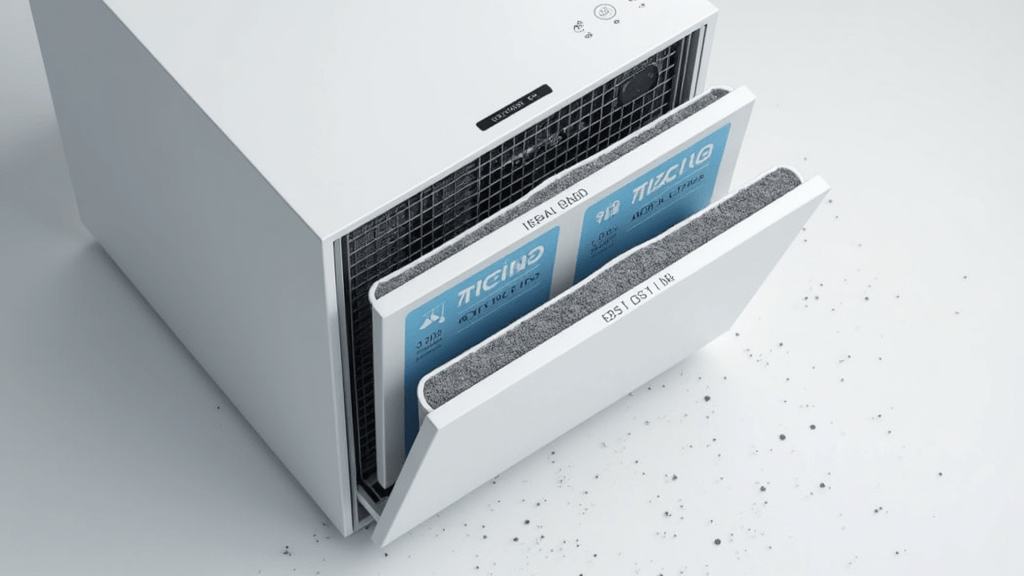
Smart air purifiers keep your home’s air fresh, track filter life, and send handy alerts to your phone. While these devices do a lot of the work on their own, a little attention from you goes a long way in making sure they always run at their best. If you’ve ever noticed allergy symptoms slipping back in or dust building up quickly, your air purifier might need some extra love. Creating a maintenance checklist makes life easier and keeps your air cleaner, longer. And remember, even smart tech benefits from the occasional hands-on touch to keep things humming along smoothly.
In this guide, I’m breaking down how to set up a checklist for maintaining smart air purifiers, skipping technical jargon and focusing on easy wins. I’ve included specific steps you can follow, warning signs to watch, and a few tips that’ll help your device last and perform like new. If you need filters or want to take the guesswork out of finding replacements, FastFilters.com is pretty handy for all your filter purification needs.
Figure Out What Your Device Needs
Smart air purifiers come with different features and suggested upkeep routines. Before you build your checklist, get familiar with what your specific model requires. Brands often have various filters and reminders; some use mobile apps for notifications. Some purifiers even have unique sensors or special features that need extra attention, so knowing your device inside and out helps you keep on top of things.
Questions to Think About:
- Is your air purifier HEPA-only, or does it also use activated carbon or UV-C?
- Can you check filter life through an app, or does it use a light indicator?
- Are filter replacements simple to order, or must they be brand-specific?
- How big is your purifier, and how often do you have it running?
Most user manuals or the manufacturer’s website answer these questions, but you can also check in with customer support if unsure. If you’re uncertain about filter types or where to buy them, FastFilters.com has a helpful search by brand and model to keep things straightforward.
Create Your Smart Air Purifier Maintenance Checklist
All purifiers need occasional attention, but following a schedule keeps the process stress-free and straightforward. Here’s a checklist template for your smart air purifier. Adjust or swap steps based on your specific device:
1. Weekly Quick Clean
- Wipe the outside of the device with a microfiber cloth to remove dust and prevent buildup.
- Check the vents for visible blockages (pet hair, large dust flakes).
- Look at the power cord and plug for any signs of damage.
Do not use excessive water or cleaning sprays near your purifier, which could damage internal parts. A dry or slightly damp cloth is usually enough.
2. Monthly Filter Check
- Open the access panel and check the prefilter (the first layer). Remove any large dust or hair with a hand vacuum, or rinse if the manual allows.
- Check app notifications or the built-in indicator. If the app says the primary filter is dirty, review the replacement steps found below.
3. Replace Filters on Schedule
- Most HEPA filters last between 6 and 12 months, while activated carbon filters need swapping every 3 to 6 months. Keep an eye on your app or indicator to stay on schedule.
- Order spare filters in advance. It’s smart to have at least one extra on hand for emergencies.
- Follow the manufacturer’s instructions to replace filters. Mark the installation date in your app, calendar, or on a sticky note on the machine.
4. Update Firmware and App
- Open the manufacturer’s app and check for software updates. Updates can fix bugs, add features, or improve filter tracking accuracy.
- Reconnect the device to WiFi if you’ve noticed any missed notifications or recent app issues.
5. Deep Clean Every 3-6 Months
- Always unplug your unit before cleaning. Remove all filters, replacing them if necessary.
- Clear out the filter compartment using a dry toothbrush or canned air to gently dislodge stubborn dust and debris.
- Use a vacuum to clean around the vents and air intake.
- Put the purifier back together, plug it in, and check the app to reset filter life settings if you changed any filters.
Tips to Make Maintenance Easy
A good checklist is built on habits that stick. Working purifier care into your home cleaning routine keeps everything running without a hitch. Here are a few tips I’ve learned along the way to make things even easier:
- Set recurring reminders on your phone or calendar for monthly filter checks and deep cleans.
- Pair your air purifier’s maintenance with tasks you already do, like cleaning out vents or rotating your mattress. This way, it becomes part of an existing habit.
- Keep a dedicated note (digital or on paper) for your purifier’s serial number, filter type, and last maintenance date. This makes tracking replacements and care easy over time.
- Share responsibilities with family or roommates. Rotating the job keeps it quick and fair for everyone involved.
It's also smart to keep receipts or digital records of filter purchases, just in case you need to reference them for warranty or orders down the road.
Common Air Purifier Issues & How to Handle Them
What if my app shows a filter error right after a replacement?
This is surprisingly common with smart models. Double-check that the filter clicks or slides all the way in. Some devices have a small reset button you’ll need to hold, or an option in the app to update filter status. If you’re still facing issues, a look at the manual should clear things up.
The air quality sensor always shows poor air quality. Why?
- Clean the sensor opening using a dry cotton swab or compressed air to remove dust.
- Move the unit away from kitchens, windows, or places with excess dust, smoke, or humidity.
- Filters that need to be replaced can also trigger poor sensor readings.
Can I use third-party filters to save money?
While it might be tempting, not every third-party filter meets required standards, and some could harm your device or void its warranty. FastFilters.com offers certified replacements for most major brands so you can keep your purifier safe and running smoothly.
Things to Avoid When Maintaining Your Air Purifier
- Do not spray cleaners or liquids directly into vents or over sensors; moisture can damage electronics.
- Don’t ignore app alerts about filter changes. Old filters can harm your device and worsen air quality.
- For homes with pets, check your filters more often. Pet hair can clog them faster than usual.
Try FastFilters.com for Reliable Filter Shopping
Getting the right replacement filters should be simple. At FastFilters.com, you can search by brand and model and get fast shipping so your purifier isn’t stuck offline for long. The site offers filters for smart purifiers, classic units, and high-end systems. I find their platform straightforward, and their delivery times are quick, which helps me stay on top of my own maintenance routine without stress.
Your Maintenance Action Plan
- Check your device’s filter type, app system, and suggested cleaning schedule.
- Create a checklist that repeats on a schedule you’ll actually follow.
- Order and keep extra filters using FastFilters.com or your go-to supplier.
- Set up monthly reminders so filter swaps and dust don’t sneak up on you.
Smart air purifiers do a lot for your home, but a clear action plan and regular attention help them stay at peak performance. Stick to your checklist and you’ll see better air quality, less dust, and fewer allergy problems. Have a handy tip, unique trick, or favorite filter brand? Share your insights in the comments below to help others keep their homes as fresh as possible.
